2 | Connecting the receiver - MAG
CONNECTING THE RECEIVER
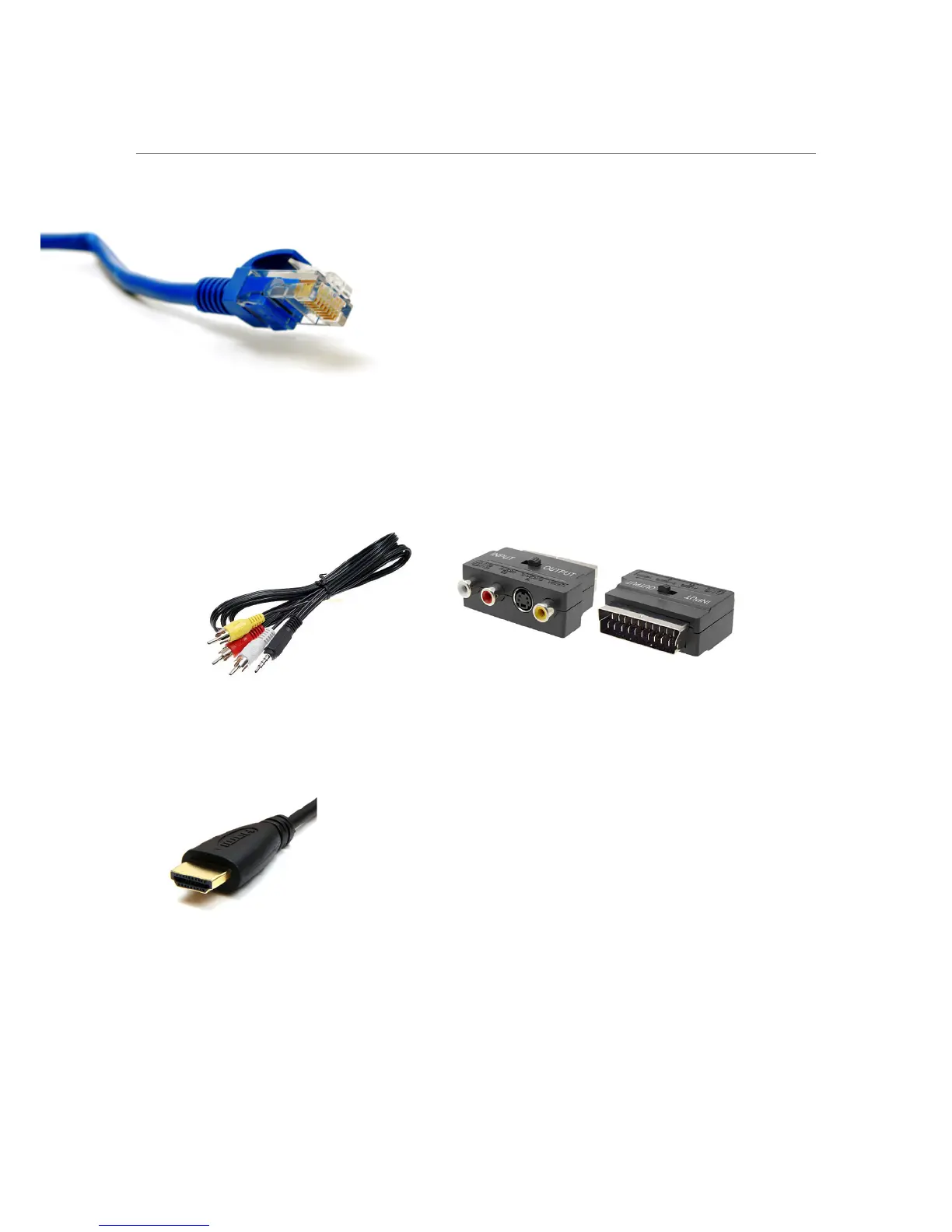
Place the receiver close to your TV and connect it to your Internet connection with a network cable.
If you want to connect the receiver wirelessly, you need a USB WiFi adapter which can be purchased
separately. See how you connect the receiver on page 3.
You can connect the receiver to your TV using two different methods:
1. If your TV is an older model, and doesn’t have a HDMI input, you can connect the receiver with a
RCA cable (Red, white and yellow) which is compatible with most TVs. If your TV doesn’t have an
RCA input, you can buy a RCA-to-scart-adapter.
When the receiver is connected to the TV, switch the power on, and the system starts up automatically.
Remember to be on the right input (HDMI 1, 2, 3, 4 ...) on your TV. Otherwise you won’t get a picture on
the screen.
2. If your TV is a newer version, your can connect with a HDMI cable.
Network Cable (ARJ45)
RCA cable RCA-to-scart-adapter
HDMI cable


 To Next Page