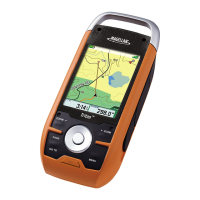
Satellite Signals
4 bars green: Strong signal.
Blank:
No
satellite signals.
Unable to compute position.
Tap
on
the satellite status
icon to get a visual
representation of the
satellites and signal strength.
GPS
Status
For
detailed
GPS
information, access the
MFG
GPS
Status screen.
Main
Menu>
User
Options>
GPS
Options>
GPS
Status.
Tips
on
improving satellite signal strength
..
Leave
the
garage
or parking structure
so
the
GPS
receiver
has
a
clear view of the
sky
.
..
Move
away
from large structures
or
overhanging trees that may
interfere with satellite reception.
..
You
may
need
to relocate the Magellan Maestro
in
your vehicle to
have
a better view of the
sky.
This receiver
may
not
be
able to get satellite signals while indoors.
If
you
are
not getting strong satellite signals,
go
outside
and
follow the tips
provided above.
Satellite Signals
4 bars green: Strong signal.
Blank:
No
satellite signals.
Unable to compute position.
Tap
on
the satellite status
icon to get a visual
representation of the
satellites and signal strength.
GPS
Status
For
detailed
GPS
information, access the
MFG
GPS
Status screen.
Main
Menu>
User
Options>
GPS
Options>
GPS
Status.
Tips
on
improving satellite signal strength
l1li
Leave
the
garage
or parking structure
so
the
GPS
receiver
has
a
clear view of the
sky.
l1li
Move
away
from large structures
or
overhanging trees that may
interfere with satellite reception.
l1li
You
may
need
to relocate the Magellan Maestro
in
your vehicle to
have
a better view of the
sky.
This receiver
may
not
be
able to get satellite signals while indoors.
If
you
are
not getting strong satellite signals,
go
outside
and
follow the tips
provided above.



 To Next Page
 Loading...