28 User Guide
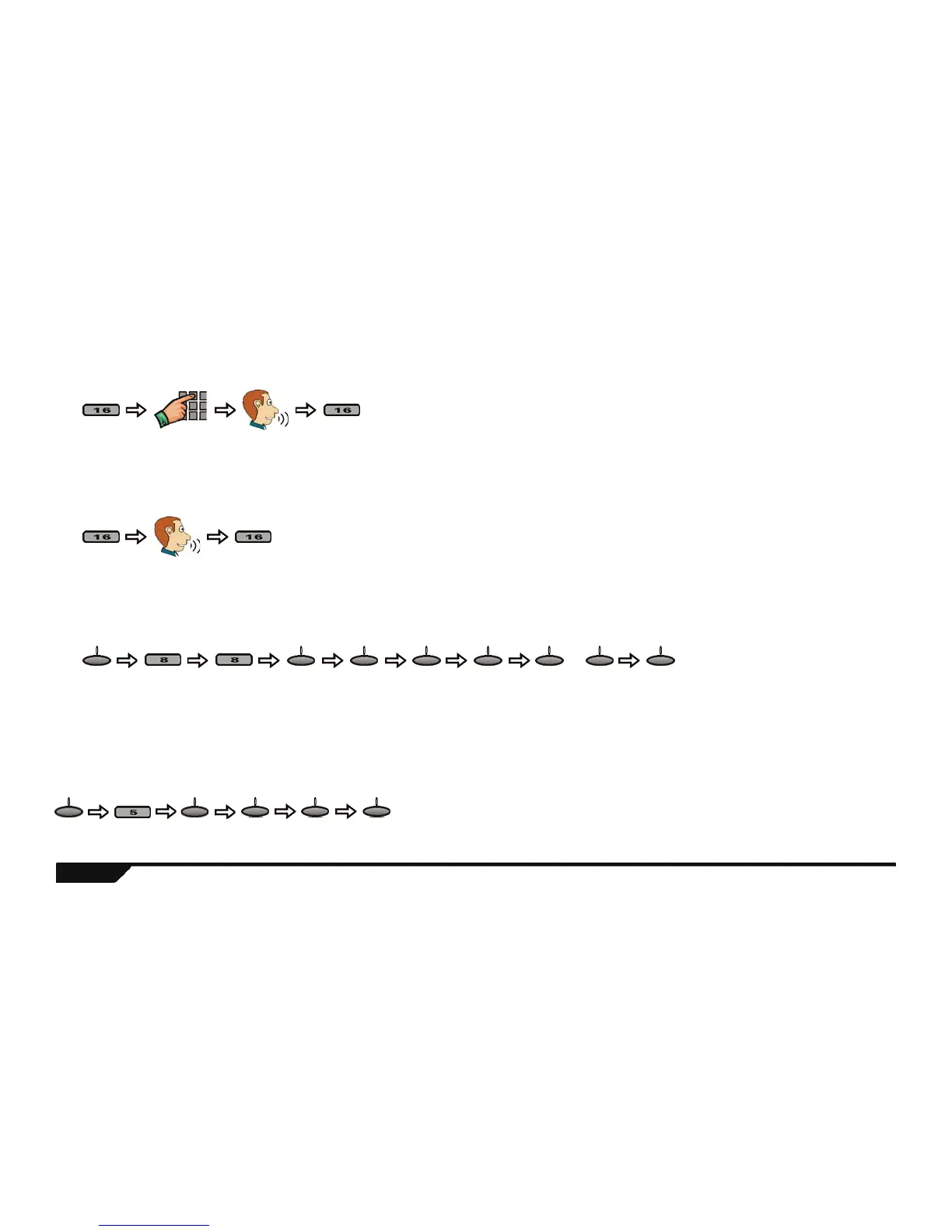
Making a Standard Telephone Call through the console
Answering an Incoming Call
Setting the Ring Tone and Volume
Chime Zones
You can program the console to emit a tone whenever designated zones are opened. These zones are referred to as Chime zones.
Dial
telephone #*
To
hang up
Using the center keypad:
* When using the center
keypad to dial the
telephone number:
Keys [1] to [9] = 1 to 9
Key [10] = 0
Key [11] = *
Key [12] = #
To
hang up
Using the center keypad:
Program
ring tone
Press until
desired
tone
Program
ring
volume
Use the – or + action
keys to increase or
decrease the volume
or
menu ok next ok ok - + ok
Press until
desired zone
Press until
desired tone
menu next ok next ok
Technical Manuals Online! - http://www.tech-man.comTechnical Manuals Online! - http://www.tech-man.com


 To Next Page