Access System Features by Phone 35
Step 3: Select an action
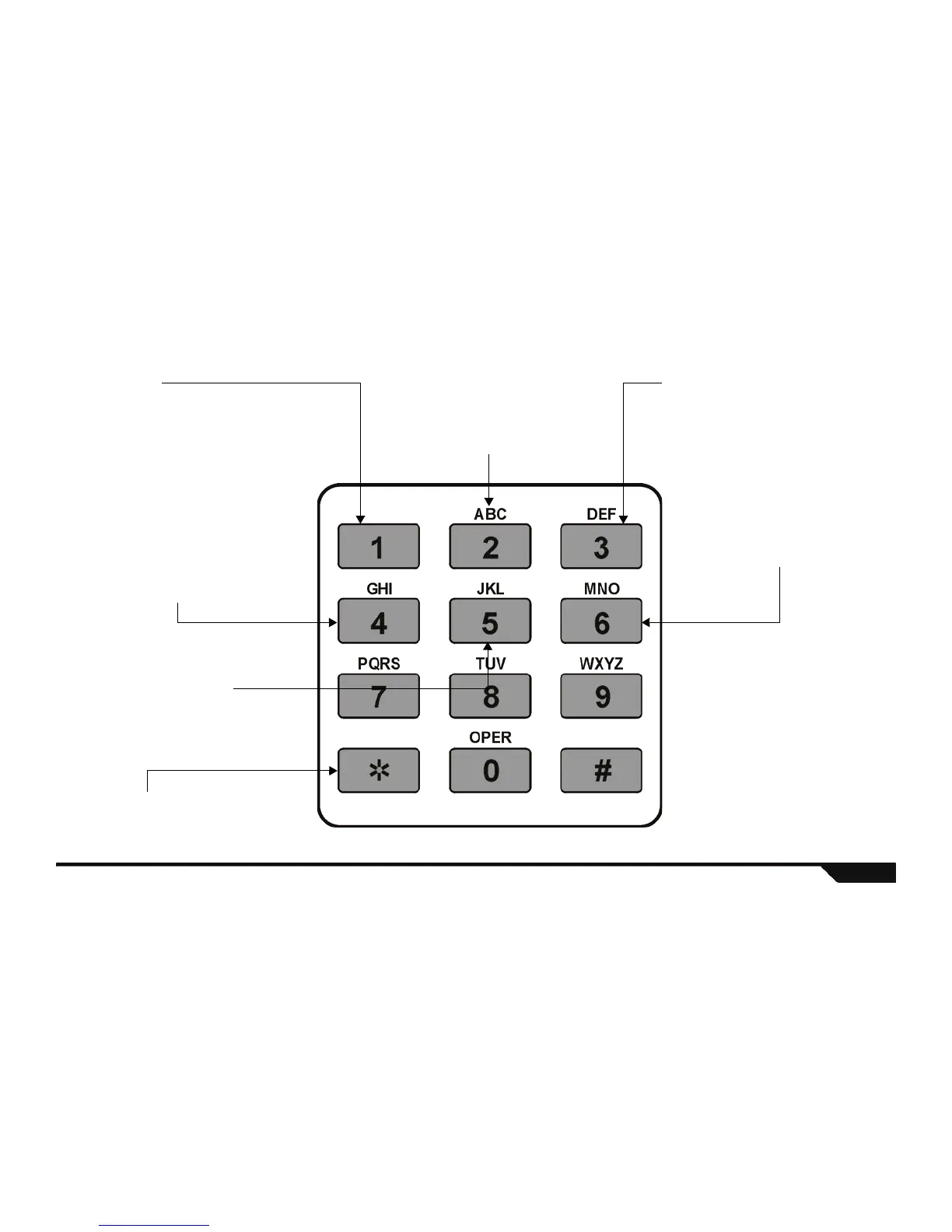
Arm/Disarm:
Pressing the [1] key toggles the system
between armed and disarmed states. If your
system is disarmed, press the [1] key to arm
your Magellan console. If your system is
armed, press the [1] key to disarm your
system.
Record a Message:
Press the [2] key to record a message in the
Magellan console’s Message Center
(page 24). Please note that the message
cannot exceed 20 seconds in length. Press
the [
4
] key to stop recording at any time.
Listen to message:
Press the [3] key to listen to a message
already in the Magellan console’s Message
Center (page 24).
Speakerphone Mode:
Press the [4] key to convert your Magellan
console into a remote speakerphone. You
can listen-in at your home and/or speak to
someone already there. The person you are
talking to can hang up by pressing the [16]
key from the center keypad on the console.
You hang up by pressing the [4] key. Press
the [#] to exit Speakerphone Mode and to
continue through the menu.
Activate/deactivate PGM1:
Press the [5] key to activate or deactivate the
Magellan console’s PGM output 1. Refer to
Programmable Outputs (PGMs) on page 30
for more information on PGMs.
Activate/deactivate PGM2:
Press the [6] key to activate or
deactivate the Magellan console’s
PGM output 2. Refer to
Programmable Outputs (PGMs)
on page 30 for more information
on PGMs.
Exit Menu or Hang up:
Press the [4] key to either exit a menu or to
hang up with your Magellan console.
Technical Manuals Online! - http://www.tech-man.comTechnical Manuals Online! - http://www.tech-man.com


 To Next Page