New Features
3
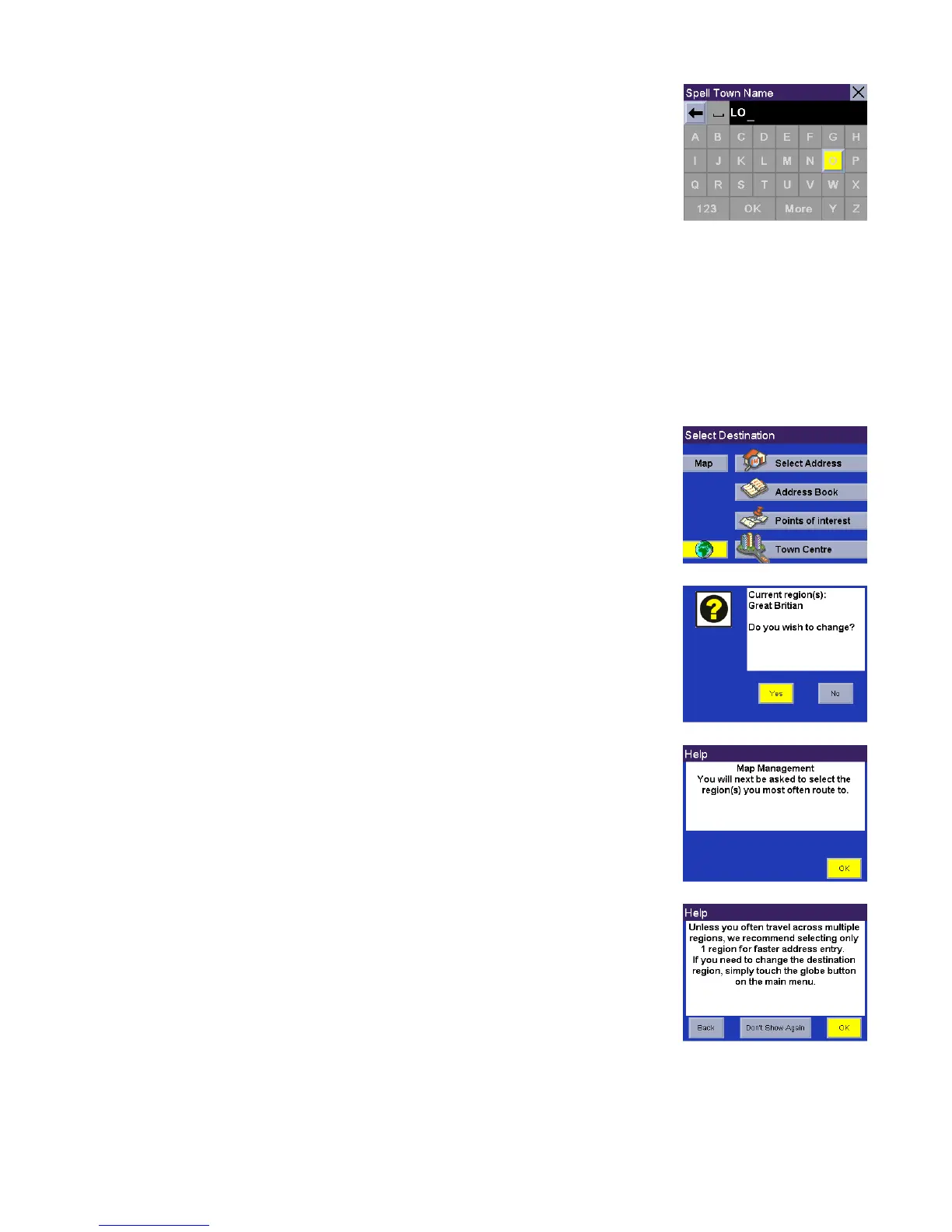
Enter the name of the desired city. Notice this time you enter fewer characters to
match the desired city in the speller.
Accessing Regions
When you turn the unit on you will be asked to select a region you most often travel within. If you select only one
region, all searches will be from that region. If you select two or more regions, when you conduct a search, you will
be asked to select the region from which to search. If you need to conduct a search from a region that is not active,
you will need to first activate the necessary region.
Press the Globe button.
A dialog will appear asking you to confirm your selection. Select Yes.
You will be prompted to select the region or regions you most often route to. Select
OK.
Selecting only one region will greatly speed up the time it takes to search for
addresses and POIs. Select OK to proceed to the next screen or, select Back to
view the previous screen. If you do not wish to view this screen each time you
select a map region, select Don’t Show Again.












 To Next Page