Satellite Signal Strength
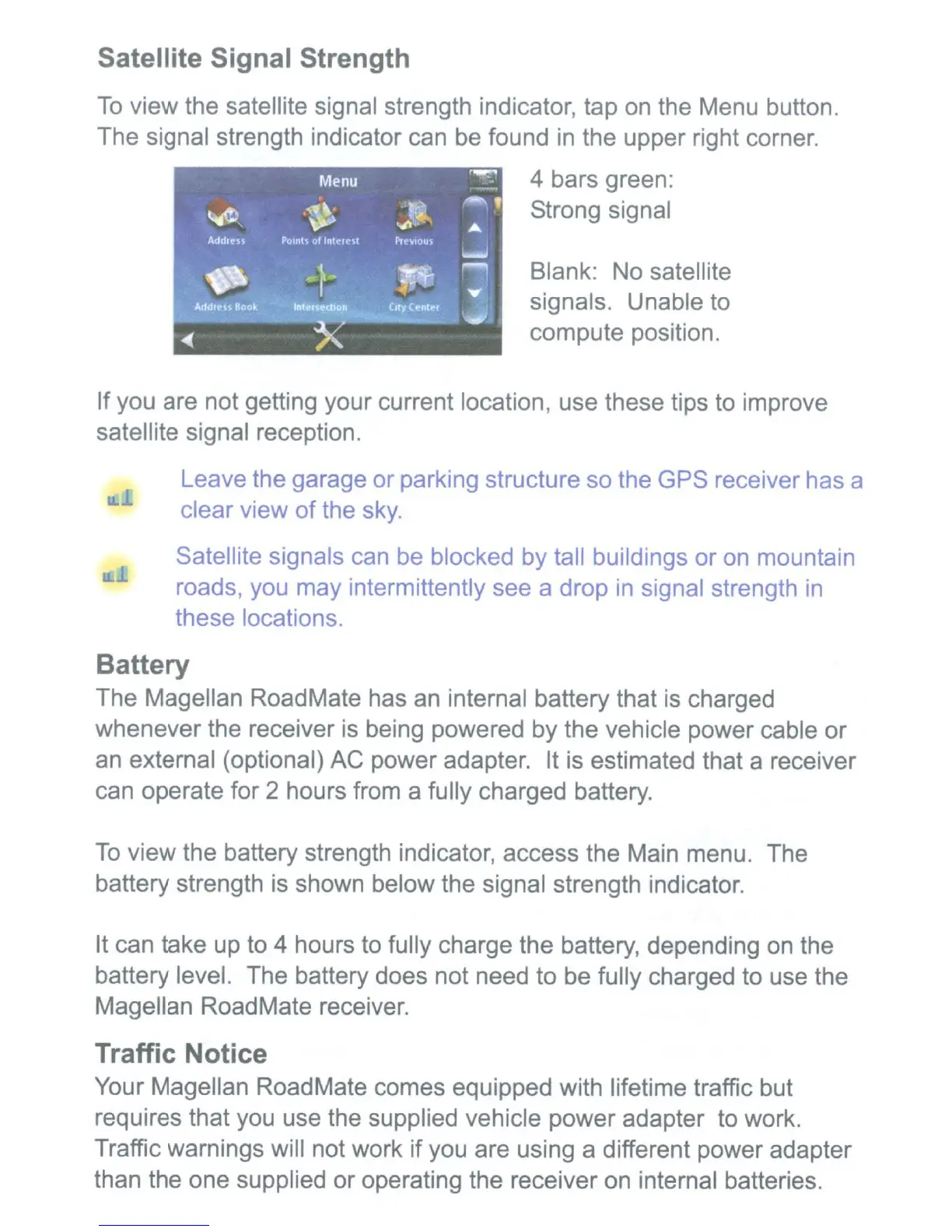
To
view the satellite signal strength indicator, tap
on
the Menu button.
The signal strength indicator can be found
in
the upper right corner.
4 bars green:
Strong signal
Blank: No satellite
signals. Unable to
compute position.
If you are not getting your current location, use these tips to improve
satellite signal reception.
Leave the garage or parking structure so the GPS receiver has a
clear view of the
sky.
Satellite signals can be blocked by tall buildings or
on
mountain
roads, you may intermittently see a drop
in
signal strength
in
these locations.
Battery
The Magellan RoadMate has
an
internal battery that
is
charged
whenever the receiver
is
being powered by the vehicle power cable
or
an
external (optional) AC power adapter. It is estimated that a receiver
can operate for 2 hours from a fully charged battery.
To
view the battery strength indicator, access the Main menu. The
battery strength
is
shown below the signal strength indicator.
It can take up to 4 hours to fully charge the battery, depending
on
the
battery level. The battery does not need to be fully charged to use the
Magellan RoadMate receiver.
Traffic Notice
Your Magellan RoadMate comes equipped with lifetime traffic but
requires that you use the supplied vehicle power adapter to work.
Traffic warnings will not work if you are using a different power adapter
than the one supplied or operating the receiver on internal batteries.











 To Next Page