6
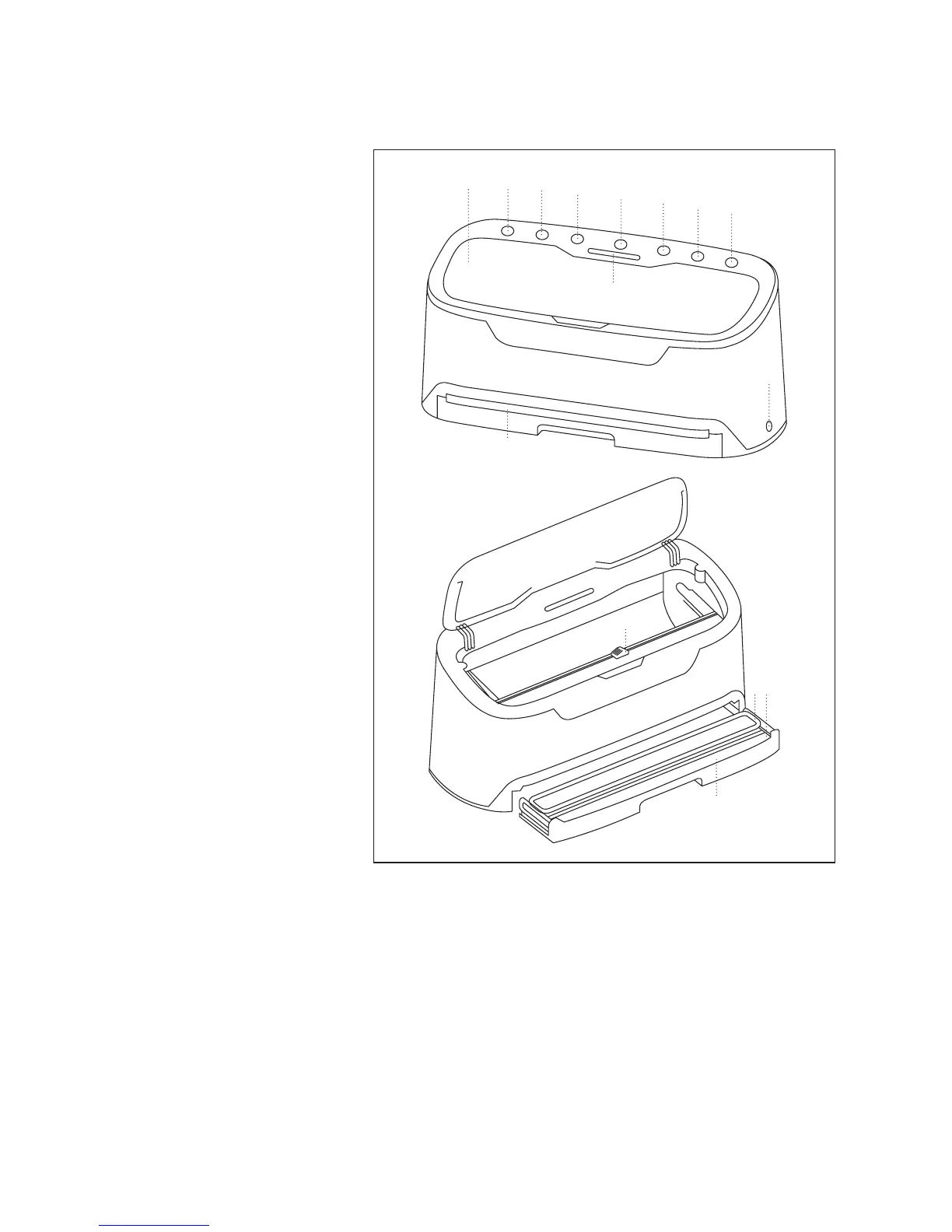
PARTS AND FEATURES
Figure 2
a. Speed (High/Low) Button –
Sets the vacuuming speed.
b. Food (Dry/Moist) Button– Sets
vacuuming pattern for dry or
moist foods.
c. Vacuum Button – Starts the
vacuum and seal function.
Will automatically seal when
complete.
d. Cancel / On-Off Button –
Cancels and stops vacuum
cycle. Press for 5 seconds to
turn On, press for 2 seconds to
turn Off.
e. Seal Button – Used for just
sealing to make custom bags,
or to stop the vacuum function
and manually choose when to
seal a bag.
f. Canister Button – For using
with vacuum canisters.
g. Marinate Button – For
marinating food in vacuum
canisters.
h. Indicator Lights – Lights
indicate current active
function.
i. Suction Port – For attaching
to accessories, such as vacuum
canisters.
d
h
f
g
e
b
c
ak
i
j
l
o
m n
j. Vacuum Chamber – Removable for easy cleaning. Accommodates bags up to 11.8” (30cm) in width.
k. Lid – Covers stored bag roll and cutter.
l. Embedded Cutter – For cutting custom vacuum seal bags from a roll.
m. Sealing Foam Ring – Seals removable vacuum chamber
n. Silicon Seal – Creates seal for vacuuming.
o. Removable Tray – Catches spills from bags; removable for easy cleaning.



 To Next Page