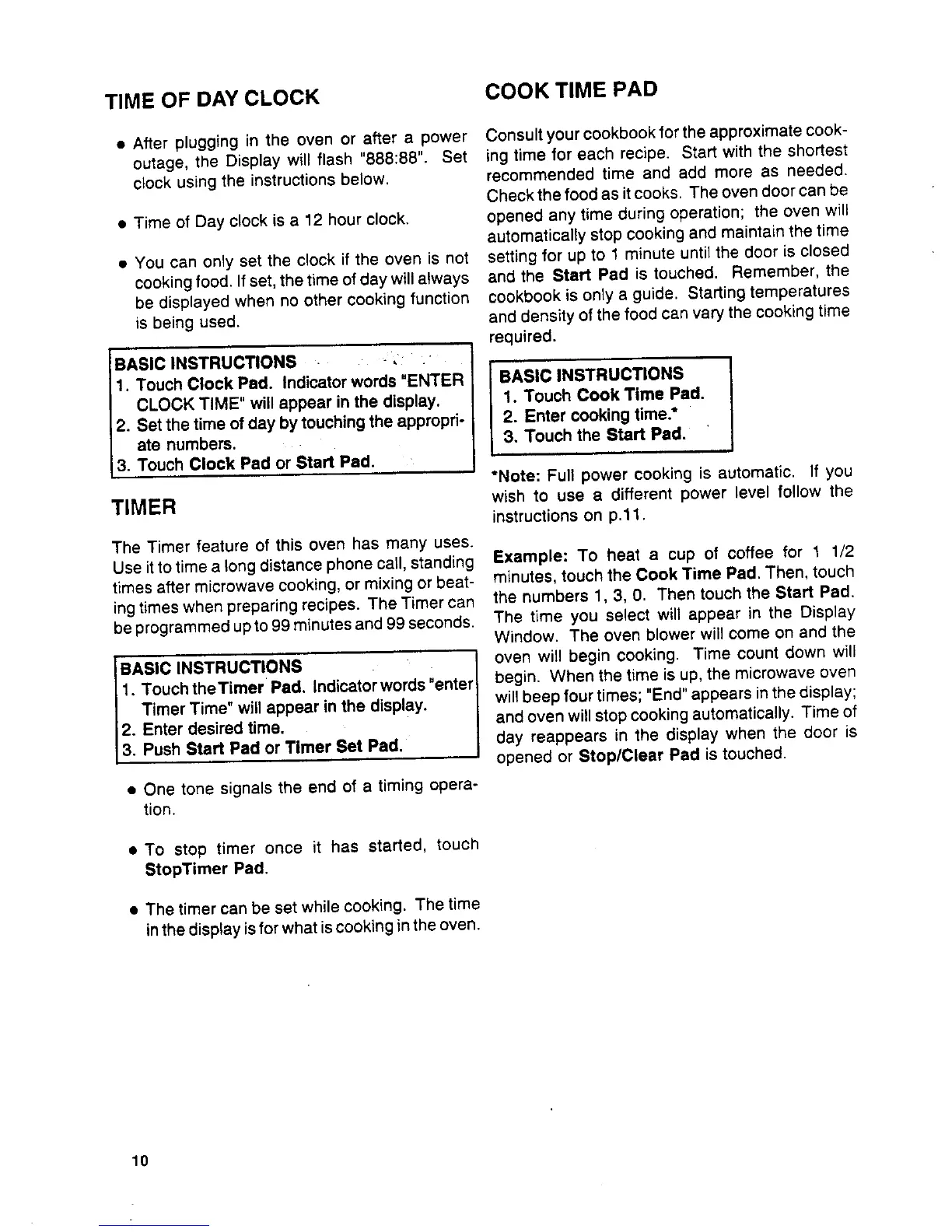
TIME OF DAY CLOCK COOK TIME PAD
• After plugging in the oven or after a power Consult your cookbookfor the approximate cook-
outage, the Display will flash "888:88". Set ing time for each recipe. Start with the shortest
clock using the instructions below, recommended time and add more as needed.
Check the food as it cooks. The oven door can be
• Time of Day clock is a 12 hour clock, opened any time during operation; the oven will
automatically stop cooking and maintain the time
• You can only set the clock if the oven is not setting for up to 1 minute until the door is closed
cooking food. Ifset, the time of day will always and the Start Pad is touched. Remember, the
be displayed when no other cooking function cookbook is only a guide. Starting temperatures
is being used. and density of the food can vary the cooking time
required.
BASIC INSTRUCTIONS -, .
I. Touch Clock Pad. Indicator words "ENTER I BASIC INSTRUCTIONS
CLOCK TIME" will appear in the display. I 1. Touch Cook Time Pad.
2. Set the time of day bytouching the appropri- 2. Enter cooking time.*
ate numbers.. 3. Touch the Start Pad.
3. Touch Clock Pad or Start Pad.
*Note: Full power cooking is automatic. If you
TIMER wish to use a different power level follow the
instructionson p.11.
The Timer feature of this oven has many uses.
Useit to time a tong distancephone catl, standing Example= To heat a cup of coffee for I 1/2
times after microwave cooking, or mixing or beat- minutes, touch the Cook Time Pad. Then, touch
ing times when preparing recipes. The Timer can the numbers 1, 3, 0. Then touch the Start Pad.
be programmed upto 99 minutes and 99 seconds. The time you select will appear in the Display
Window. The oven blower will come on and the
BASIC INSTRUCTIONS oven will begin cooking. Time count down will
1. Touch theTimer Pad. Indicatorwords "enter begin. When the time is up, the microwave oven
Timer Time" will appear in the display, willbeep four times; "End" appears in the display;
12. Enter desired time. and oven will stop cooking automatically. Time of
[3. Push Start Pad or Timer Set Pad. day reappears in the display when the door is
opened or Stop/Clear Pad is touched.
• One tone signals the end of a timing opera-
tion.
• To stop timer once it has started, touch
StopTimer Pad.
• The timer can be set while cooking. The time
inthe displayis forwhat iscooking inthe oven.
10



 To Next Page