2
© Copyright 2019 V2 Karaoke Home Entertainment www.khe.com.au / www.khe.co.nz / www.karaokemp3g.com.au
How to Connect your Magic Sing
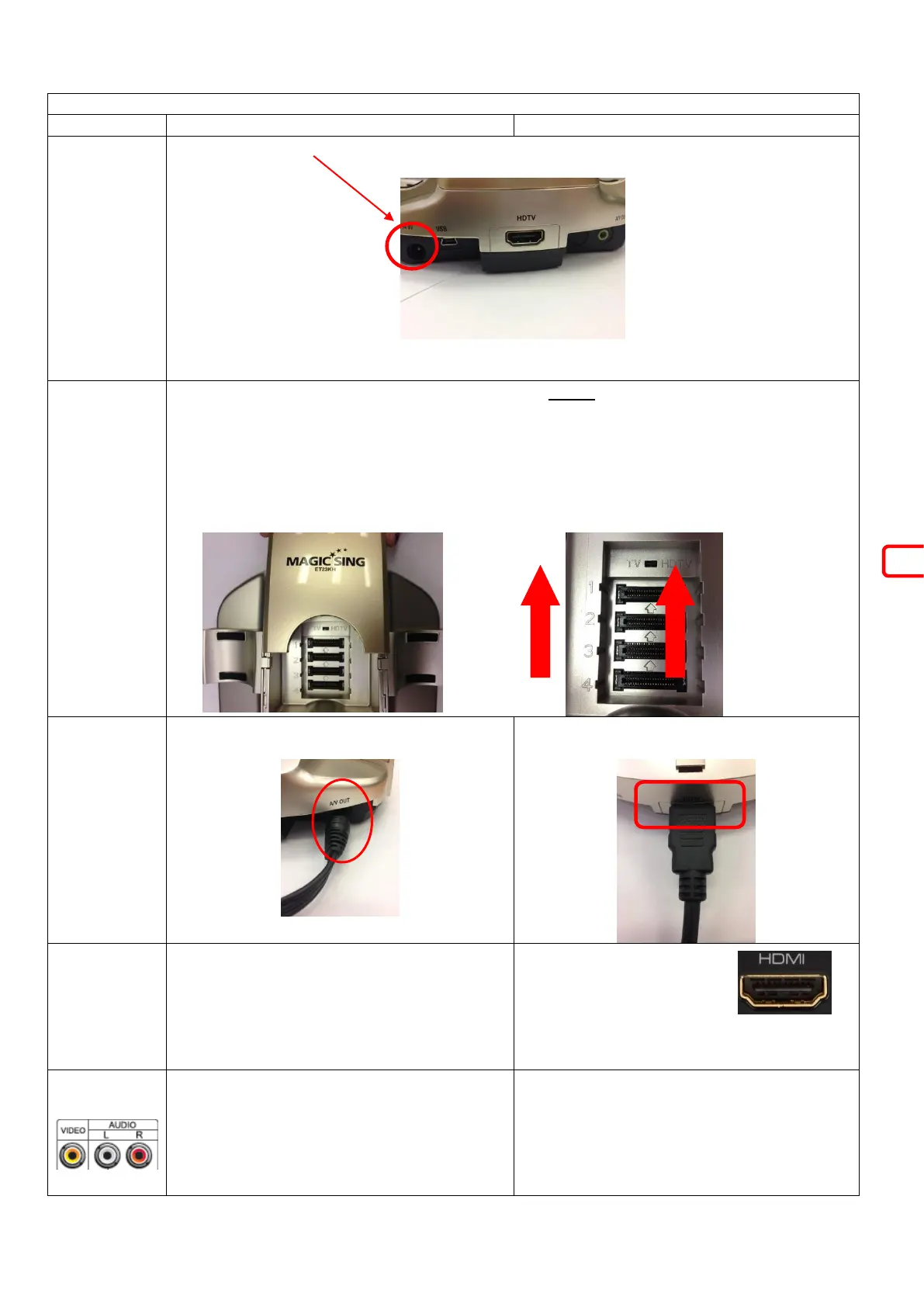
Plug the power cable into the back of the Magic Sing Base Unit, and the wall plug into an
electricity wall socket.
The ET-23KH unit allows you to use HDMI (HD-TV) or standard RCA (red, white, yellow)
connections depending on the television/sound system which you are using.
Choose your method of connection, AV or HDMI, and before doing anything, make sure the unit
is SWITCHED OFF.
Carefully slide back the top piece of plastic on the base unit revealing chip slots and a small
switch.
If you are using RCA, make sure the little black switch is toward “TV” and if you are using HDMI
connections, flick it over to “HD-TV”
Connect the AV single black end into the Magic
Sing base unit
Connect one end of the HDMI into the back of
the base unit just under the text “HDTV”
You can plug the AV cables in 4 ways. Directly
to your TV, into a Home Theatre System, into a
Dedicated Karaoke Amplifier with 2 Speakers
or into a Powered Speaker. See below for
details. All require the yellow cable to go
directly to your TV in a yellow video input.
Plug the other end of the
HDMI cable into a HDMI
input on your TV
You can plug all three AV cables into your TV’s
RCA Input (red, white, yellow) however your
sound will only be as good as your TV speakers
are quite small and not really designed for
karaoke use. Should you use just your TV you
may receive a voice delay through the


 To Next Page