INSTALLATION
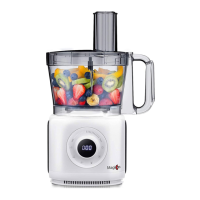
1. Position the motor base(2) on the flat and dry board.
2. Position the processing bowl(3) onto motor base, turn clockwise to make it
fixed firmly.
3. Place the driving shaft(4) onto the rotor inside the bowl, seat it vertically.
4. Take the blade you need. For example, when using the chopping blade(8) ,
just seat it in driving shaft(4); When using slicing, shredding or mashing
blades, please fix it on blade disc holder (11) first, then seat the blade disc
holder(11) in driving shaft(4).
Attention; only one blade disc can be used every time.
5. Put the food into the processing bowl(3) and then close the bowl cover(5)
while using the chopping blade(8) and doughing blade (7). When using
slicing, shredding or mashing blades, make sure to lock the bowl cover (5)
first, ingredient should be filled through feeding chute after the machine is
ready.
6. Lock the bowl cover, the safety lock is active now.
7. Insert the power plug into the socket, then the machine is in a standby
mode, press the start button, select the desired mode (auto and manual
mode) on the panel, and then press the start button to start the operation.
Notice: please place the bowl and bowl cover firmly because there are
double safety switches that can be triggered to protect the machine and
user, if the bowl and bowl cover are not fixed firmly, the machine won’t start.
With a good installation and once power cord is connected, then the
machine will alarm BB sound one time and LED indicators will flash one time.


 To Next Page