MAGMA
10 Chapter 3 Verify Installation
MAC OS 10.2.x
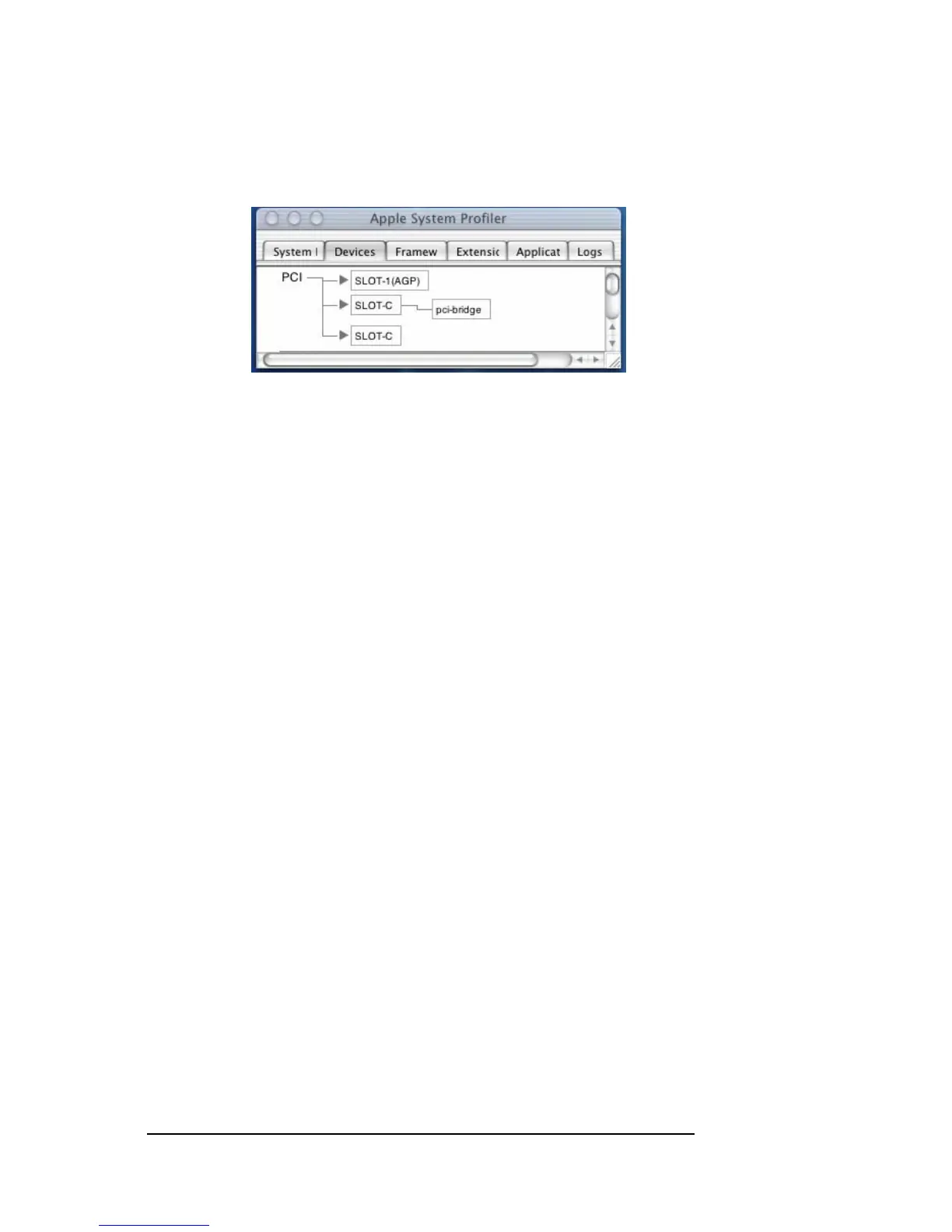
Next, click on the Devices tab. You should see a pci-bridge device
listed under PCI as shown below:
Any PCI Cards you install in the expansion chassis will appear behind
the pci-bridge device.
If any of these devices are not displayed as shown above, you should
shut down your system (computer first, then the expansion chassis) and
reconnect the cables and the PCI expansion host card to ensure that
you have a solid connection. Then restart the Magma expansion
chassis followed by the computer. Next, try to verify the installation
again, as shown above. If you are still having problems, contact Magma
Technical Support at (858) 530-2511.


 To Next Page