MAGMA
Appendix B Need More Slots? 39
Verify your configuration
Before you start installing your PCI cards (refer to Chapter 4 Install
Cards and Drives for more information), you should confirm that
everything is in proper working order. Refer to
Chapter 3 Verify
Installation for guidance in verifying the proper installation of your
Expansion System.
Notice that each Daisy-Chained unit appears in the Device Manager
in the reverse order of its place in the configuration.
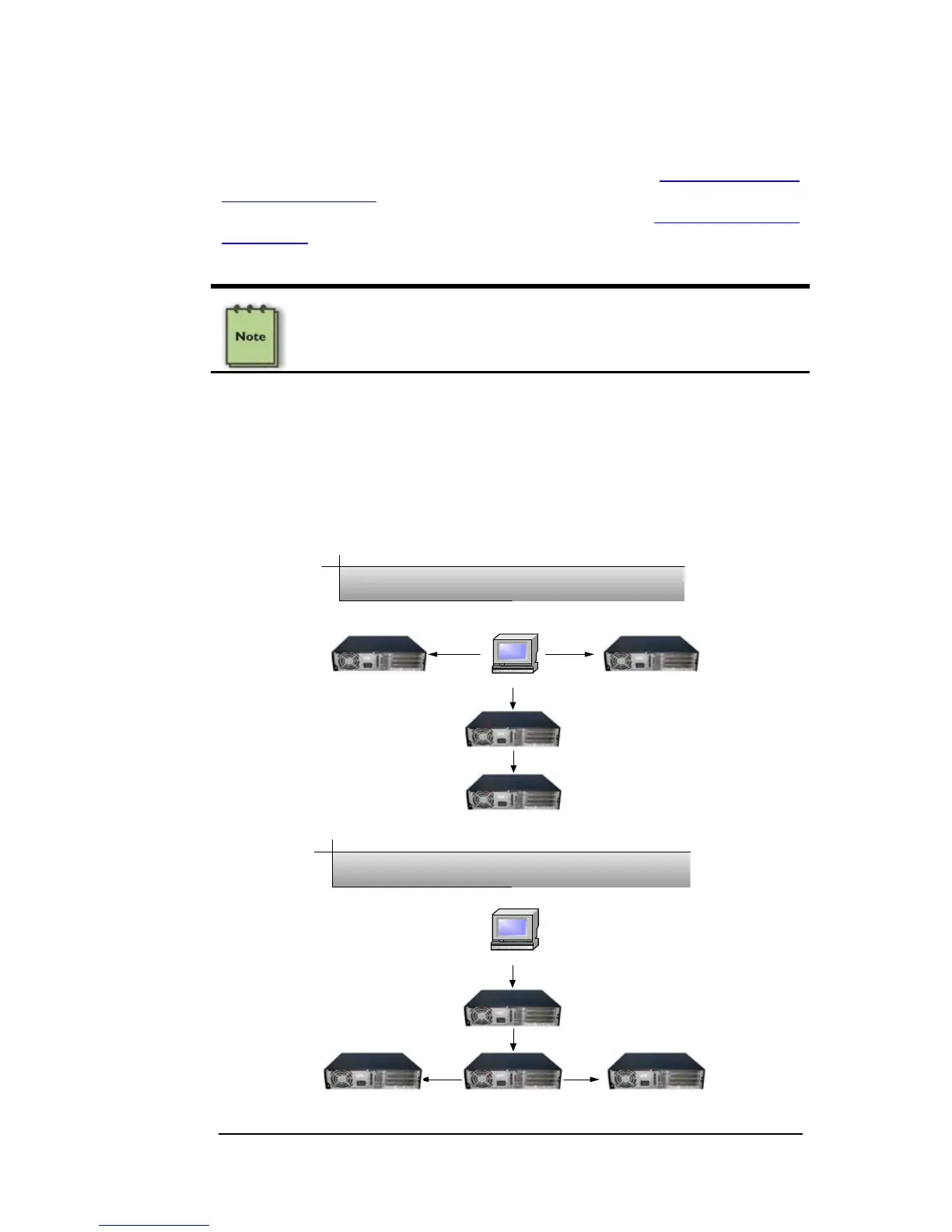
Combination Configurations
Depending on your business requirements, and your physical space
limitations, you can add additional Expansion System in multiple
configurations, such as these. These combinations are only limited by
the available slots and/or slot types: PCIe or PCI.
Workstation
Fan-Out Daisy-Chain Combination Configuration
Workstation
Daisy-Chain Fan-Out Combination Configuration


 To Next Page