EasyManua.ls Logo

Magnadyne RV3000 - User Manual

Magnadyne RV3000
12 pages
Print Icon
To Next Page IconTo Next Page
Loading...
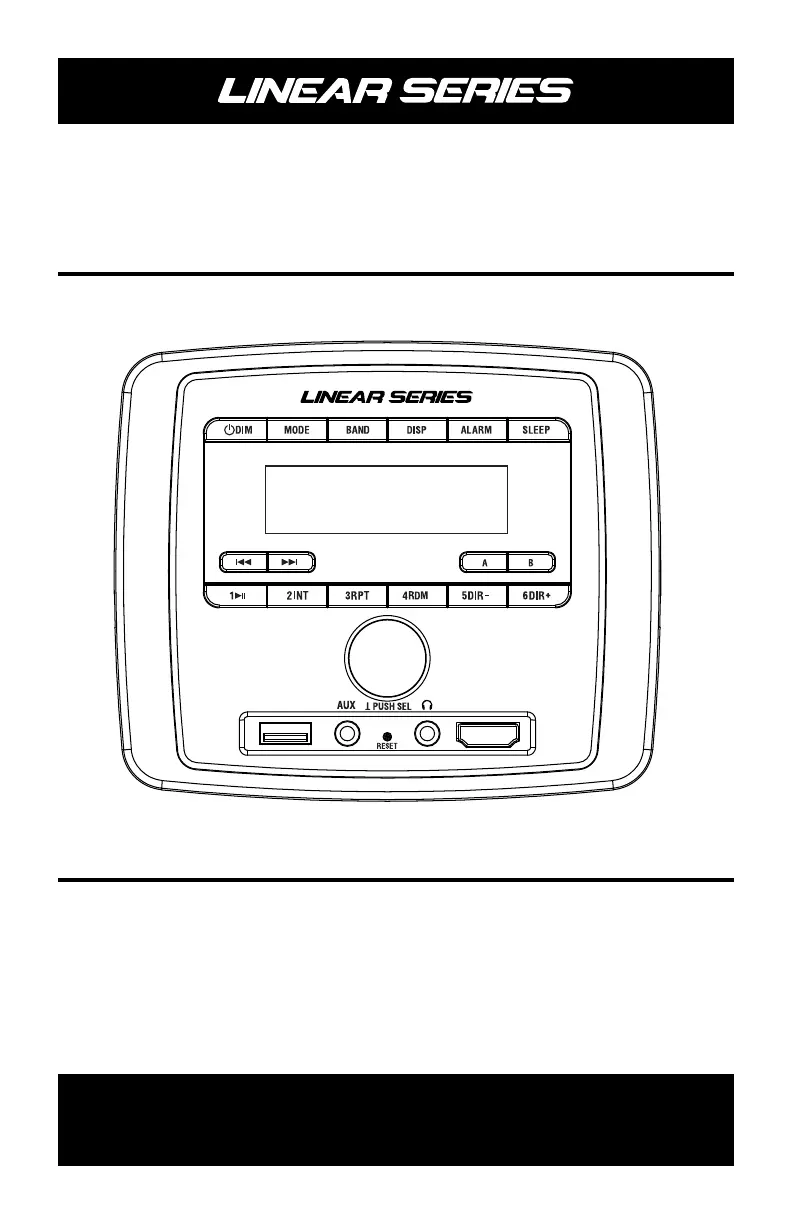
Operation / Installation Manual
RV3000
AM/FM/Bluetooth Multimedia Receiver
For Technical Assistance, please call (800) 638-3600,
or for more accessories or replacement parts visit www.magnadyne.com.
®

Questions and Answers

  • L
    Lori MccormickAug 9, 2025
    How to troubleshoot no power on my Magnadyne Receiver?
    • P
      pittsandrewAug 9, 2025
      If your Magnadyne Receiver has no power, it could be due to a blown fuse. In this case, replace the fuse. Another possibility is that the car ignition switch is not on. If the power supply is connected to the car accessory circuits, but the engine is not moving, switch the ignition key to “ACC”.
  • R
    ryanpatrickAug 15, 2025
    Why is there no sound coming from my Magnadyne Receiver?
    • R
      Ryan KennedyAug 15, 2025
      If there is no sound coming from your Magnadyne Receiver, first, adjust the volume to a desired level, as it might be at the minimum. Also, check the wiring connections to ensure they are properly connected.
  • M
    Melissa FrancisAug 21, 2025
    What to do if the operation keys on my Magnadyne Receiver don't work?
    • W
      Wayne SanchezAug 22, 2025
      If your Magnadyne Receiver's operation keys do not work, it might be due to the built-in microcomputer not operating properly because of noise. Try pressing the reset button.
  • C
    Christina VillarrealAug 27, 2025
    Why is the radio not working on my Magnadyne Receiver?
    • A
      Andrew WagnerAug 28, 2025
      If the radio on your Magnadyne Receiver is not working, ensure that the antenna cable is firmly inserted.
  • R
    Robert AndersonSep 2, 2025
    What to do if the radio station automatic selection does not work on my Magnadyne Receiver?
    • W
      wjenkinsSep 2, 2025
      If the radio station automatic selection is not working on your Magnadyne Receiver, it could be because the signals are too weak. Try selecting a station manually.

Summary

Getting Started

Power, Display, and Clock Setup

Controls unit power, brightness, and clock configuration.

Source and Radio Band Selection

Switches audio sources and radio bands.

General Operations

Power On;Off and Source Selection

Turns the unit on/off and selects audio sources.

Sound Controls

Radio Operations

USB Operation

Bluetooth Operation

Bluetooth Pairing and Connection

Connects mobile devices via Bluetooth.

BT APP Operation

Mobile App Usage and Download

Installation

Pre-Installation Guidelines

Advises reading manual, connecting wires, and insulation.

Mounting the RV3000 Unit

Details physical installation steps using trim ring and screws.

Wiring

Wiring Diagram and Connections

Illustrates rear connections and lists wire functions.

Wiring Notes and Precautions

Provides important usage notes for wiring and speakers.

Troubleshooting

Common Issues and Solutions

Lists symptoms, causes, and solutions for operational problems.

Magnadyne RV3000 Specifications

General IconGeneral
TypeAM/FM Receiver
WeatherbandYes
ClockYes
AlarmYes
Output Power4 x 45W
Speaker Zones2
Tuner TypeDigital
DisplayLCD
CompatibilityiPod

Related product manuals