EasyManua.ls Logo

Magnadyne Linear Series - User Manual

Magnadyne Linear Series
16 pages
Print Icon
To Next Page IconTo Next Page
Loading...
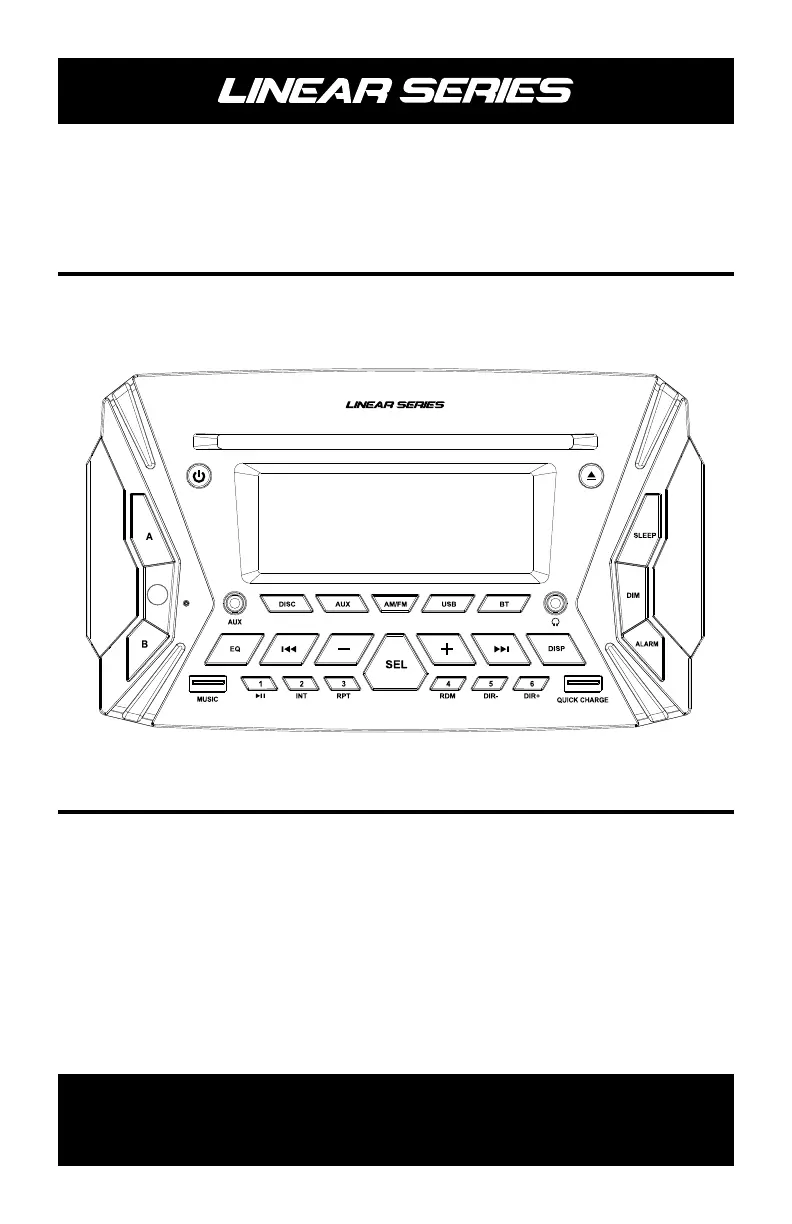
Operation / Installation Manual
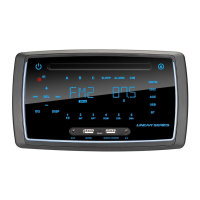
RV6100
Wall Mount Rugged Style AM/FM/
Bluetooth/DVD Multimedia Receiver
For Technical Assistance, please call (800) 638-3600,
or for more accessories or replacement parts visit www.magnadynestore.com.
®

Other manuals for Magnadyne Linear Series

Questions and Answers

  • M
    murphymaureenAug 20, 2025
    How to troubleshoot no power issue on Magnadyne Linear?
    • D
      David HardyAug 20, 2025
      If your Magnadyne Receiver isn't turning on, it might be due to a lack of power. First, check the red wire to ensure it's receiving +12 volts. Then, inspect the fuse at the rear of the radio. Also, verify that the black wire is properly grounded to the house battery.
  • T
    Troy HooverAug 22, 2025
    What to do if there is no sound on all speakers of Magnadyne Linear?
    • K
      Kathleen HortonAug 22, 2025
      If you're experiencing no sound from all or some speakers on your Magnadyne Receiver, it could be due to the CPU being confused, which affects the volume controls. Try performing a hard reset on the radio, following the procedure in the owner’s manual. To rule out a faulty speaker, replace the questionable speaker with one that is known to be working.
  • A
    Alicia WilliamsAug 25, 2025
    Why does my Magnadyne Receiver have static and no radio signal?
    • D
      Diane MartinezAug 25, 2025
      If your Magnadyne Receiver's AM or FM radio is producing static and not picking up any signal, the outside aerial might be defective or disconnected. Check the connection at the rear of the radio. To test if the coach’s aerial is defective, use a temporary aerial.
  • E
    Elizabeth ClarkAug 26, 2025
    What to do if operation keys do not respond on Magnadyne Linear?
    • C
      Chris ThompsonAug 27, 2025
      If the operation keys on your Magnadyne Receiver aren't responding to touch, it could be that the CPU isn't working correctly due to electrical noise on the power wire. Try pressing the reset button on the front of the radio. If that doesn't work, perform a Hard Reset procedure.
  • S
    summersjacquelineAug 28, 2025
    Why is phone app control not functioning on Magnadyne Receiver?
    • C
      Cindy KingAug 28, 2025
      If the phone app control is not functioning with your Magnadyne Receiver, the issue is likely a loss of Bluetooth connection. Ensure that your phone is properly Bluetooth paired to the radio.
  • S
    sandrapatelAug 30, 2025
    Why is there no sound coming from my Magnadyne Linear?
    • N
      Nicholas WatersAug 30, 2025
      There could be a few reasons for the lack of sound. First, check the fuse and replace it if it's blown. Also, make sure the volume isn't set to the minimum. Another potential cause is improper wiring connection; ensure all wiring is correctly connected.
  • T
    turnertraciAug 31, 2025
    What to do if my Magnadyne Car Receiver has no power?
    • V
      vincentsusanAug 31, 2025
      If your Magnadyne Car Receiver isn't powering on, there are a couple of things to check. First, if the power supply is connected to the car accessory circuits, make sure your car ignition key is switched to 'ACC'. Second, the fuse might be blown; if so, replace it.
  • D
    Daniel OlsonSep 2, 2025
    Why is there no sound coming from my Magnadyne Car Receiver?
    • N
      nathan17Sep 2, 2025
      If you're not getting any sound from your Magnadyne Car Receiver, there are a couple of potential causes. Ensure that the volume isn't set to the minimum; adjust it to a comfortable listening level. Also, check the wiring connections to make sure everything is properly connected.
  • A
    Amy WellsSep 4, 2025
    How to fix a Magnadyne Car Receiver when the radio doesn't work?
    • G
      griffindavidSep 4, 2025
      If the radio on your Magnadyne Car Receiver isn't working, the antenna cable may not be connected properly. Ensure that the antenna cable is firmly inserted.
  • K
    Katherine CampbellSep 6, 2025
    What to do if the operation keys on my Magnadyne Car Receiver do not work?
    • M
      Margaret MillerSep 6, 2025
      If the operation keys on your Magnadyne Car Receiver aren't responding, it could be due to noise affecting the built-in microcomputer. Try pressing the reset button.

Summary

Getting Started

Power and Audio Controls

Controls unit power, audio mute, and basic playback functions.

General Operations

Power and Mute Operation

Turns the unit on/off and mutes audio.

Selecting Audio Sources

Direct selection of AM/FM, DISC, AUX, USB, or BLUETOOTH.

Sound and System Controls

Radio Operations

Tuning and Station Management

Procedures for seeking, manually storing, and auto-storing radio stations.

USB Operation

AUX and Bluetooth Operations

AUX Input Selection and Connection

Connects and selects audio from AUX 1 (front) or AUX 2 (rear) inputs.

Bluetooth Device Pairing and Control

Steps to pair mobile devices and manage Bluetooth playback.

Disc Operation

Remote Control Functions

Power, Source, and Mute Controls

Remote buttons for power, mode selection, and muting audio.

Remote Control Functions (Continued)

BT APP Operation

Mobile Application Setup

Instructions for downloading and installing the LINEAR SERIES control app.

BT APP Operation (Continued)

Installation

Mounting Procedure and Cutout

Step-by-step guide for mounting the unit and dash cutout dimensions.

Wiring

Wiring Harness Identification

Details wire colors and their corresponding functions for connections.

Power and Speaker Connection Guidelines

Essential information on 12V DC operation, battery connection, and speaker selection.

Trouble Shooting

Power, Sound, and Operation Issues

Solutions for problems related to no power, no sound, or unresponsive controls.

Radio and APP Connectivity Problems

Troubleshooting radio reception and app music playback to unit issues.

Specifications

Magnadyne Linear Series Specifications

General IconGeneral
BrandMagnadyne
ModelLinear Series
CategoryReceiver
LanguageEnglish

Related product manuals