EasyManua.ls Logo

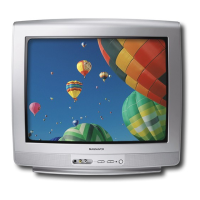
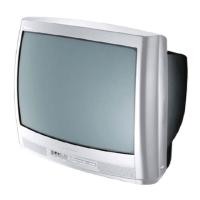
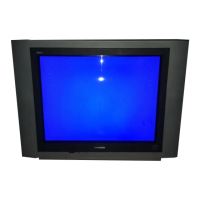
Magnavox 27MS4504 - User Manual

Magnavox 27MS4504
36 pages
Print Icon
To Next Page IconTo Next Page
Loading...
3121 235 21752
Thank you for choosing Magnavox.
Need help fast?
USER MANUAL
Color Television
27MS4504R
Read your Quick Use Guide and/or User Manual first for
quick tips that make your using your Philips product more
enjoyable. If you have read your instructions and still need
assistance you may access or our online help at
www.magnavox.com
or
call 1-800-705-2000
while with your product.
Question and Answer IconNeed help?

Do you have a question about the Magnavox 27MS4504 and is the answer not in the manual?

Summary

Warranty and Registration Benefits

Warranty Verification

Register product within 10 days for maximum protection.

Owner Confirmation

Registration serves as proof of ownership for theft or loss.

Model Registration

Receive info and special offers for your specific model.

Safety Symbols

Know Safety Symbols

Explains common safety symbols and their meanings.

Important Safety Instructions

Panel Layout

Panel Index

Basic Antenna Connections

Basic Cable TV Connections

Cable Box Connections

Cable Box (w;RF In;Outputs)

Connecting a cable box with RF outputs for mono sound.

Cable Box (w;Audio;Video Outputs)

Connecting a cable box with A/V outputs for stereo sound.

Basic TV and Remote Control Operation

Television Operation

Basic functions like power, volume, and channel selection.

Remote Control Usage

How to point and use the remote for TV commands.

Remote Battery Installation

Guide for inserting batteries into the remote control.

Using the AV1 or AV2 In (Input) Jacks

Using the S-Video Input Jacks

Using the CVI (Component Video Input) Jacks

Using the Monitor Out(put) Jacks

Using the Side Audio; Video Inputs

Description of Remote Control Buttons

Basic Control Buttons

Number, A/CH, Status/Exit for channel and menu operations.

Special Function Buttons

CC and Sleep for captioning and timer features.

Description of Remote Control Buttons (Continued)

Power, Channel, and Volume Controls

Operate TV power, scan channels, and adjust audio levels.

Menu Navigation and Smart Features

Navigate menus, mute sound, and select picture/sound presets.

How to Use the Language Control

How to Use the Tuner Mode Control

How to Automatically Program TV

How to Add or Delete Channels

How to Use the Picture Adjustment Controls

How to Use the Sound Adjustment Controls

How to Use the Format Control (Expand 4:3)

Understanding the SmartLock Controls

Access Code Setup

Set a personal access code to manage blocking features.

Channel Blocking

Block specific channels or A/V inputs.

Block All Channels

Block all channels and A/V inputs simultaneously.

Movie Rating Blocking

Block content based on movie industry ratings.

TV Rating Blocking

Block content based on TV broadcast ratings.

Setting Up a SmartLock Access Code

How to Block Channels

Blocking or Clearing All Channels at the Same Time

Blocking Programs Based on Movie Ratings

Blocking Programs Based on TV Ratings

Other SmartLock Blocking Options

Blocking Feature Control

Enable/disable all blocking features for the TV.

Unrated Program Blocking

Block content without advisory data.

No Rating Program Blocking

Block content with no rating information.

How to Use the Closed Caption Controls

Setting the Sleeptimer Control

Using the SmartPicture Control

Using the SmartSound Control

Alternate Channel

Troubleshooting

No Power Issues

Solutions for the TV not turning on.

No Picture Issues

Solutions for lack of video signal.

No Sound Issues

Solutions for no audio output.

Remote Control Issues

Troubleshooting tips for a non-working remote.

Channel Display Issues

Solutions for wrong or missing channels.

Care and Cleaning

Stationary Images Warning

Warning about static images causing screen aging.

TV Placement Guidelines

Advice on optimal TV placement for longevity.

Cleaning Instructions

Steps for safely cleaning the TV screen and cabinet.

Factory Service Locations

Factory Service Locations (Details)

Limited Warranty

Who is Covered by Warranty

Defines eligibility for warranty service with proof of purchase.

What the Warranty Covers

Details the parts and labor covered by the warranty.

Warranty Exclusions

Lists items and conditions not covered by the warranty.

Service Availability

Information on where warranty service is provided.

Obtaining Warranty Service in USA

Instructions for US, Puerto Rico, and US Virgin Islands.

Obtaining Warranty Service in Canada

Instructions for obtaining warranty service in Canada.

Summary

Warranty and Registration Benefits

Warranty Verification

Register product within 10 days for maximum protection.

Owner Confirmation

Registration serves as proof of ownership for theft or loss.

Model Registration

Receive info and special offers for your specific model.

Safety Symbols

Know Safety Symbols

Explains common safety symbols and their meanings.

Important Safety Instructions

Panel Layout

Panel Index

Basic Antenna Connections

Basic Cable TV Connections

Cable Box Connections

Cable Box (w;RF In;Outputs)

Connecting a cable box with RF outputs for mono sound.

Cable Box (w;Audio;Video Outputs)

Connecting a cable box with A/V outputs for stereo sound.

Basic TV and Remote Control Operation

Television Operation

Basic functions like power, volume, and channel selection.

Remote Control Usage

How to point and use the remote for TV commands.

Remote Battery Installation

Guide for inserting batteries into the remote control.

Using the AV1 or AV2 In (Input) Jacks

Using the S-Video Input Jacks

Using the CVI (Component Video Input) Jacks

Using the Monitor Out(put) Jacks

Using the Side Audio; Video Inputs

Description of Remote Control Buttons

Basic Control Buttons

Number, A/CH, Status/Exit for channel and menu operations.

Special Function Buttons

CC and Sleep for captioning and timer features.

Description of Remote Control Buttons (Continued)

Power, Channel, and Volume Controls

Operate TV power, scan channels, and adjust audio levels.

Menu Navigation and Smart Features

Navigate menus, mute sound, and select picture/sound presets.

How to Use the Language Control

How to Use the Tuner Mode Control

How to Automatically Program TV

How to Add or Delete Channels

How to Use the Picture Adjustment Controls

How to Use the Sound Adjustment Controls

How to Use the Format Control (Expand 4:3)

Understanding the SmartLock Controls

Access Code Setup

Set a personal access code to manage blocking features.

Channel Blocking

Block specific channels or A/V inputs.

Block All Channels

Block all channels and A/V inputs simultaneously.

Movie Rating Blocking

Block content based on movie industry ratings.

TV Rating Blocking

Block content based on TV broadcast ratings.

Setting Up a SmartLock Access Code

How to Block Channels

Blocking or Clearing All Channels at the Same Time

Blocking Programs Based on Movie Ratings

Blocking Programs Based on TV Ratings

Other SmartLock Blocking Options

Blocking Feature Control

Enable/disable all blocking features for the TV.

Unrated Program Blocking

Block content without advisory data.

No Rating Program Blocking

Block content with no rating information.

How to Use the Closed Caption Controls

Setting the Sleeptimer Control

Using the SmartPicture Control

Using the SmartSound Control

Alternate Channel

Troubleshooting

No Power Issues

Solutions for the TV not turning on.

No Picture Issues

Solutions for lack of video signal.

No Sound Issues

Solutions for no audio output.

Remote Control Issues

Troubleshooting tips for a non-working remote.

Channel Display Issues

Solutions for wrong or missing channels.

Care and Cleaning

Stationary Images Warning

Warning about static images causing screen aging.

TV Placement Guidelines

Advice on optimal TV placement for longevity.

Cleaning Instructions

Steps for safely cleaning the TV screen and cabinet.

Factory Service Locations

Factory Service Locations (Details)

Limited Warranty

Who is Covered by Warranty

Defines eligibility for warranty service with proof of purchase.

What the Warranty Covers

Details the parts and labor covered by the warranty.

Warranty Exclusions

Lists items and conditions not covered by the warranty.

Service Availability

Information on where warranty service is provided.

Obtaining Warranty Service in USA

Instructions for US, Puerto Rico, and US Virgin Islands.

Obtaining Warranty Service in Canada

Instructions for obtaining warranty service in Canada.
Magnavox 27MS4504 Specifications

General IconGeneral
BrandMagnavox
Model27MS4504
CategoryTV
LanguageEnglish

Related product manuals