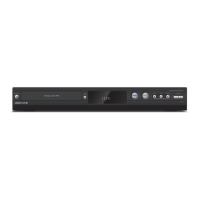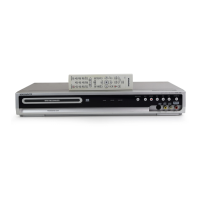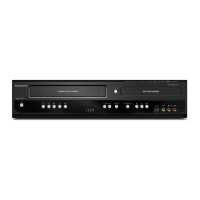
EasyManua.ls Logo

Magnavox MDR161V - User Manual

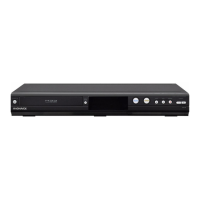
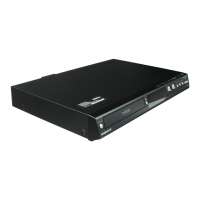
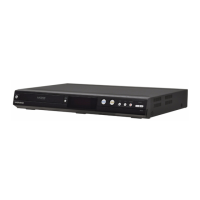
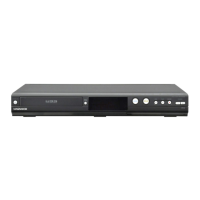
Magnavox MDR161V
75 pages
Print Icon
To Next Page IconTo Next Page
Loading...
Owner’s Manual
Read your Owner’s Manual first for
quick tips that make using your
Magnavox product more enjoyable.
If you have read assistance,
you may access our online help at
www.magnavox.com/support
or call
1-866-341-3738
while with your product
(and Model / Serial number)
Lea primero el Manual del Propietario,
en donde encontrará consejos que
le ayudarán a disfrutar plenamente
de su producto Magnavox.
Si después de leerlo aún necesita ayuda,
consulte nuestro servicio de
asistencia en línea en
www.magnavox.com/support
o llame al teléfono
1-866-341-3738
y tenga a mano el producto
(y número de model / serial)
© 2015 Funai Electric Co., Ltd.
MDR161V
DVD Recorder/
VCR with Line-in Recording (NO TUNER)
INSTRUCCIONES EN ESPAÑOL INCLUIDAS.

Table of Contents

Questions and Answers

  • H
    Hannah WilliamsSep 13, 2025
    What does it mean when “Repairing” appears on the TV screen with my Magnavox MDR161V?
    • G
      gstevensonSep 13, 2025
      If there is a power failure or the AC power cord is unplugged during recording, finalizing, formatting or editing (even after “Repairing” disappears), a repairing process will begin automatically just after turning the unit On again with your Magnavox DVD Recorder.
  • M
    meagansimmonsAug 25, 2025
    What to do if my Magnavox MDR161V power does not turn on?
    • D
      Diana HughesAug 25, 2025
      If your Magnavox DVD Recorder isn't turning on, ensure the AC power cord is securely connected. Check your breaker in case of a power failure. Also, press [TIMER SET] to cancel the timer standby mode.
  • M
    Ms. Gloria MeyerAug 25, 2025
    Why is there no picture on my Magnavox MDR161V?
    • C
      Crystal MartinezAug 26, 2025
      If there's no picture from your Magnavox DVD Recorder, first, securely reconnect the connecting cords and check for any damage. Ensure the connection to your TV is correct. Then, switch the input selector on your TV (such as to “L1”) so that the signal from the unit appears on the TV screen.
  • S
    Sheri WillisSep 23, 2025
    What does 'Recording Error - You cannot record on this disc as Control Information is full' mean on my Magnavox MDR161V DVD Recorder?
    • A
      Alicia WongSep 23, 2025
      Delete unnecessary titles or insert a new disc into your Magnavox DVD Recorder.
  • S
    sroweSep 13, 2025
    Why does the cassette tape not play on my Magnavox DVD Recorder?
    • D
      daniellewilliamsSep 13, 2025
      No cassette tape is inserted in your Magnavox DVD Recorder.
  • A
    agrantSep 23, 2025
    What does 'Recording Error - You are trying to record onto a disc which is unrecordable or the disc cannot record on this disc' mean on my Magnavox DVD Recorder?
    • K
      kwrightSep 23, 2025
      Insert a recordable disc, and ensure the disc status satisfies the recording requirements. Also, clean the disc with a cleaning cloth or replace the disc.
  • C
    Chad MorrisSep 6, 2025
    Why does my Magnavox MDR161V DVD Recorder disc not play?
    • L
      Laura Allen DDSSep 6, 2025
      If your Magnavox DVD Recorder disc isn't playing, ensure a disc is inserted and that it is not blank. Make sure the disc is inserted with the labeled side facing up and correctly re-inserted. If moisture has condensed inside the unit, remove the disc and leave the unit turned On for about 2 hours until the moisture evaporates.
  • D
    david03Sep 7, 2025
    Why can't discs recorded on my Magnavox DVD Recorder be played on other DVD players?
    • K
      Karen AdamsSep 7, 2025
      If you are using DVD-RW/-R with your Magnavox DVD Recorder, please ensure you finalize the disc after recording.
  • E
    Elizabeth JonesSep 23, 2025
    What does 'Recording Error - You are trying to record the copy-once program onto a DVD-RW disc (ver.1.1 or 1.2 compatible with which is not compatible with CPRM)' mean on my Magnavox MDR161V DVD Recorder?
    • B
      Brendan LoveSep 23, 2025
      Insert a DVD-RW disc in VR mode compatible with CPRM in your Magnavox DVD Recorder.
  • C
    Chelsea CampbellAug 30, 2025
    Why can't I call up the setup menu on my Magnavox DVD Recorder?
    • E
      ehernandezAug 31, 2025
      Setup menus cannot be accessed during DVD recording or DVD playback on your Magnavox DVD Recorder.

Summary

Safety Instructions

Important Safety Instructions

Essential guidelines for safe product usage.

Product Precautions and Handling

Laser Safety Precautions

Warnings and instructions regarding laser product safety.

Electrical Shock and Fire Prevention

Measures to prevent electrical shock and fire hazards.

Location and Handling Guidelines

Recommendations for proper product placement and handling.

Maintenance Procedures

Servicing and Cleaning Guidance

Guidance on seeking repair and cleaning procedures for the unit.

Product Features Overview

Recording Features

Details on recording features like DVD-RW/R, VCR, and program recording.

Playback Features

Information on playback modes, search functions, and media compatibility.

Disc Editing Functions

Options for editing recorded content on discs.

Functional Overview: Remote Control

Using the Remote Control

Guidance on operating the unit with the remote control.

Connection: HDMI and Component Video

HDMI Connection Details

Step-by-step guide for HDMI connection to a TV.

Audio Connections Guide

Digital Audio Setup

Instructions for digital audio connections (Coaxial and HDMI).

Switching Between DVD and VCR Modes

Initial Setting Procedure

DVD Recording Fundamentals

Recording Preparations

Basic Recording and One-touch Timer

Performing Basic Recording

How to perform a standard recording.

One-touch Timer Recording (OTR)

Timer Recording Setup

Setting Up Timer Recordings

Managing Timer Programming Information

Recording from External Devices

Bi-directional Dubbing Operations

Dubbing Procedures: VCR to DVD

Dubbing Procedures: DVD to VCR

Making Discs Playable on Other Players

Finalizing a Disc

The process of finalizing a disc.

Playback Information and Compatibility

Basic Playback Operations

Direct Playback Method

Starting playback automatically or by pressing play.

Disc Editing Overview

General Disc Editing Functions

General guide to various disc editing functions.

Disc Formatting Procedures

Reformatting a Disc Manually

Deleting Titles from a Disc

Editing Specific Parts of a Title

Playback Setup Options

Parental Lock Configuration

Setting parental controls and passwords.

Video Settings Configuration

Progressive Scan Setup

Enabling or disabling the progressive scan feature.

TV Aspect Ratio and HDMI Settings

HDMI Configuration Details

Setting HDMI audio output and RGB range.

Reset All Settings to Default

VCR Playback Operations

VHS Recording Procedures

Troubleshooting: General Issues

Power, Picture, and Recording Problems

Troubleshooting no power, no picture, or recording problems.

Sound and Remote Control Problems

Resolving distorted sound or remote control problems.

Troubleshooting: HDMI, Disc, and VCR Issues

HDMI and Disc Playback Problems

Troubleshooting HDMI connection and disc playback issues.

VCR Playback and Recording Problems

Troubleshooting VHS tape playback and recording issues.

Troubleshooting: DVD Repair and VCR Tape Issues

DVD Repairing Process Handling

How to handle the "Repairing" message on screen.

VCR Picture Noise and Tape Issues

Troubleshooting VCR picture noise and tape playback problems.

Error Message Reference Guide

Product Specifications

Magnavox MDR161V Specifications

General IconGeneral
TypeDVD Recorder
Recording FormatDVD-R, DVD-RW, DVD+R, DVD+RW
Video InputsComposite, S-Video
Tuner TypeNTSC
Number of Discs1
TV TunerYes
Remote ControlYes
Video Recording FormatMPEG-2
Audio Recording FormatDolby Digital
Disc CompatibilityDVD-R, DVD-RW, DVD+R, DVD+RW, CD-R, CD-RW
Playback FormatsMP3
Audio InputsRCA (Left/Right)
Video OutputsComposite
Audio OutputsRCA (Left/Right), Digital Audio (Coaxial)

Related product manuals