EasyManua.ls Logo

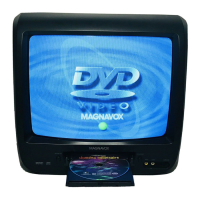
Magnavox MSD520FE - User Manual

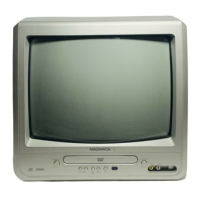
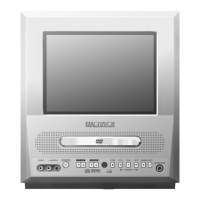
Magnavox MSD520FE
40 pages
Print Icon
To Next Page IconTo Next Page
Loading...
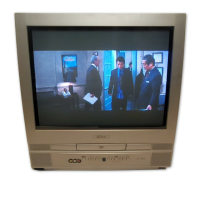
COLOR TV/DVD
MSD520FE (20 inch)
OWNER’S
MANUAL
As an ENERGY STAR
Partner, our company has
determined that this product meets
the E
NERGY STAR guidelines for
energy efficiency. E
NERGY STAR
is a U.S. registered mark.
®
®
®
If you need additional assistance for set-up or operating after
reading owner’s manual, please call TOLL FREE : 1-800-605-8610.
Or visit our WEB SITE at
http://www.funai-corp.com
Please read before using this equipment
SUPPLIED ACCESSORIES
BatteriesRemote Control Unit
2 AA BatteriesNE224UD
Owners Manual
0EMN02493
Owner's Manual
INSTRUCCIONES
EN ESPAÑOL INCLUIDAS.

Table of Contents

Questions and Answers

  • J
    John LindseySep 23, 2025
    Why Magnavox MSD520FE has CD sound dropout or no CD reproduction, DVD picture dropout, DVD picture freeze, DVD picture in mosaic or no DVD reproduction?
    • S
      Sean BryantSep 23, 2025
      If your Magnavox TV DVD Combo experiences CD sound dropout, no CD reproduction, DVD picture dropout, DVD picture freeze, DVD picture in mosaic, or no DVD reproduction, the disc may be scratched. Replace the disc with an unscratched one.
  • L
    Laurie FrazierAug 25, 2025
    What to do if Magnavox MSD520FE has no picture or sound?
    • D
      debradanielAug 25, 2025
      If your Magnavox TV DVD Combo has no picture or sound, try switching to a new channel as there might be a station issue. Ensure the power is on. Press SELECT on the remote to choose TV mode and explore other TV features. Also, verify that the antenna is properly connected to the terminal on the back. If using an outside antenna, inspect it for any broken wires.
  • V
    vjohnsonAug 25, 2025
    Why Magnavox TV DVD Combo does not respond to the remote control?
    • R
      Ronald FranklinAug 26, 2025
      If your Magnavox TV DVD Combo isn't responding to the remote, check the following: * Make sure the power plug is connected to an AC outlet. * Check the batteries in the remote control. * Aim the remote control directly at the remote sensor, removing any obstacles. * Ensure you are within 23 feet of the TV/DVD. * Verify the correct mode is selected by pressing SELECT on the remote control.
  • M
    Michael PalmerAug 27, 2025
    What to do if Magnavox MSD520FE TV DVD Combo sound is OK, but picture is poor?
    • J
      Janet WongAug 27, 2025
      If your Magnavox TV DVD Combo has sound but a poor picture, try switching to a new channel to rule out station issues. Also, ensure the antenna is connected properly to the terminal on the back of the set, and if using an outside antenna, check for broken wires. Check for local interference and adjust the CONTRAST & BRIGHT control.
  • K
    Katie MaddoxAug 27, 2025
    What to do if Magnavox TV DVD Combo picture is distorted or blurred?
    • M
      Matthew HardyAug 27, 2025
      If the picture on your Magnavox TV DVD Combo is distorted or blurred, try switching to a new channel to rule out station issues. If using an outside antenna, check for broken wires.
  • K
    Keith SchmittSep 14, 2025
    Why Magnavox TV DVD Combo has no DTS audio output?
    • G
      Gabriela ReedSep 14, 2025
      If your Magnavox TV DVD Combo has no DTS audio output, it is because the TV/DVD does not support DTS audio. This is not a malfunction.
  • A
    Amber MaxwellSep 12, 2025
    Why Magnavox TV DVD Combo captions are scrambled with white boxes?
    • D
      Darren BeasleySep 12, 2025
      If the captions on your Magnavox TV DVD Combo are scrambled with white boxes, it is due to interference caused by buildings, power lines, thunderstorms, etc. Check for interference.
  • J
    Joshua NelsonSep 13, 2025
    Why Magnavox MSD520FE TV DVD Combo program guide listed a TV show as being closed captioned but none of the captions were displayed?
    • P
      Peter CarrollSep 13, 2025
      If your Magnavox TV DVD Combo program guide listed a TV show as being closed captioned but none of the captions were displayed, broadcasters may at times use a time compression process, and since the decoder cannot read the compressed information, captions will be lost.
  • S
    scottrobertSep 4, 2025
    Why Magnavox MSD520FE TV DVD Combo has poor reception or ghosts in picture?
    • P
      Pamela BellSep 5, 2025
      If your Magnavox TV DVD Combo has poor reception on some channels or shows ghosts in the picture, try switching to a new channel to rule out station issues. Check if the antenna is connected to the terminal on the back of the set, and if using an outside antenna, check for broken wires. Also, check for any local interference.
  • A
    Alyssa JohnsonSep 2, 2025
    Why Magnavox TV DVD Combo picture rolls vertically or has lines or streaks?
    • S
      Sara GainesSep 2, 2025
      If the picture on your Magnavox TV DVD Combo rolls vertically or shows lines or streaks, try switching to a new channel to rule out station issues. If using an outside antenna, check for broken wires. Also, check for any local interference.

Summary

Important Safeguards

Location and Environmental Considerations

Electrical Shock and Fire Hazard Prevention

Warnings and precautions to avoid electrical shock and fire hazards.

Operating Controls and Functions

Front Panel Controls and Indicators

Identifies and describes buttons and indicators on the TV/DVD front panel.

Remote Control Operations

Explains the functions of buttons on the remote control for operation.

Preparation for Use

Antenna and Cable Connections

Instructions for connecting antennas or cable systems to the TV/DVD.

Initial Setup and Configuration

Selecting On-Screen Language

How to set the language for the TV's on-screen menus.

Channel Setup and Management

Instructions for scanning, adding, and deleting TV channels.

TV Operation

Watching TV Programs

Basic steps for selecting channels and adjusting volume.

Parental Control System

V-Chip Setup and Ratings

Guide to setting up the V-Chip system and blocking programs by rating.

Managing Parental Control Access Code

Instructions for changing the parental control access code.

Disc Playback Operations

Basic Disc Playback Steps

How to insert, play, and stop discs.

Advanced Playback Controls

Customizing Playback Settings

Troubleshooting Common Issues

Power and Remote Control Troubleshooting

Solutions for power issues and unresponsive remote controls.

TV Mode Picture and Sound Troubleshooting

Common problems related to TV picture and sound, and their fixes.

Troubleshooting Specific Modes and Features

DVD Mode Playback Errors

Solutions for disc playback errors, no sound, or picture issues.

Magnavox MSD520FE Specifications

General IconGeneral
BrandMagnavox
ModelMSD520FE
CategoryTV DVD Combo
LanguageEnglish

Related product manuals