EasyManua.ls Logo

Magnavox MWC24T5 - User Manual

Magnavox MWC24T5
56 pages
Print Icon
To Next Page IconTo Next Page
Loading...
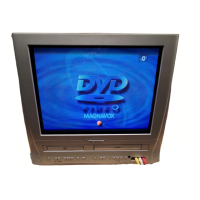
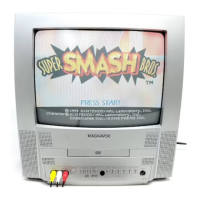
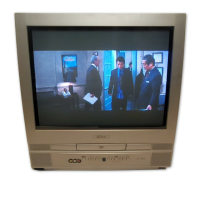
COLOR TV/VCR/DVD TRIPLE COMBO
MWC24T5
(24 inch)
OWNER’S
MANUAL
If you need additional operating assistance after reading this owner’s
manual or to order replacement accessories, please call
TOLL FREE : 1-800-605-8610.
Or visit our WEB SITE at http://www.funai-corp.com
Please read before using this equipment
INSTRUCCIONES EN ESPAÑOL INCLUIDAS.
I
II

Table of Contents

Other manuals for Magnavox MWC24T5

Questions and Answers

  • J
    Jessica EricksonSep 8, 2025
    Why does the picture or color fade when copying on my Magnavox TV DVD Combo?
    • S
      Stephanie WoodsSep 8, 2025
      If the picture or color fades in and out when copying a videotape on your Magnavox TV DVD Combo, it is likely due to copy guard protection on a copyrighted videotape, which prevents copying.
  • A
    anngarrettAug 23, 2025
    How to fix Magnavox MWC24T5 when it has no power?
    • Z
      zrobertsAug 23, 2025
      First, ensure the power plug is securely connected to an AC outlet. If there's still no power, especially after a power failure, check the breaker.
  • B
    Beth TorresAug 25, 2025
    What to do if my Magnavox MWC24T5 has poor or no picture?
    • O
      ostricklandAug 25, 2025
      If you are experiencing poor or no picture on your Magnavox TV DVD Combo, check the following: * Ensure the antenna or cable is connected properly and that there are no broken pins or wires on the antenna cable. * Check for any sources of reception disturbance. * Press [SELECT] to choose the correct mode. * Perform a channel scan to memorize available TV channels. * Try another channel to rule out a station problem. * Adjust picture controls like COLOR, CONTRAST, and BRIGHTNESS. * Check for magnetism from nearby appliances and try degaussing.
  • C
    Catherine HansonAug 27, 2025
    Why is my Magnavox MWC24T5 remote control not working?
    • C
      chad05Aug 27, 2025
      If your Magnavox TV DVD Combo remote control isn't working, try these steps: * Check if the batteries are weak or inserted incorrectly. * Aim the remote control at the remote sensor within 23 feet (7 m) of the unit. * Remove any obstacles blocking the infrared signal. * Select the correct mode by pressing [SELECT]. * Ensure you are within the operable range of 10 feet (3m) within 15° of the unit.
  • T
    Timothy HowardAug 27, 2025
    What to do if my Magnavox MWC24T5 disc cannot be played?
    • R
      Robert RobinsonAug 28, 2025
      If your Magnavox TV DVD Combo is unable to play a disc, try these solutions: Clean the disc, ensuring it is free of smudges or scratches. Place the disc correctly in the tray, with the label side facing up. Lastly, if parental control is enabled, cancel the parental setting or adjust the control level.
  • J
    Jimmy BensonSep 22, 2025
    What does the "Prohibited icon" mean on my Magnavox MWC24T5 TV DVD Combo?
    • H
      Heather RuizSep 22, 2025
      If a "Prohibited icon" appears on the screen of your Magnavox TV DVD Combo, it indicates that the operation you are trying to perform is not available either on the unit or supported by the disc.
  • B
    Brendan LambSep 16, 2025
    Why can't I change the audio or subtitle language on my Magnavox MWC24T5 TV DVD Combo?
    • K
      Karen RomanSep 16, 2025
      If you cannot change the audio or subtitle language on your Magnavox TV DVD Combo, it is because the DVD does not contain audio sources or subtitles in the selected language.
  • L
    Lee OrtizSep 18, 2025
    Why can't I change the camera angle on my Magnavox TV DVD Combo?
    • M
      Mr. David RoweSep 18, 2025
      If you cannot change the camera angle on your Magnavox TV DVD Combo, it's because the DVD does not contain sequences recorded from different camera angles.
  • T
    Travis GriffinSep 7, 2025
    Why is the picture distorted on my Magnavox MWC24T5 TV DVD Combo?
    • J
      Jennifer FloresSep 7, 2025
      If you notice a distorted picture on your Magnavox TV DVD Combo, during the playback of a 2-layered disc, pictures may pause briefly when switching from the first layer to the second layer; this is normal. Distortion can also occur immediately after fast forwarding or rewinding.
  • R
    Robert RamseySep 4, 2025
    How to fix no sound in DVD mode on Magnavox MWC24T5 TV DVD Combo?
    • C
      Cory NavarroSep 4, 2025
      If there is no sound in DVD mode on your Magnavox TV DVD Combo, correct the audio output settings. Also, confirm the power and audio settings of any external audio components you are using.

Summary

Owners Manual and Safety

Important Safeguards

Essential safety instructions and precautions for operating the appliance.

Precautions

General precautions for product use, including copyright and interference warnings.

Product Features

TV;VCR Mode Features

Detailed features and capabilities of the unit in TV/VCR operation mode.

Operating Controls and Setup

Preparation for Use

Guidance on connecting antennas, cable TV, or satellite systems to the unit.

TV;VCR Operation and Settings

Recording Functions

Normal and Timer Recording

Procedures for normal recording and setting up timer recordings.

DVD Operations

Troubleshooting and Maintenance

Troubleshooting Guide

Diagnosing and resolving common operational problems with the unit.

Magnavox MWC24T5 Specifications

General IconGeneral
Screen Size24 inches
DVD PlayerYes
Aspect Ratio16:9
HDMI Ports1
USB Port1
Display TypeLED
Built-in TunerATSC/NTSC
Resolution1366 x 768 (HD)

Related product manuals