EasyManua.ls Logo

Magnetek FLEX M Series - User Manual

Magnetek FLEX M Series
34 pages
Print Icon
To Next Page IconTo Next Page
Loading...
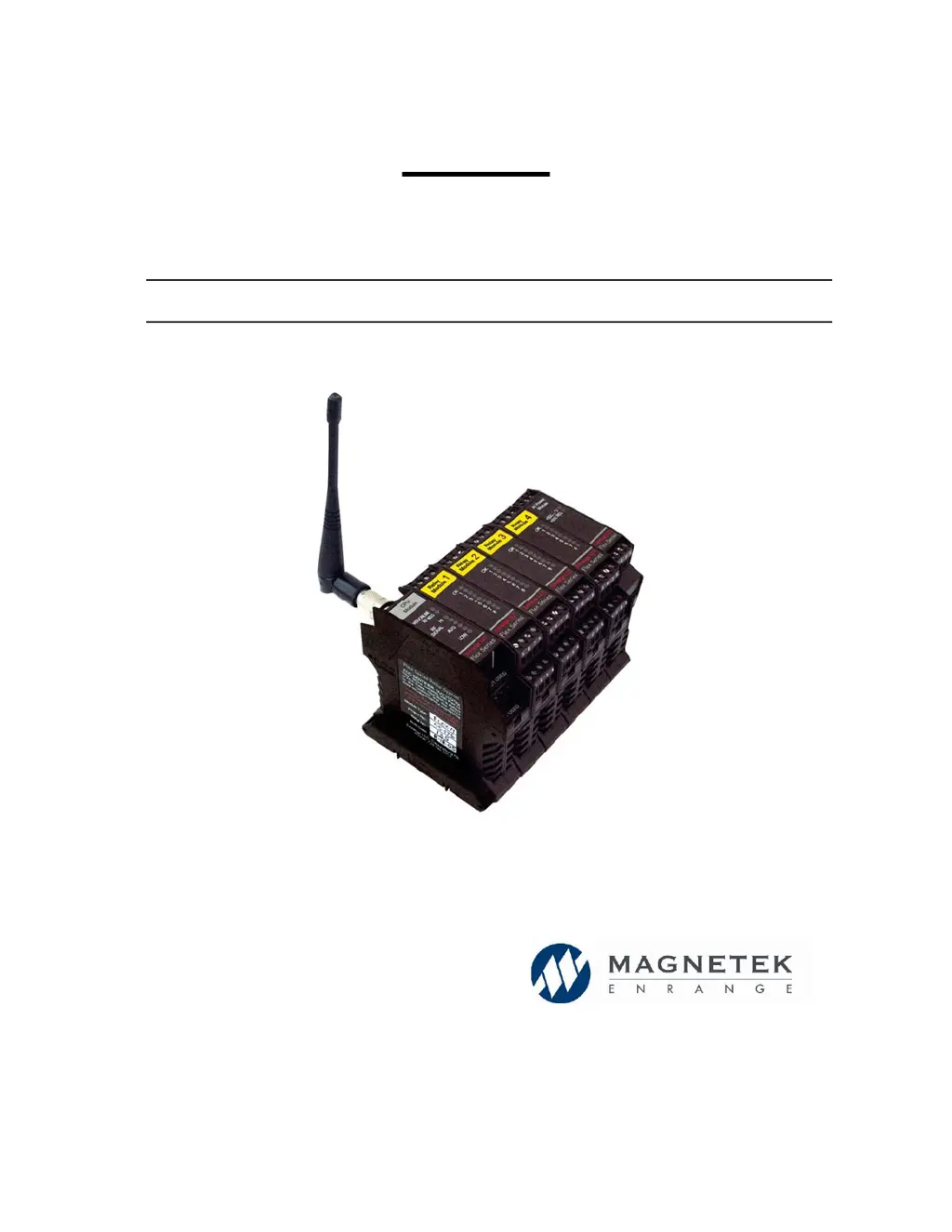
FLEX M
Pre-Engineered
(Flex M-16, -24, -32)
Modular Receiver
Part Number: 198-00121 R4
October 2014
© 2014 Magnetek Material Handling

Table of Contents

Questions and Answers

  • J
    Jeffrey VaughanAug 12, 2025
    What to do if the Magnetek FLEX M Receiver MLC Relay turns off during normal operation?
    • L
      lesterkarenAug 13, 2025
      There are several possible reasons for this. The transmitter may have powered down due to inactivity; try extending the inactivity timeout setting for the transmitter. Alternatively, the transmitter batteries might be low, so replace them. If the RF/Message LED stops blinking for more than 3 seconds before the MLC Relay turns off, radio interference might be the issue; in this case, change the system's channel setting. Lastly, if the RF/Message LED stopped and the MLC Relay turned off together within 1 sec, possibly when engaging or disengaging another relay that is driving a contactor, the CPU module may be resetting; install snubbers across the coils of all contactors to reduce transient voltages and ensure that the power module has a stable power source.
  • B
    Brenda CrossAug 20, 2025
    How to fix a Magnetek Receiver that responds to the transmitter inconsistently?
    • D
      David NelsonAug 20, 2025
      Inconsistent responses can occur if the transmitter is going in and out of range; try moving the transmitter and receiver closer together. You can also relocate the receiver antenna to a location with a better line of sight to the transmitter. Also, inspect the antenna and/or cable on the receiver for damage and ensure it's properly installed and visibly located during equipment operation.
  • R
    Robert GrimesAug 27, 2025
    How to troubleshoot a Magnetek FLEX M that will not turn on?
    • L
      Lauren GibsonAug 27, 2025
      If the receiver won't turn on and the +5VDC CPU/RELAY LEDs on the Power Supply Module are not lit, first, ensure the supplied voltage is within the acceptable range (120VAC nominal). If the voltage is correct, the internal fuse may have blown on the power supply module, or there may be an internal power supply problem on the PCB; in either of these cases, contact the factory for repair.
  • D
    Daniel JonesNov 4, 2025
    Why won't my Magnetek Receiver respond to the transmitter?
    • E
      Emily StevensNov 4, 2025
      Several factors could be the cause. First, if the WDG/Online LED is blinking twice, and the RF MSG LED isn't blinking, ensure both the receiver and transmitter are within range and that the transmitter is powered on. Second, if the WDG/Online LED blinks once, RF MSG LED doesn't blink, but RF Signal Strength LEDs show a signal, verify that the receiver and transmitter share the same access code. Third, if the WDG/Online LED blinks once, RF MSG LED doesn't blink, and RF Signal Strength LEDs indicate an erratic signal, ensure both are set to the same channel. A fourth possibility is that the WDG/Online LED is blinking three times, indicating a read/write error with relay modules. In this case, make sure the modules are securely connected; if it continues, contact factory for repair. Finally, ...

Summary

Product Manual Safety Information

General Safety Recommendations and Requirements

Covers general safety, OSHA, and regulatory requirements.

Warranty Information Access

Provides information on accessing product warranties via website.

Warnings and Cautions

Definition of Warning Statements

Explains the significance and purpose of WARNING statements in the manual.

Definition of Caution Statements

Explains the significance and purpose of CAUTION statements in the manual.

Critical Installation Considerations

General Operation Precautions

Provides general advice for operating material handling equipment safely.

Authorized Operator Requirements

Defines criteria and qualifications for operating radio-controlled equipment.

Operator Safety Information and Training

Details essential knowledge, skills, and training for radio-controlled equipment operators.

Operator Restrictions and Prohibitions

Lists actions operators must not perform while operating equipment.

Pre-Operation Testing Procedure

Outlines essential checks to perform before operating equipment at the start of a shift.

Flex M Receiver Installation

Pre-Installation Checks

Lists critical checks and considerations before installing the Flex M receiver.

Mechanical Layout and Dimensions

Illustrates the physical layout and dimensions of the Flex M modules.

Mounting and Wiring Guidelines

Provides detailed instructions for mounting and connecting the Flex M receiver.

Module Removal from Rail

Describes the step-by-step process for removing modules from the Din rail.

Normal Operation Monitoring

Power Supply Module LED Indicators

Explains the LED indicators on the power supply module and their meaning.

RF;CPU Module LED Indicators

Details the LED indicators on the RF/CPU module and their operational status.

Relay Module LED Indicators

Describes the LED indicators on the relay module, indicating status and errors.

Flex Module Types

Flex M RF;CPU Module Description

Provides an overview of the Flex M RF/CPU module's function and components.

Bank 1 Dip Switch Configuration

Details the function and settings for Bank 1 dip switches on the RF/CPU module.

Bank 2 Dip Switch Configuration

Details the function and settings for Bank 2 dip switches on the RF/CPU module.

Flex M Relay Module Details

Describes the Flex M Relay module, its capabilities, and LED indicators.

Flex M 120 VAC Power Module Details

Explains the function and specifications of the Flex M 120VAC Power Module.

Flex System Overview and Wiring

Flex M-16 System Overview

Provides an overview of the 16-output Flex M system configuration.

Flex M-16 Relay Configuration Settings

Details the specific switch settings for various relay configurations in the Flex M-16 system.

Flex M-16 Relay Configuration 1 (Standard)

Describes the standard relay configuration for the Flex M-16 system.

Flex M-16 Relay Configuration 2 (ACCO)

Describes the ACCO controls relay configuration for the Flex M-16 system.

Flex M-16 Relay Configuration 3 (P&H)

Describes the P&H controls relay configuration for the Flex M-16 system.

Flex M-24 System Overview

Provides an overview of the 24-output Flex M system configuration.

Flex M-24 Relay Configuration Settings

Details the specific switch settings for the Flex M-24 system.

Flex M-32 System Overview

Provides an overview of the 32-output Flex M system configuration.

Flex M-32 Relay Configuration Settings

Details the specific switch settings for the Flex M-32 system.

Flex M-32 Relay Configuration 1 (3-Motion 5-Speed)

Describes Relay Configuration 1 for the Flex M-32 system.

Flex M-32 Relay Configuration 2 (4-Motion 3-Speed)

Describes Relay Configuration 2 for the Flex M-32 system.

Channel Configuration Settings

Bank 2 Switch Positions by Channel

Lists the switch positions required for each RF channel configuration.

FCC Compliance and Warnings

Details FCC compliance statements and user warnings regarding RF exposure.

Troubleshooting

Troubleshooting Receiver Issues

Provides solutions for common problems with the receiver not turning on or responding.

Troubleshooting Transmitter and Relay Issues

Offers solutions for inconsistent transmitter response and relay operational problems.

Assembly and Replacement Parts List

Lists part numbers for various modules, kits, and replacement components.

Magnetek FLEX M Series Specifications

General IconGeneral
BrandMagnetek
ModelFLEX M Series
CategoryReceiver
LanguageEnglish

Related product manuals