EasyManua.ls Logo

Magnetek Flex M - User Manual

Magnetek Flex M
50 pages
Print Icon
To Next Page IconTo Next Page
Loading...
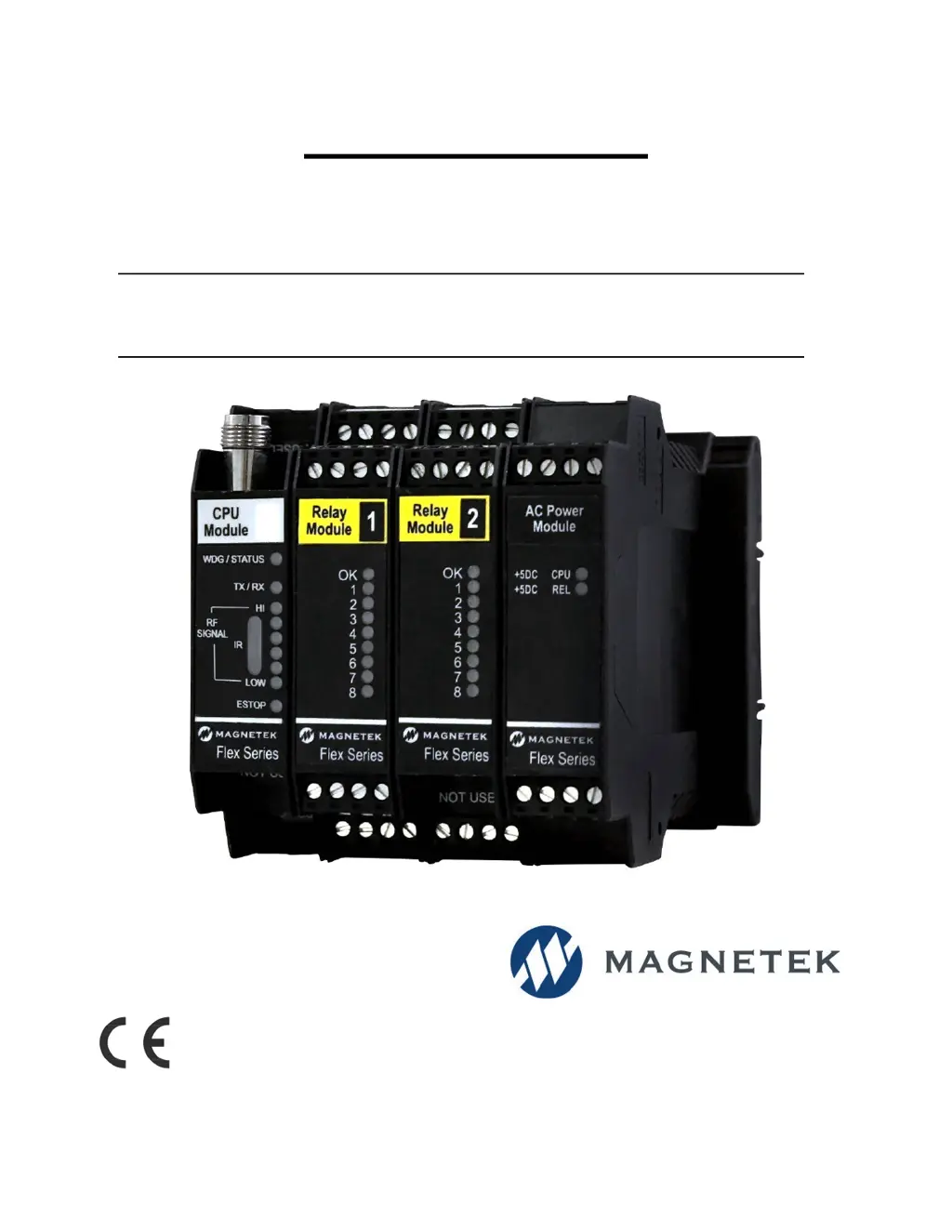
Flex M RECEIVER
Engineered
Modular Receiver
Part Number: 198-80104-1100 R05
May 2019
© 2019 Magnetek

Questions and Answers

  • D
    Dwayne JohnstonAug 9, 2025
    Why does Magnetek Receiver respond to the transmitter intermittently?
    • T
      terrypaulAug 9, 2025
      If your Magnetek receiver responds intermittently, it could be due to a few reasons. The transmitter and receiver might be at the edge of the transmission range, so try moving them closer. Also, ensure the receiver antenna is within sight of the equipment operator. Inspect the antenna and cable for any damage and ensure proper installation, placing the antenna where it's visible to the operator.
  • M
    Mckenzie FrankAug 13, 2025
    How to fix a Magnetek Receiver that will not turn on and the +5VDC CPU/RELAY LEDs on the Power Supply Module do not light up?
    • K
      karibarajasAug 13, 2025
      If your Magnetek Receiver won't turn on and the +5VDC CPU/RELAY LEDs aren't lit, check these: * Ensure the input voltage is within the acceptable range for the installed power supply module. * If it is a Rev 2 module, replace the internal fuse. If it blows again, further troubleshooting is needed, or contact the factory. * If there's an internal power supply problem on the PCB, contact the factory for repair.
  • G
    George ParrishAug 18, 2025
    What to do if Magnetek Digital Input Module is not detecting an input?
    • P
      perezdeniseAug 18, 2025
      If the Magnetek Digital Input Module isn't detecting an input, verify the input jumper is set to HIGH band for voltages over 36V, in case the input voltage is greater than 36V and the internal selector is set to LOW band.
  • J
    Jennifer KempAug 22, 2025
    What to do if drive connected to Magnetek Serial Communication Card does not respond?
    • K
      Kimberly DuranAug 22, 2025
      If the drive connected to the Magnetek Serial Communication Card isn't responding and LED #6 is lit, it means the module is wired in test mode. Ensure the wiring of the drive(s) to the Serial communication card is correct.
  • K
    Kimberly CoxAug 27, 2025
    Why are Magnetek Receiver relay contacts opposite from what is expected?
    • J
      John TaylorAug 27, 2025
      If the Magnetek Receiver relay contacts are behaving opposite to what you expect, it's because the contact state is selectable for relays K1 and K2. Ensure the jumpers for relays K1 and K2 are installed in the desired positions, as this setting determines whether the active state has contacts open or closed.
  • H
    hardingamyOct 31, 2025
    Why does the Magnetek Receiver MLC Relay turn off during normal operation?
    • S
      Seth HernandezOct 31, 2025
      The MLC relay might turn off during normal operation due to several reasons: * The transmitter powered TEST due to inactivity. To solve this, extend the inactivity timeout setting for the transmitter. * The transmitter powered TEST due to low batteries. In this case, replace the transmitter's batteries. * Radio interference. Try changing the system's channel setting. * CPU module is resetting. Install snubbers across the coils of all contactors to reduce transient voltages and ensure that the power module has a stable power source. * The transmitter is not properly communicating with the receiver or the START has not been activated on the transmitter. Ensure that the transmitter is properly communicating with the receiver and that the START has been activated on the transmitter....
  • A
    Ariel LandryNov 4, 2025
    What to do if Magnetek Receiver will not respond to the transmitter?
    • R
      robert82Nov 4, 2025
      If the Magnetek Receiver isn't responding to the transmitter, consider these potential causes and solutions: * If the WDG/Online LED is blinking 2 times, and the RF MSG LED isn't blinking, verify the transmitter is operating and ensure both units are within range. * If the WDG/Online LED is blinking 1 time, the RF MSG LED isn't blinking but signal strength LEDs show a signal, verify the receiver and transmitter share the same access code. * If the WDG/Online LED is blinking 1 time, the RF MSG LED isn't blinking and RF Signal strength LEDs indicate an erratic signal, verify the receiver and transmitter are set to the same channel. * If the WDG/Online LED is blinking 3 times, verify the modules are securely connected on the DIN rail. If the problem persists, contact the factory for ...

Summary

Service Information and Contacts

U.S. Service Information

Contact details for US technical and service inquiries.

World Headquarters

Magnetek's main office contact information and address.

Canada Service Information

Contact details for Canadian service and technical support.

EU Market Contact

Contact information for the EU market representative.

Product Safety Information

Warranty Information

Details on product warranties and where to find them.

Warnings and Cautions

Critical Installation Considerations

General Operation Guidelines

Overview of radio-controlled equipment operation.

Authorized Operators

Criteria for personnel permitted to operate equipment.

Operator Safety and Training Requirements

Essential knowledge and skills for operators.

Pre-Operation Test Procedure

Steps to perform before operating equipment.

Flex M Installation Procedures

Environmental Considerations

Operating temperature and humidity limits for the receiver.

Pre-Installation Checks

System checks before commencing installation.

Receiver Mounting Location

Guidelines for choosing the optimal mounting spot.

Antenna Mounting Guidance

Recommendations for optimal antenna placement.

Line Input Considerations

Requirements for power line connections.

Wiring Best Practices

Rules and recommendations for electrical wiring.

Receiver Unit Enclosure Mounting

How to mount the receiver unit within an enclosure.

Receiver Installation Steps

Step-by-step guide for installing the receiver.

Module Removal Procedure

Instructions on how to detach modules from the rail.

Mechanical Drawings

Flex M System Modules

RF;CPU Module - Gen 1

Description and part numbers for the first generation RF/CPU module.

RF;CPU LED Operation (Gen 1)

Explanation of status LEDs for Gen 1 RF/CPU module.

RF;CPU Module - Gen 2

Description and part numbers for the second generation RF/CPU module.

RF;CPU LED Operation (Gen 2)

Explanation of status LEDs for Gen 2 RF/CPU module.

Power Supply Module - Gen 1

Description and part numbers for Gen 1 power supply.

Power Supply LED Operation (Gen 1)

Explanation of status LEDs for Gen 1 power supply.

Power Supply Module - Gen 2

Description and part numbers for Gen 2 power supply.

Power Supply LED Operation (Gen 2)

Explanation of status LEDs for Gen 2 power supply.

Relay Module - Gen 1

Description and part numbers for Gen 1 relay module.

Relay Module LED Operation (Gen 1)

Explanation of status LEDs for Gen 1 relay module.

Relay Module - Gen 2

Description and part numbers for Gen 2 relay module.

Relay Module LED Operation (Gen 2)

Explanation of status LEDs for Gen 2 relay module.

Serial Communication Module

Details of the serial communication module.

Serial Communication LED Operation

Explanation of status LEDs for serial module.

Analog I;O Module

Description of the analog input/output module.

Analog I;O LED Operation

Explanation of status LEDs for analog I/O module.

Digital Input Module - Gen 1

Description and part numbers for Gen 1 digital input module.

Digital Input LED Operation (Gen 1)

Explanation of status LEDs for Gen 1 digital input module.

Digital Input Module - Gen 2

Description and part numbers for Gen 2 digital input module.

Digital Input LED Operation (Gen 2)

Explanation of status LEDs for Gen 2 digital input module.

Programming with RCP Software

Receiver Channel Configuration

FCC Compliance Statements

Regulatory statements required by the FCC.

Gen 1 RF;CPU DIP Switch Settings

Channel Sets

433 MHz Channel Set

List of available channels and their frequencies for 433MHz.

419 MHz Channel Set

List of available channels and their frequencies for 419MHz.

2.4 GHz FHSS Channel Set

Description of 2.4 GHz frequency hopping channels.

Troubleshooting Guide

Troubleshooting Table

Common problems, reasons, and suggested solutions.

EU Declaration of Conformity

Magnetek Flex M Specifications

General IconGeneral
BrandMagnetek
ModelFlex M
CategoryReceiver
LanguageEnglish

Related product manuals