Appendix B - Applet Troubleshooting
Dynamag, DynaMAX, eDynamo, mDynamo, tDynamo, DynaWave, and iDynamo 6| Secure Card Reader Authenticators | Programmer’s
Reference (Java and Java Applet)
Page 49
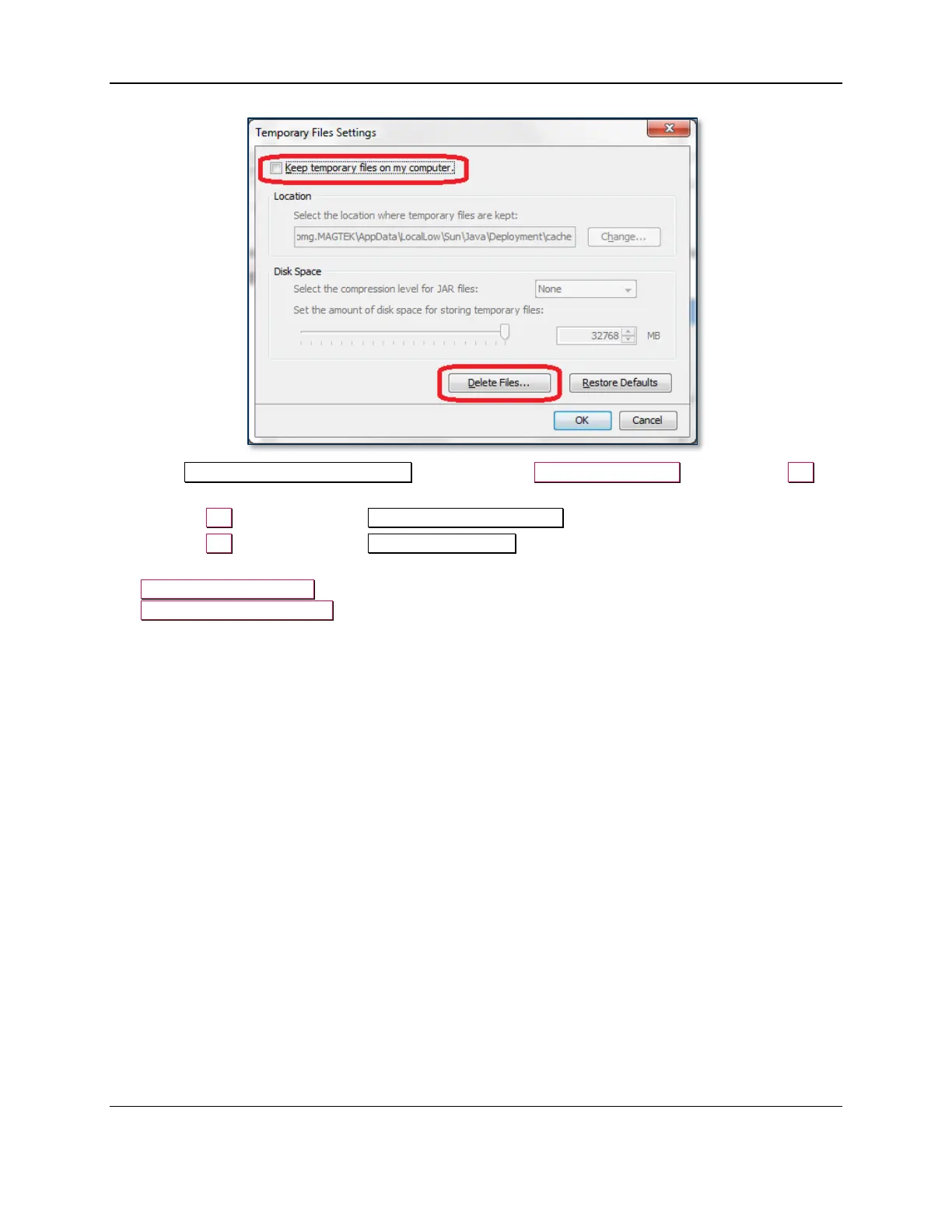
9) In the Delete Files and Applications window, turn on all the checkboxes, then press the OK
button to clear all downloaded Java-based software and log files.
10) Press the OK button to close the Temporary Files Settings window.
11) Press the OK button to close the Java Control Panel window.
12) Launch Windows Explorer. If you are using a 32-bit version of Windows, navigate to
C:\Windows\System32. If you are using a 64-bit version of Windows, navigate to
C:\Windows\SysWOW64.
13) In that folder, search for the following files and delete any that exist:
a) MTSCRA.dll
b) MTSCRAJ.dll
c) MTSCRABLE.dll
14) Re-install the applet by following the steps in section 2 How to Set Up the Swipe Reader Control
Panel.



 To Next Page