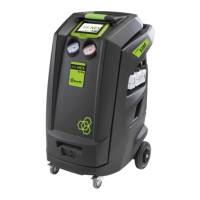
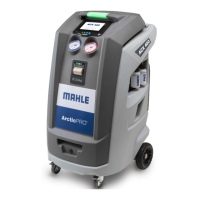
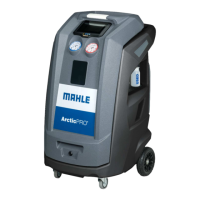
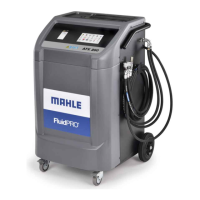
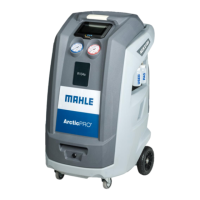
This document serves as a "Quick Start Guide" for the MAHLE AIR-NEX 9310 and 9410, providing a concise overview of its operation and essential maintenance considerations. It is explicitly stated that this guide is not a substitute for the full instruction manual, which should be consulted for comprehensive instructions and warnings. Additional information and more detailed instructions are available in the user manual, accessible via a provided QR Code. The Quick Guide is also available in multiple languages, downloadable by scanning a separate QR Code.
The MAHLE AIR-NEX 9310 and 9410 are workshop solutions designed for vehicle air conditioning service. The device appears to be a professional-grade unit used for refrigerant recovery, recycling, and recharging in automotive applications. The "Brain Bee Workshop Solutions" branding suggests a focus on ease of use and efficiency for automotive technicians.
Function Description:
The primary function of the AIR-NEX 9310 and 9410 is to facilitate the maintenance and repair of vehicle air conditioning systems. This involves several key steps:
- Refrigerant Management: The device is capable of handling refrigerant, likely including recovery from the vehicle's AC system, recycling or purification of the recovered refrigerant, and recharging the system with the appropriate amount of new or recycled refrigerant. The presence of "GAS WEIGHT" indication suggests precise control over the amount of refrigerant being handled.
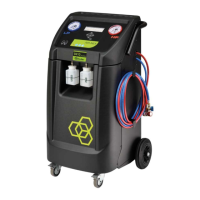
- Oil Management: The unit features separate containers for oil, indicating its ability to manage the compressor oil within the AC system. This includes checking oil levels and potentially adding or removing oil as part of the service process. The visual representation shows two distinct oil containers, suggesting the possibility of handling different types of oil (e.g., new and used, or different viscosities/types).
- Vehicle System Interface: The device is designed to connect directly to a vehicle's AC system via hoses. It also includes a user interface that allows technicians to select the specific car maker and model, ensuring that the service parameters (e.g., refrigerant charge amount, oil type) are correctly applied according to manufacturer specifications.
- Process Automation: The "Press start" and "Wait till end of process" steps imply a degree of automation in the service cycle. Once the initial setup and selections are made, the device likely performs the necessary recovery, vacuum, leak test, and recharge procedures automatically, minimizing manual intervention.
- Data Logging and Reporting: A significant feature is the ability to "Download service report with USB key." This indicates that the device logs operational data, such as the amount of refrigerant recovered, recharged, and potentially other diagnostic information. This feature is crucial for record-keeping, warranty claims, and providing proof of service to customers.
Usage Features:
The Quick Start Guide outlines a straightforward, step-by-step process for using the AIR-NEX 9310/9410:
- Check Oil Levels: Before starting, technicians must verify the oil levels in the device's internal reservoirs. This ensures that the unit has sufficient oil for its internal pump and for adding to the vehicle's AC system if required.
- Check Gas Weight Available: The device displays the available refrigerant weight, which is essential to confirm there is enough refrigerant for the intended service.
- Choose Maker and Car Model: The user interface allows for precise selection of the vehicle's manufacturer and model. This step is critical for accessing the correct service specifications from the device's internal database.
- Connect Hoses to Vehicle: The device connects to the vehicle's high and low-pressure ports using specialized hoses, establishing the necessary fluidic connection for the service.
- Press Start: Initiates the automated service cycle based on the selected vehicle parameters.
- Wait Till End of Process: The device provides visual and auditory indicators (speaker and light bulb icons) to signal the ongoing process and its completion.
- Disconnect Hoses: Once the service is complete, the hoses are safely disconnected from the vehicle.
- Download Service Report with USB Key: The final step involves extracting a detailed report of the service performed, which can be stored or printed for documentation.
The user interface appears to be button-driven with directional arrows and an "ESC" button, suggesting a menu-based navigation system. The visual cues for "START" and "GAS WEIGHT" make key functions easily identifiable.
Maintenance Features:
The guide highlights several crucial maintenance and safety aspects:
- Personal Protective Equipment (PPE): Emphasizes the importance of wearing safety glasses and gloves during operation, indicating potential hazards associated with refrigerants and pressurized systems.
- Periodically Check Pump Oil Level: Regular monitoring of the internal pump's oil level is necessary to ensure its proper functioning and longevity. The "MAX" and "MIN" indicators provide clear guidance for this check.
- Periodically Check Software Version: Keeping the device's software up-to-date is vital for optimal performance, access to the latest vehicle databases, and potentially new features or bug fixes. The gear icon and progress bar visually represent this maintenance task.
- Analyze Gas Type Before Every Cycle: A critical safety and operational recommendation is to analyze the type of gas inside the vehicle's AC system before initiating any service. This prevents mixing incompatible refrigerants, which can damage the AC system, the service unit, or pose safety risks.
Overall, the MAHLE AIR-NEX 9310 and 9410 are presented as user-friendly, automated AC service stations designed for efficiency and accuracy in a professional workshop environment, with a strong emphasis on safety and proper maintenance procedures.

 To Next Page

 General