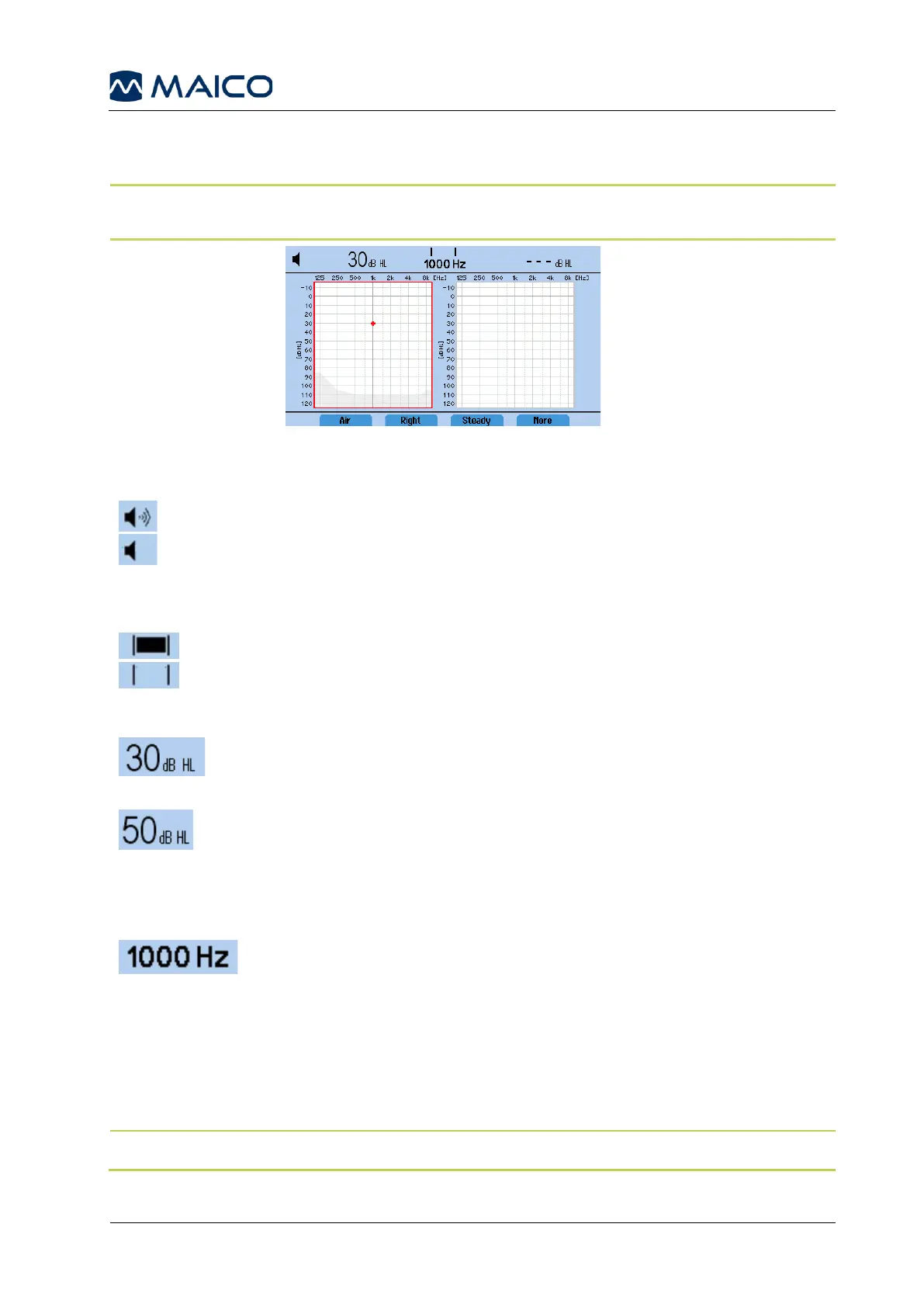
5.5 Display
Figure 1111 shows the main display. See the explanation of the screen areas below.
NOTE: 2 Audiogram view is the default setting for the MA 28. See section 5.10 for review
of different setting options for the display.
Tone: A tone presentation indicator is provided in the top left corner of the display.
Tone is presented (turned on).
Tone is not presented (turned off).
Response (Patient Response Switch required): When using the patient response
switch, a response is indicated in the middle of the display header.
Patient response switch is being activated (pressed).
Patient response switch is not activated (not pressed).
Hearing Level: Displayed on the left side of the screen and indicates the
level/volume of the tone presented. To change, rotate the left rotary wheel
Hearing Level dB.
Masking Level: Displayed on the right side of the screen and indicates the
level/volume of the noise/masking presented. The noise is turned on by
rotating the Masking Level dB rotary wheel to the right. It is turned off by
rotating to the left until - - dB HL
is displayed on the screen.
Frequency presented to the patient. To change, press the + to
increase or – to decrease the test frequency.
Result Display:
Results are stored on the device for later saving to the database, printing or transferring to
the PC. The display can be configured to 1 audiogram, 1 audiogram and masking table,
2 audiograms, 2 audiograms and masking table, Table or None from the Settings.
See section 5.10 for more information.
NOTE: None-display does not allow storing of results.



 To Next Page