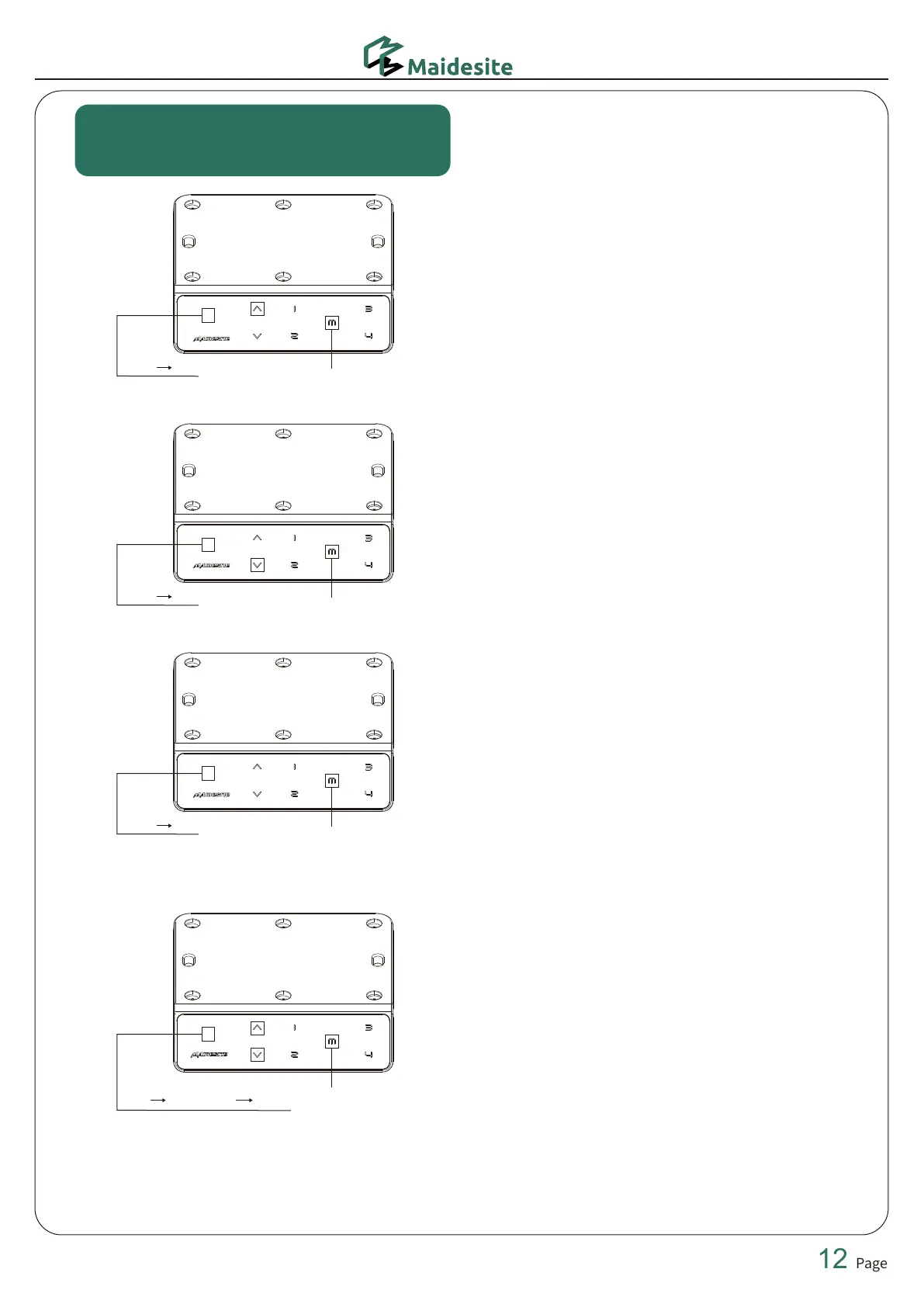
The following settings are set
according to personal preferences.
Set Upper Height Limit
Start by raising the desk to the desired height.
Next, press the M button, and the hand controller will display "S-", release the M
button, long-press the up button, and the hand controller will flash once, release
the up button, and long-press the M button until the hand controller displays "999",
then the upper height limit setting is completed.
Set the Lowest Height Limit
Start by lowering the desk to the desired height.
Next, press the M button, and the hand controller will display "S-", release the M
button, long-press the down button, and the hand controller will flash once,
release the down button, and long-press the M button until the hand controller
displays "000", then the lowest height limit setting is completed.
Cancel the Height Limits
Press the M button, the hand controller will display "S-", and release the M button.
Long press the M button until the hand controller displays "555" to delete the upper
and lowest height limits.
Minimum Height Modification
In the reset state, that is, the hand controller shows the "RST".
Long press the M button until the reset height is displayed on the hand controller
and flashes on and off, press the up or down key to adjust to the desired height,
release the up or down key for 5 seconds, and the hand controller displays "RST"
again, the modification is completed.
“S-” “999”
long-press 2s
“S-” “000”
long-press 2s
long-press 2s
long-press 5s
“S-”
“RST”
Height setting
“S-” “555”


 To Next Page