Need help?
Do you have a question about the Maipu SM3100-28TC-AC and is the answer not in the manual?
Details key features like full wire-speed switching, comprehensive security (ACL, port authentication, ARP protection), and abundant service capabilities.
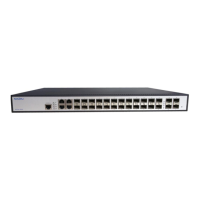
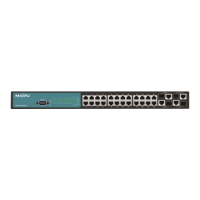
Outlines the physical and system hardware specifications, including the front board components like power socket, ports, and indicators.
Lists service capabilities: VLAN, MAC address management, multicast, broadcast storm suppression, STP, QoS, upgrading, management, and security features.
Provides essential safety guidelines to prevent device damage and injury, covering cleaning, location, ventilation, and power checks.
Details environmental conditions for installation location: temperature, humidity, dust, harmful gases, static electricity, jamming, and lightning protection requirements.
Instructions for verifying the completeness of the device and included accessories after opening the box, before formal installation.
Lists necessary tools, cables (power, console), and a configuration terminal (PC) required for the installation process.
Covers preparation steps: gathering tools, cables, configuration terminal, and checking the 19-inch cabinet suitability for mounting.
Step-by-step guide for physically installing the switch into a 19-inch cabinet, including fastening hangers and locating the switch securely.
Explains how to connect cables, specifically detailing the connection to the switch console port via an RS-232 connection from a character terminal.
Details the procedure for correctly connecting the switch to the ground using a thick wire for lightning and jamming protection, ensuring low resistance.
Provides instructions for connecting the switch to the AC power source (100-240VAC, 50/60Hz), including the grounding connection step.
Details the pinout specifications for 8-core unshielded twisted pair Ethernet interface cables (Cat5) used for sending and receiving data.
Describes the Ethernet optical interface cable types, specifying SM or MM LC interface compatibility for fiber optic connections.
Explains the console cable's structure (shielded, 9 cores), connectors (RJ-45, DB-9), and its pinout for connecting to the switch.
Guides on diagnosing power system failures by checking the power indicator and correct wire connections to the switch.
Provides steps to troubleshoot configuration system failures, which may manifest as no display or illegible characters on the terminal.
Helps diagnose issues where the configuration terminal displays nothing, by checking power and console cable connections and terminal configuration.
Offers solutions for illegible characters, typically due to incorrect terminal parameter configuration like baud rate, data bits, or stop bits.
 General
| Model | SM3100-28TC-AC |
|---|---|
| Power Supply | AC 100-240V, 50/60Hz |
| Layer | Layer 2 |
| MAC Address Table Size | 8K |
| VLANs | 4K |
| Operating Temperature | 0°C to 45°C |
| Storage Temperature | -40°C to 70°C |
| Dimensions (W x D x H) | 440 mm x 260 mm x 44 mm |
| Operating Humidity | 10% to 90% RH non-condensing |
| Storage Humidity | 5% to 95% RH, non-condensing |

 To Next Page