EasyManua.ls Logo

Maipu SM3300-28FX - User Manual

Maipu SM3300-28FX
22 pages
Print Icon
To Next Page IconTo Next Page
Loading...
Installation Manual
SM3300-28FX Installation Manual
Maipu Communication Technology Co., Ltd
No. 16, Jiuxing Avenue
Hi-tech Park
Chengdu, Sichuan Province
Peoples Republic of China - 610041
Tel: (86) 28-85148850, 85148041
Fax: (86) 28-85148948, 85148139
URL: http:// www.maipu.com
Email: overseas@maipu.com
Question and Answer IconNeed help?

Do you have a question about the Maipu SM3300-28FX and is the answer not in the manual?

Summary

Product Introduction and Features

Product Features and Advantages

Details on device stability, security, services, and maintenance capabilities.

Physical Features Overview

Information regarding front board indicators and device layout.

Hardware Features Breakdown

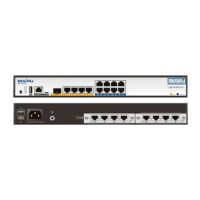
Overview of the switch's front and back board components.

Front Board of Switch Details

Details on the front panel ports and LED indicators.

Back Board of SM3300-28 FX Details

Information on the back panel, including power supply and grounding.

LED Indicators Instruction

Explanation of port and system status indicators on the switch.

Port Description on the Front Panel

Specifications for RJ-45, SFP, SFP-GT, and SFP-FX ports.

Service Features

Comprehensive list of supported network services and protocols.

Preparations for Installation

Security Notice

Important warnings to avoid device damage and personal injury.

Examine Installation Location

Requirements for environmental conditions like temperature and humidity.

Temperature;Humidity Requirements

Defines acceptable long-term and short-term temperature/humidity ranges.

Neatness Requirements

Guidelines on dust limits and harmful gas concentrations.

Static Free Environment

Measures to prevent electrostatic discharge during handling.

Anti-jamming Measures

Recommendations for mitigating electromagnetic interference.

Anti-lightning Measures

Steps for ensuring proper grounding and protection against lightning.

Check Device and Accessories

Procedure for checking the packing list and contents.

Tools for Installation

Lists necessary tools, cables, and devices for installation.

Installation Process

Preparing for Installation

Lists required tools, cables, and device checks.

Preparation Tool

Lists necessary tools and cables for installation.

Check the Cabinet

Requirements for installing the switch in a 19" standard cabinet.

Installation Step

Step-by-step guide for physically installing the switch into a cabinet.

Cable Connections

Describes how to connect console, ground, and power cables.

Connect to Switch Console Port

Instructions for connecting the console cable for configuration.

Connect to Ground

Explains the importance and method of grounding the switch.

Connect to Power

Details on connecting the switch to AC power sources.

Cable Description

Ethernet Interface Cable

Pinout and specifications for RJ45 Cat5 cables.

Ethernet Optical Interface Cable

Information on SM or MM LC interface fiber types.

Console Cable

Description and pinout for the console cable.

Failure Handling

Power System Failure

How to diagnose power supply problems using indicators.

Configuration System Failure

Identifying failures related to system configuration or booting.

Failure Handling on No Displaying

Steps to take when the configuration terminal shows no output.

Failure Handling on Displaying Invalid Characters

How to resolve issues with illegible characters in the terminal.

Summary

Product Introduction and Features

Product Features and Advantages

Details on device stability, security, services, and maintenance capabilities.

Physical Features Overview

Information regarding front board indicators and device layout.

Hardware Features Breakdown

Overview of the switch's front and back board components.

Front Board of Switch Details

Details on the front panel ports and LED indicators.

Back Board of SM3300-28 FX Details

Information on the back panel, including power supply and grounding.

LED Indicators Instruction

Explanation of port and system status indicators on the switch.

Port Description on the Front Panel

Specifications for RJ-45, SFP, SFP-GT, and SFP-FX ports.

Service Features

Comprehensive list of supported network services and protocols.

Preparations for Installation

Security Notice

Important warnings to avoid device damage and personal injury.

Examine Installation Location

Requirements for environmental conditions like temperature and humidity.

Temperature;Humidity Requirements

Defines acceptable long-term and short-term temperature/humidity ranges.

Neatness Requirements

Guidelines on dust limits and harmful gas concentrations.

Static Free Environment

Measures to prevent electrostatic discharge during handling.

Anti-jamming Measures

Recommendations for mitigating electromagnetic interference.

Anti-lightning Measures

Steps for ensuring proper grounding and protection against lightning.

Check Device and Accessories

Procedure for checking the packing list and contents.

Tools for Installation

Lists necessary tools, cables, and devices for installation.

Installation Process

Preparing for Installation

Lists required tools, cables, and device checks.

Preparation Tool

Lists necessary tools and cables for installation.

Check the Cabinet

Requirements for installing the switch in a 19" standard cabinet.

Installation Step

Step-by-step guide for physically installing the switch into a cabinet.

Cable Connections

Describes how to connect console, ground, and power cables.

Connect to Switch Console Port

Instructions for connecting the console cable for configuration.

Connect to Ground

Explains the importance and method of grounding the switch.

Connect to Power

Details on connecting the switch to AC power sources.

Cable Description

Ethernet Interface Cable

Pinout and specifications for RJ45 Cat5 cables.

Ethernet Optical Interface Cable

Information on SM or MM LC interface fiber types.

Console Cable

Description and pinout for the console cable.

Failure Handling

Power System Failure

How to diagnose power supply problems using indicators.

Configuration System Failure

Identifying failures related to system configuration or booting.

Failure Handling on No Displaying

Steps to take when the configuration terminal shows no output.

Failure Handling on Displaying Invalid Characters

How to resolve issues with illegible characters in the terminal.

Maipu SM3300-28FX Specifications

General IconGeneral
BrandMaipu
ModelSM3300-28FX
CategoryNetwork Router
LanguageEnglish

Related product manuals