4
Operation
Equalizer Controls
Three different controls for three frequency bands. Those volume controls will increase or decrease bass and
treble or add some presence to the sound.
Manual Priority Terminals
These two terminals, when shorted, will mute incoming signal from AUX and CD inputs, thus giving priority to the
Telephone Paging and Microphone. These are especially useful when a table microphone with switch is part of
the installation.
Connectios
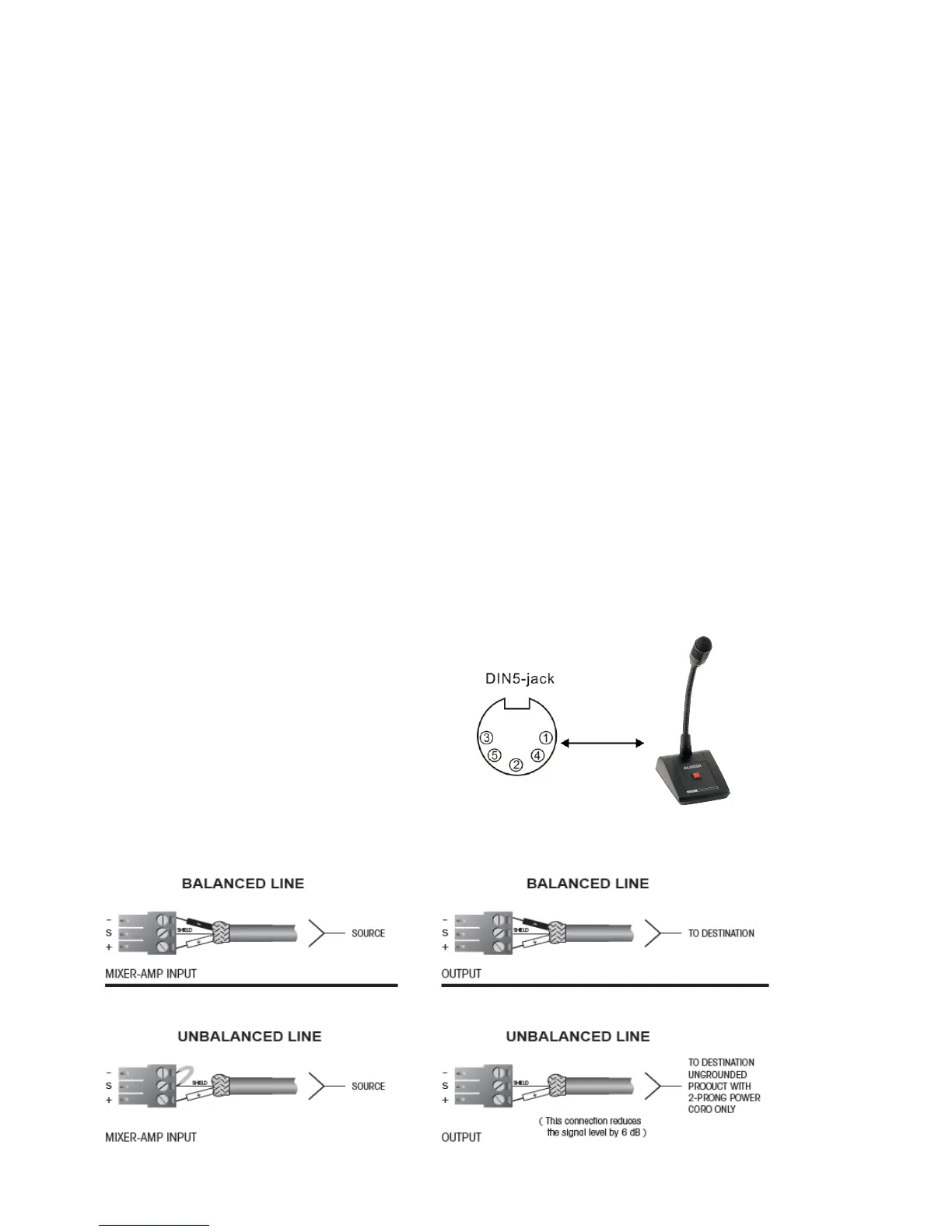
Microphone1
The microphone inputs use DIN-5 jack and are balanced. Priority operation can be
obtained by using the din sockets.(see priority connection)
Pin 1: Signal +
Pin 2: GND
Pin 3: Signal-
Pin 4: Priority terminal
Pin 5: Output +18V
Balanced operation


 To Next Page