27
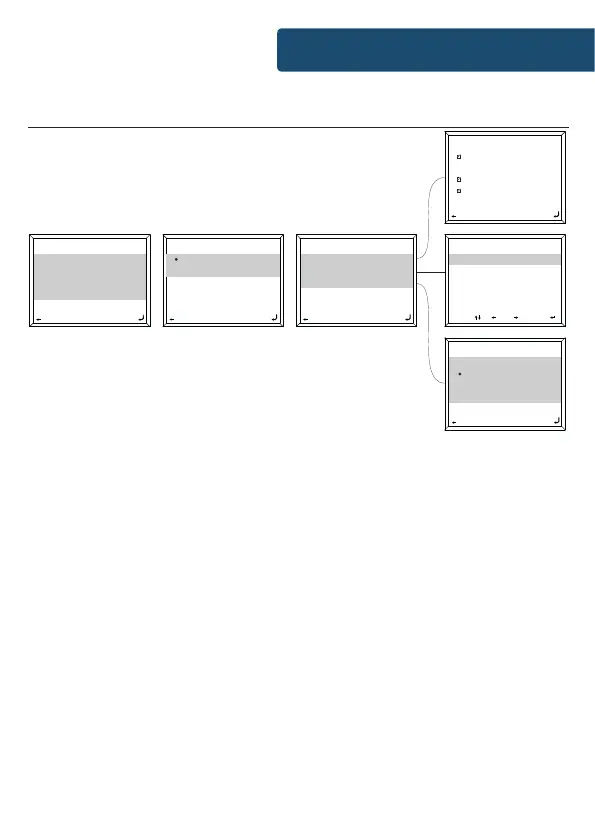
Settings: Alarm Features
00:00
Turn On
Turn O
2/2
00:00
Alarm 1 (Turn O)
Alarm 2 (turn O)
NAP Alarm (Turn O)
Alarm Volume
1/4
00:00
Beep
Melody
Internet Radio
FM
2/6
Time
00 : 00
HH : MM
00:00
Move OKInput
Everyday
Once
Mon
Tue
00:00
1/9
Repeat: Everyday
Time: 00:00
Sound: Melody
00:00
1/3
How to cancel your alarm
To cancel your alarm, select ‘Alarm’ in ‘Conguration’ settings
or with the Alarm button (Ref.) and select the alarm you wish
to turn o. Once the alarm is selected, you will have the option
to turn o or on. Highlight the ‘Turn O’ option and use the
Navigation dial (Ref.) to conrm.
NOTE: Change the alarm volume by going to ‘Alarm Volume’ setting in the
Alarm setting screen.
How to turn o your alarm when sounding
When your alarm is sounding, select the ‘Alarm’ button (Ref.)
or ‘Standby’ button (Ref.) for alarm to stop. If you have set an
alarm to sound everyday or more than once, the alarm icon will
still remain on the main display screen.
Instrucons Guide



 To Next Page