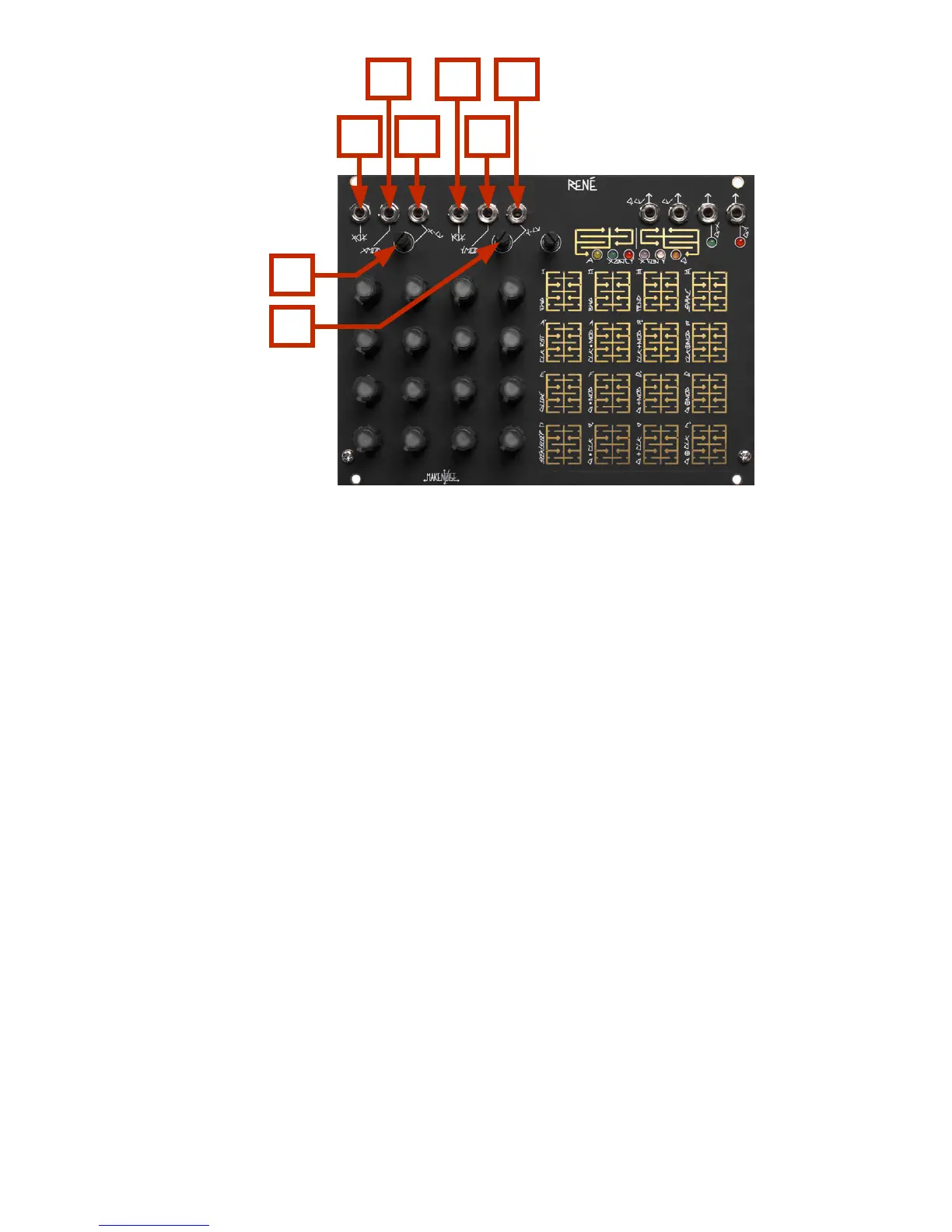
René Panel Controls
Inputs:
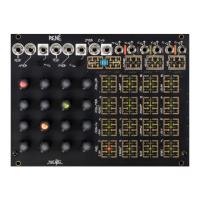
1. X-CLK Input: Clock/Gate signal (of width greater than .5ms and amplitude greater than 2.5V) applied
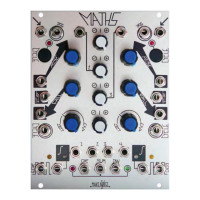
to this input drives the X-Axis Counter. If using MATHS to clock, then set Vari-Response to
LINEAR. When René counts Snake Style, X-CLK steps linearly through a stored set of
coordinates; it drives the sequence.
2. X-MOD Input: The state of this input (either HI or LO) further determines behavior of René depending
upon the selections made in the X-Fun PGM Page. For example, when CLK-RST is selected
under X-Fun a logic HI at this input will Reset the X-Axis Counter to 0.
3. X-CV Input: Control signal at this input generate a number that is added to the number generated by
the X-Axis Counter, to create the X coordinate. When René counts Snake Style, X-CV scans
linearly through a stored set of coordinates. X-CV is normalled to +5V so that with
nothing patched the attenuator acts as oset generator
4. X-CV Input CV Attenuator
5. Y-CLK Input: Clock/Gate signal (of width greater then .5ms and amplitude greater then 2.5V) applied
to this input drives the Y-Axis counter. If using MATHS to clock, then set Vari-Response to
LINEAR. When René counts Snake Style, Y-CLK selects stored coordinates set.
6. Y-MOD Input: The state of this input (either HI or LO) further determines behavior of René depending
upon the selections made in the Y-Fun PGM Page. For example, when Glide is selected
under Y-Fun a logic HI at this input will engage the glide function.
7. Y-CV Input: Control signal at this input generate a number that is added to the number generated by
the Y-Axis Counter, to create the Y coordinate. When René counts Snake Style, Y-CV
selects stored set of coordinates.. Y-CV is normalled to +5V so that with nothing patched,
the attenuator acts as an oset generator.
8. Y-CV Input CV Attenuator
1
2
3
5
6
7
8
4


 To Next Page
 Loading...