20
Display
23
R
G
B
L
E
D
P
o
w
e
r
L
i
g
h
t
S
e
n
s
o
r
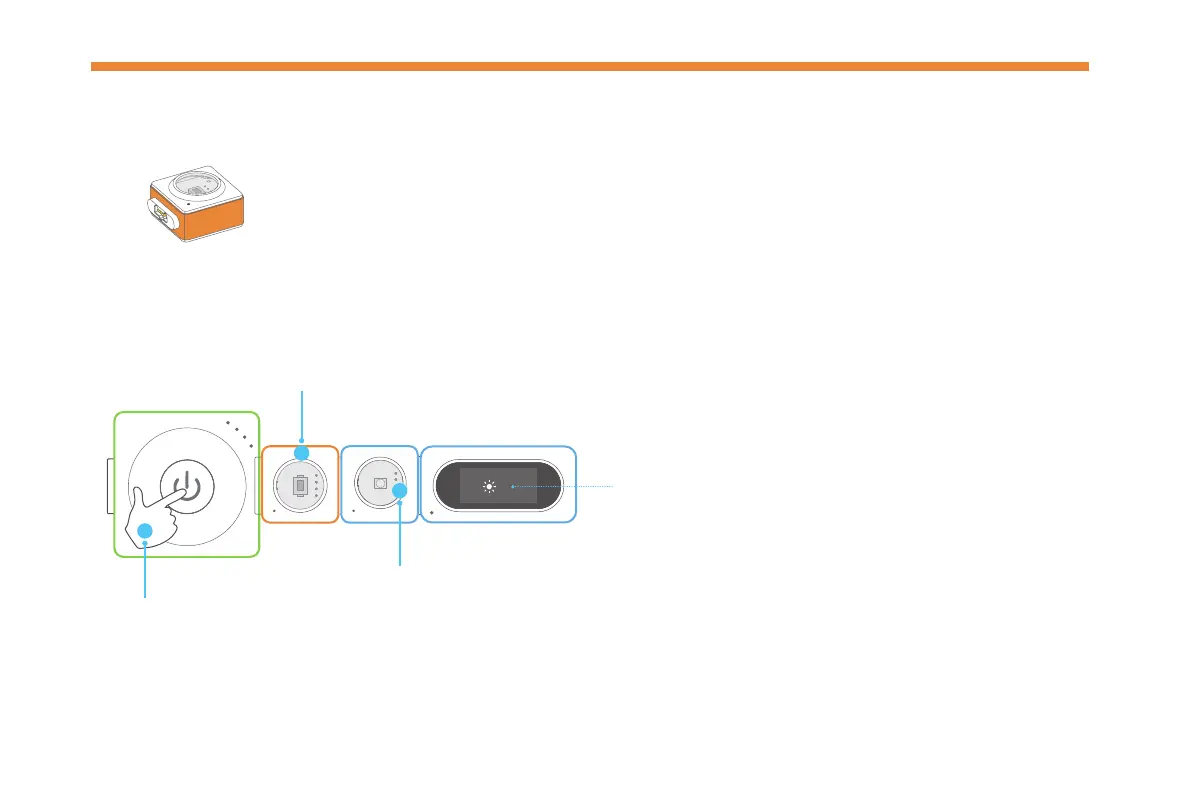
The light sensor can detect the light intensity of the surrounding area.
The more light it receives, the stronger signal it sends out.
Try it now!
Light Sensor
Watch the RGB LED darken and the light intensity
value on the display block become smaller.
The value ranges from 0 to 100.
The larger the value, the stronger the light intensity.
Press
1
3
Cover the light sensor.
2
L
i
g
h
t
S
e
n
s
o
r



 To Next Page