05
B
u
t
t
o
n
B
u
z
z
e
r
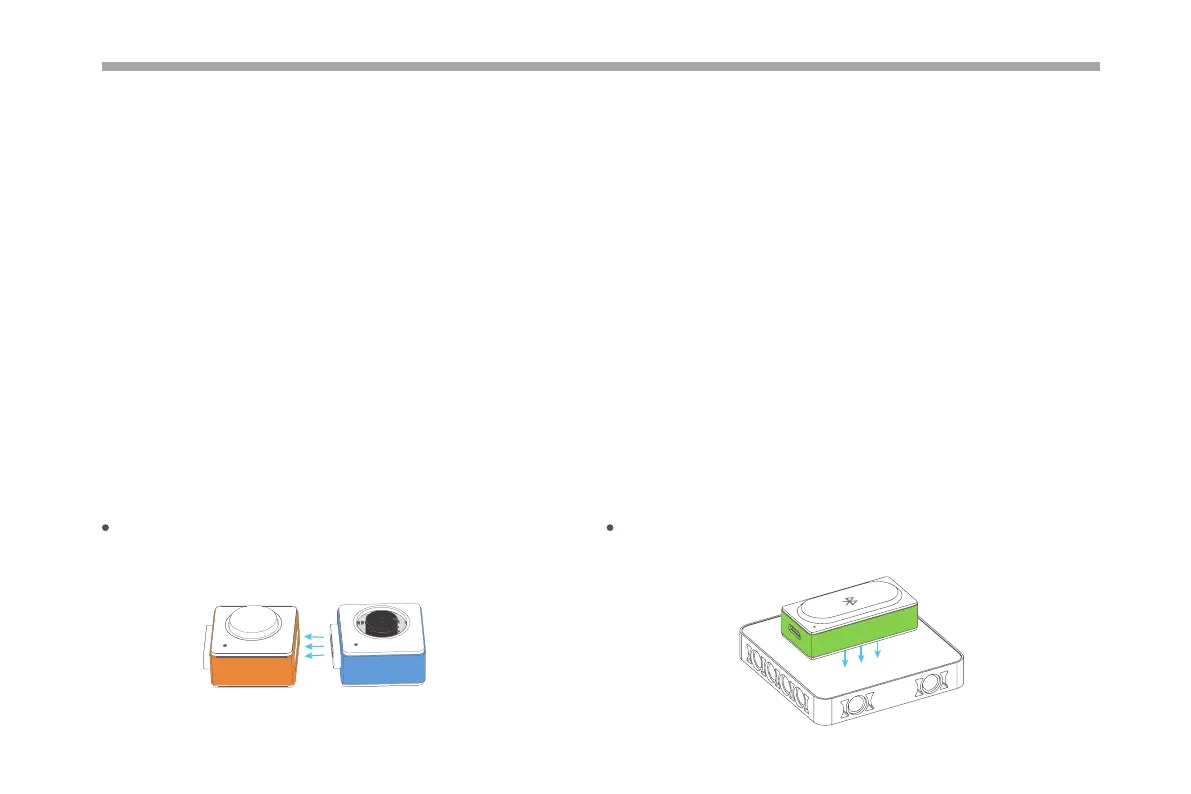
Magnetically snap together, experience the magic of Neuron.
Easy Connection
The back of the block is magnetically designed to snap the block
to a Neuron board or magnetic board.
Bluetooth
Meet Your Neuron
Colorful Blocks With Diverse Functions
The Neuron is classied into three categories according to color.
Energy & Communication blocks (Green): Provide power to other blocks. The communication block contains a Micro USB interface,
you can connect the block to power bank or power adapter via USB cable to power the other blocks. The communication blocks also
supply diverse wireless communication modes.
Input blocks (Orange): The input blocks collect information (such as sound and light) from the environment and send signals to change
the output.
Output blocks (Blue): The output blocks receive signals from input blocks, and then do something, such as lighting up, moving or
making a sound.



 To Next Page