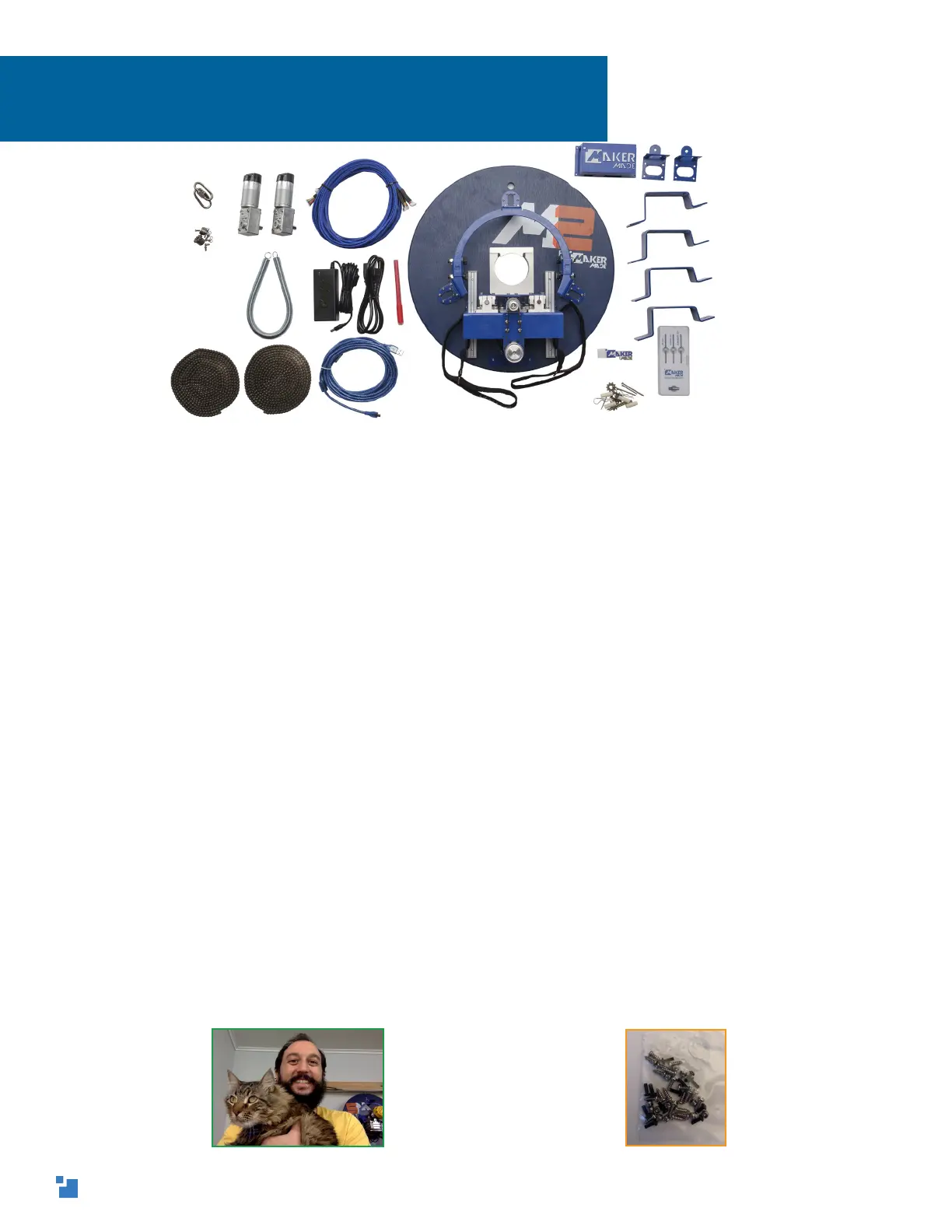
Thanks for buying the M2 CNC Upgrade Kit, welcome to the
MakerMade family!
Here are some notes on the layout...
1. Setting up the M2 can be broken down into three main parts: building
the M2, building the frame (or mounting it on an existing Maslow frame),
and calibration. This guide covers building the M2.
2. I’m Drew and I made this guide! My notes are tips and tricks to help
you along. They are in a different blue font and look like this:
Drew’s Note: Let us know how this guide can be improved for
beginners. We love to hear from you!
They are meant to answer some of the “why” questions you might have
and give you tips to get started. We suggest printing the guide in color,
if you want a paper copy.
3. Each step contains written instructions, a visual rendering of those
instructions, color coded pictures of sub-steps or parts needed for that
step, and the hardware bag where you’ll find the parts you’ll need.
INTRODUCTION
Here’s me and Spaghetti, he’s not impressed
with CNC
Like this Bag G in orange
3


 To Next Page