18
ABOUT THE MAKERBOT DIGITIZER
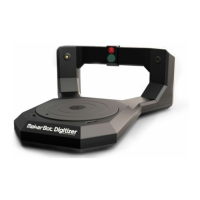
The MakerBot Digitizer Desktop 3D Scanner can scan a real world object and
produce a ready-to-print 3D model in as little as 12 minutes, with no post-processing
or cleanup required.
All MakerBot Digitizer scans are created using MakerBot’s easy-to-use MakerWare for
Digitizer soware. MakerWare for Digitizer creates industry standard stereolithography (STL)
files which can be imported into or modified with most 3D modeling soware.
Before you start using the MakerBot Digitizer, let us tell you a little more about how it works
and what its capabilities are.
FRONT VIEW BACK VIEW
Turntable Right Laser Adjustment Screws
Camera Filter Le Laser Adjustment Screws
Camera USB Port
Le Laser Aperture Power Input Port
Right Laser Aperture Power Switch
1 6
2 7
3 8
4 9
5 10
Note: For the most complete and up-to-date tips on getting the most out of your
MakerBot Digitizer, go to the Learn More section at makerbot.com/digitizer
MakerBot Digitizer Diagrams
i


 To Next Page