45SCANNING WITH YOUR MAKERBOT DIGITIZER
SCANNING AN OBJECT
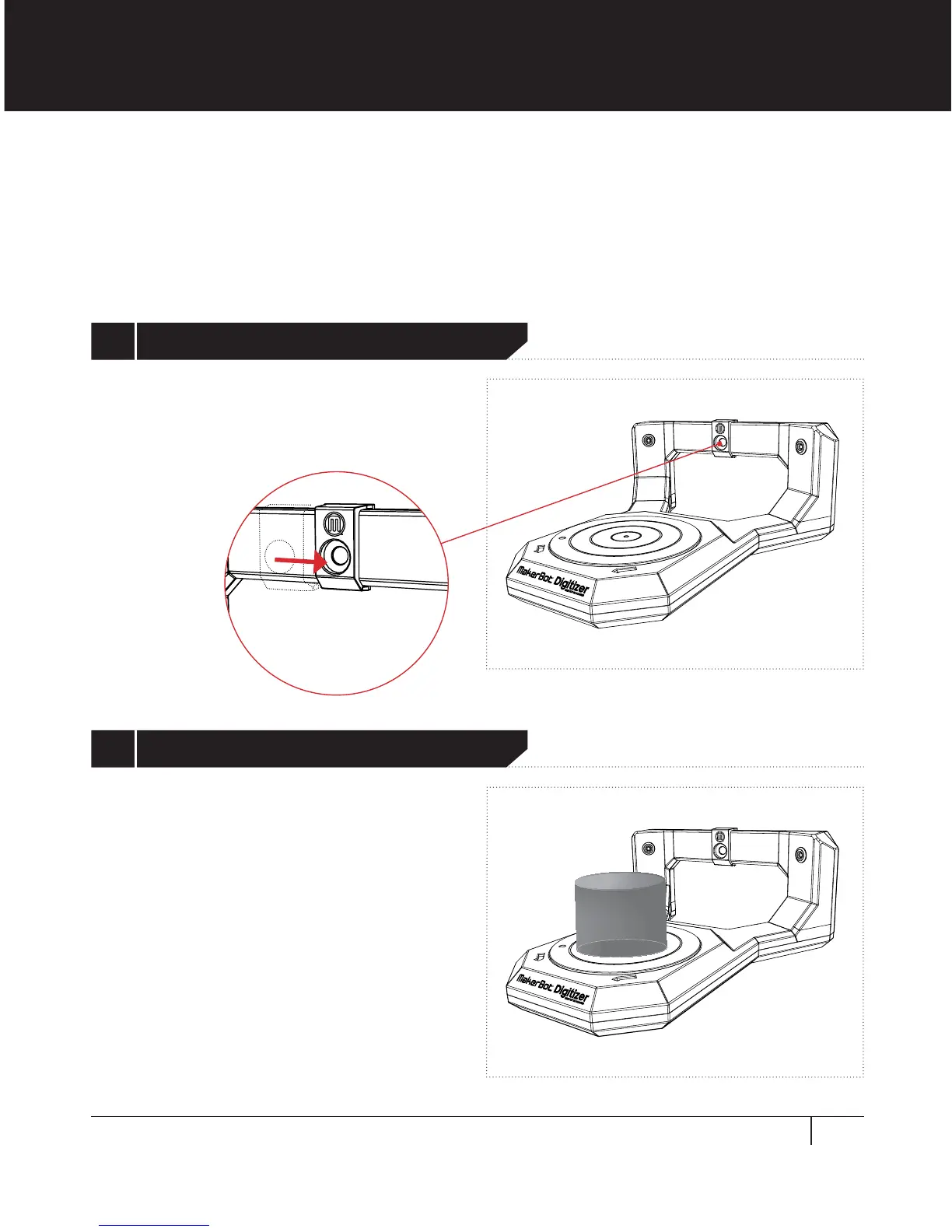
Ensure that the camera filter is positioned
over the camera lens. Avoid touching the
camera filter or camera lens.
To begin a new scan, MakerWare for Digitizer must be in the New Scan state. You will
be taken to the New Scan screen at the end of the initial calibration and setup routine.
You can also access the New Scan screen at any time by choosing New Scan from the
Scanner menu.
TO SCAN AN OBJECT
See page 38 for guidelines on object
placement. Note that parts of an object
that extend outside of the scan cylinder will
be excluded from the scan and may aect
overall scan quality.
1 Position Filter on Camera Lens
2 Place Object on Platform


 To Next Page