33
CALIBRATE YOUR MAKERBOT DIGITIZER
SETTING UP YOUR MAKERBOT DIGITIZER
6 Calibration Complete
Before you start scanning, let’s name your MakerBot Digitizer and set your sharing options.
Click Continue again to begin. You can change your preferences at any point by choosing
Settings from the File menu. On a Mac, the same options are available as Preferences in the
MakerWare for Digitizer menu.
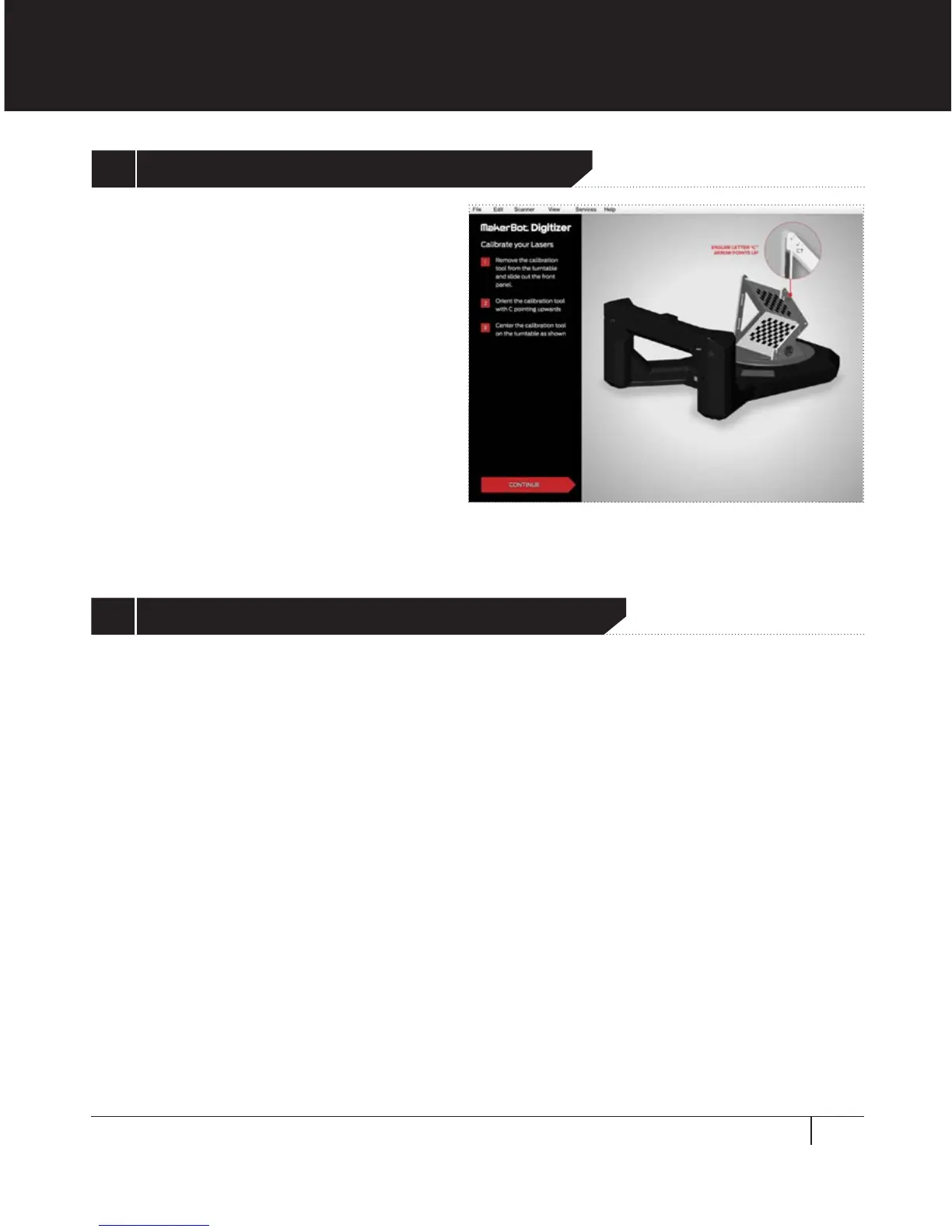
Slide the front panel out of the
calibration tool and place it on the
turntable with the letter C pointing up,
as shown on the screen. Ensure that the
calibration tool is positioned as shown
before clicking Continue.
5 Calibrate the MakerBot Digitizer Lasers


 To Next Page