2
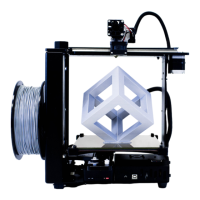
Beginner’s Guide to Getting Started with the M2
Congratulations on your purchase! You’ve made an excellent choice for your 3D printing needs!
If you’re new to the world of 3D printing, there is a lot to take in at first, but there are also a lot of
resources to help you if you get stuck. This first page tells you how to get to that help. To make the
resources immediately available, two of the first things you’ll want to do are register your M2,
and join the forum.
To Register Your Printer:
Send an email with your Name, Address and the Serial Number from the printer to:
Registration@makergear.com
(The serial number is located above the bar code, on a sticker on the back of the machine.)
To Join the MakerGear Users Forum:
http://forum.makergear.com/
The forum is your best place for getting a quick answer. It has a lot of users who’ve been around the
block a few times. (It’s a safe bet that you’re not the first person to encounter whatever problem you
run into.)
Or, if you have no issues to resolve, feel free to post there and just introduce yourself….it’s a friendly
bunch, and every one of us had to get started the same way.
(Usual forum rules apply – keep it friendly, no bashing, hate-speech, inflammatory rhetoric, actively
promoting other printers, etc. MakerGear has not expressly forbidden it, but you’ll run the risk of
ticking off a lot of people who think the M2 is the “bee’s knees”, and I’ll tell you up front, they’ll
defend it. Final discretion rests with the moderators. If they cause a ruckus, or have the potential to
do so, you can expect your posts to start disappearing, so keep it polite.)
To Contact MakerGear Technical Support:
You can also contact MakerGear directly for support, although your first resource should probably be
the forum, since you’ll likely get a quicker response from the larger group.
MakerGear tech support is via email….and they are generally very quick to respond.
If you need to contact MG support for assistance with your machine, follow the instructions at the
link below:
http://www.makergear.com/pages/support-1


 To Next Page