3.2 Fine tuning
Select a model to print. By looking at the result of the first
layer you can determine if fine-tuning of the platform is required. If
you do not have a good first layer with proper flow of material you
can stop printing, fine-tune and adjustment for the next print. Or you
can continue fine tuning the level as the machine prints, live leveling.
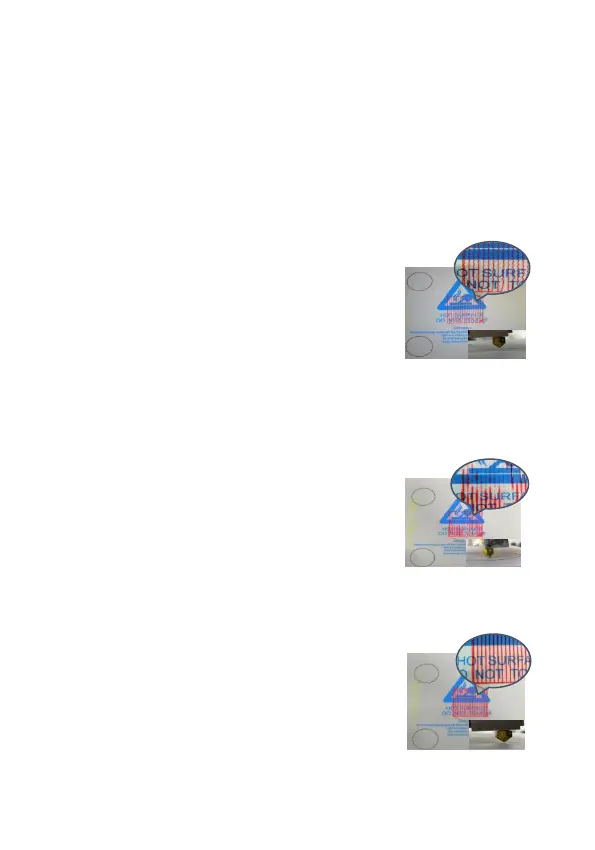
If the filament extruded does not
adhere to the bed then the distance
between the platform and the nozzle is
too great. The filament is thrown
down from the nozzle instead of
sticking tightly.
Turn the leveling knob a little clockwise
to make the platform go up. Continue
this until the excessive gap disappears
and a tight line appears.
If the filament is found to be too thin or
not coherent, it suggests that the
distance between the nozzle and the
platform is too small, resulting in too
small amount of material flow, possibly
leading to clogs.
Turn the leveling knob slightly
counterclockwise to lower the platform
until the filament output is full and
smooth.
Adjust well the effect of platform
printing should be full out of the
filament and the line pressure is flat on
the platform.


 To Next Page