Need help?
Do you have a question about the MakerPi P2 and is the answer not in the manual?
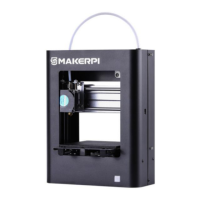
Overview of the MakerPi P2 3D printer components and their functions.
Important safety guidelines and precautions for operating the 3D printer.
Step-by-step assembly instructions for the gantry frame.
Initial leveling of the printing platform using the machine's interface.
Precise adjustments for optimal first layer adhesion.
Guide to adding the MakerPi P2 printer to slicing applications like Ultimaker Cura.
Configuration of nozzle, G-code, and material settings in Ultimaker Cura.
 General
| Brand | MakerPi |
|---|---|
| Model | P2 |
| Category | 3D Printers |
| Language | English |

 To Next Page