EasyManua.ls Logo

Makita BO4901 - User Manual

Makita BO4901
8 pages
Print Icon
To Next Page IconTo Next Page
Loading...
INSTRUCTION MANUAL
Finishing Sander
BO4900V
BO4900
BO4901
ENGLISH: Original instructions
DOUBLE INSULATION
Read before use.
Question and Answer IconNeed help?

Do you have a question about the Makita BO4901 and is the answer not in the manual?

Summary

Specifications

Noise

Provides A-weighted noise level and uncertainty values according to EN62841.

Vibration

Lists vibration total values for different models as per EN62841 standard.

General Power Tool Safety Warnings

Work Area Safety

Guidelines for maintaining a clean, well-lit workspace and preventing distractions.

Electrical Safety

Precautions regarding plugs, grounding, cords, and water exposure.

Personal Safety

Advice on staying alert, using PPE, proper dress, and avoiding entanglement.

Functional Description

Assembly

Operation

Summary

Specifications

Noise

Provides A-weighted noise level and uncertainty values according to EN62841.

Vibration

Lists vibration total values for different models as per EN62841 standard.

General Power Tool Safety Warnings

Work Area Safety

Guidelines for maintaining a clean, well-lit workspace and preventing distractions.

Electrical Safety

Precautions regarding plugs, grounding, cords, and water exposure.

Personal Safety

Advice on staying alert, using PPE, proper dress, and avoiding entanglement.

Functional Description

Assembly

Operation

Overview

This document is an instruction manual for the Makita Finishing Sander, models BO4900V, BO4900, and BO4901. It provides essential information for safe and effective operation, including specifications, safety warnings, functional descriptions, assembly instructions, usage guidelines, and maintenance advice.

Function Description

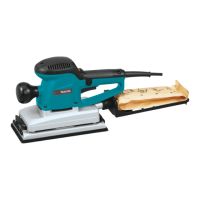
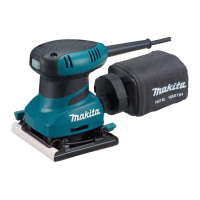
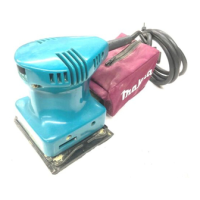
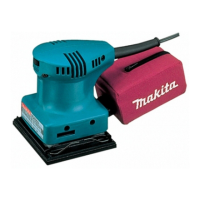
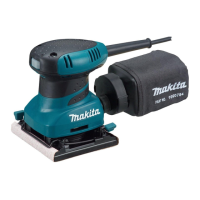
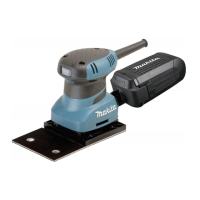
The Makita Finishing Sander is designed for sanding large surfaces of wood, plastic, and metal materials, as well as painted surfaces. It operates by rapidly oscillating an abrasive pad, which is covered with abrasive paper, to smooth surfaces. The BO4900V model features a speed adjusting dial, allowing for variable orbits per minute, while the BO4900 and BO4901 models operate at a fixed speed. The tool is double-insulated, ensuring electrical safety without the need for an earth wire. It can be used with different types of abrasive paper, including conventional types with or without pre-punched holes, and hook-and-loop types with pre-punched holes. For dust management, the sander can be equipped with a paper dust bag or connected to a vacuum cleaner.

Important Technical Specifications

Model: BO4900V, BO4900, BO4901 Pad size: 115 mm x 229 mm Abrasive paper size: 115 mm x 280 mm Orbits per minute (min⁻¹):

  • BO4900V: 4,000 - 10,000
  • BO4900, BO4901: 10,000 Sanding stroke rate (min⁻¹):
  • BO4900V: 8,000 - 20,000
  • BO4900, BO4901: 20,000 Overall length: 289 mm for all models Net weight:
  • BO4900V, BO4900: 2.9 kg
  • BO4901: 2.8 kg Safety class: Double Insulation Power supply: Single-phase AC supply, same voltage as indicated on the nameplate. Noise level (EN62841):
  • Sound pressure level (LPA): 71 dB (A)
  • Uncertainty (K): 3 dB (A) Vibration total value (EN62841):
  • Models BO4900, BO4900V (sanding metal plate): Vibration emission (ah) ≤ 2.5 m/s², Uncertainty (K): 1.5 m/s²
  • Model BO4901 (sanding metal plate): Vibration emission (ah): 4.0 m/s², Uncertainty (K): 1.5 m/s²

Usage Features

Switch Action: The tool is started by pulling the switch trigger. For continuous operation, the switch trigger can be pulled and then locked in place with the lock button. To stop from the locked position, the trigger is pulled fully and then released. Speed Adjusting Dial (BO4900V only): This dial allows for infinite adjustment of the tool speed between 4,000 and 10,000 orbits per minute, marked 1 to 5. Higher speeds are achieved by turning the dial towards 5, and lower speeds towards 1. Continuous operation at low speeds may overload and heat up the motor. Abrasive Paper Installation:

  • Conventional type (with/without pre-punched holes): The paper is inserted into clampers by turning the clamp lever counterclockwise, aligning holes if present, and then securing the paper by returning the clamp lever to its original position. Proper paper tension is important. For paper without pre-punched holes, an optional punch plate can be used to create holes.
  • Hook-and-loop type (with pre-punched holes): This type of paper is attached directly to the pad, ensuring alignment of the holes. For the BO4901 model, the pad itself can be replaced to accommodate hook-and-loop paper, requiring a screwdriver for installation. Dust Management:
  • Paper Dust Bag (BO4900, BO4900V only): The paper dust bag is placed on a holder, with its cardboard front inserted into a groove and then hooked onto claws. The holder assembly is then installed on the tool's dust nozzle, ensuring the "UP" arrow points upward.
  • Vacuum Cleaner Connection: A vacuum cleaner hose can be connected to the dust nozzle for cleaner operation. Operation Guidelines: The tool should be turned on and allowed to reach full speed before being gently placed on the workpiece surface. The base should be kept flush with the workpiece, and light pressure should be applied. It is crucial not to run the tool without abrasive paper, force the tool, or apply excessive pressure, as this can damage the pad, reduce sanding efficiency, or shorten tool life. The front grip, if screwed type, must always be securely tightened.

Maintenance Features

General Maintenance: Before any inspection or maintenance, the tool must be switched off and unplugged. Solvents like gasoline, benzine, thinner, or alcohol should never be used, as they can cause discoloration, deformation, or cracks. Product Safety and Reliability: Repairs, carbon brush inspection and replacement, and any other maintenance or adjustments should be performed by Makita Authorized Service Centers using genuine Makita replacement parts. Accessory Maintenance: Instructions for lubricating and changing accessories should be followed. Dust Bag Emptying: The dust bag should be emptied when about half full. To remove, hold the tool and press the push button on the dust nozzle. After emptying, the hook on the dust nozzle is inserted into the rectangular hole on the dust bag frame until it clicks into place. Pad Inspection: Before use, ensure there are no cracks or breakages on the pad to prevent personal injury.
Makita BO4901 Specifications

General IconGeneral
BrandMakita
ModelBO4901
CategorySander
LanguageEnglish

Related product manuals