EasyManua.ls Logo

Makita CL121D - User Manual

Makita CL121D
16 pages
Print Icon
To Next Page IconTo Next Page
Loading...
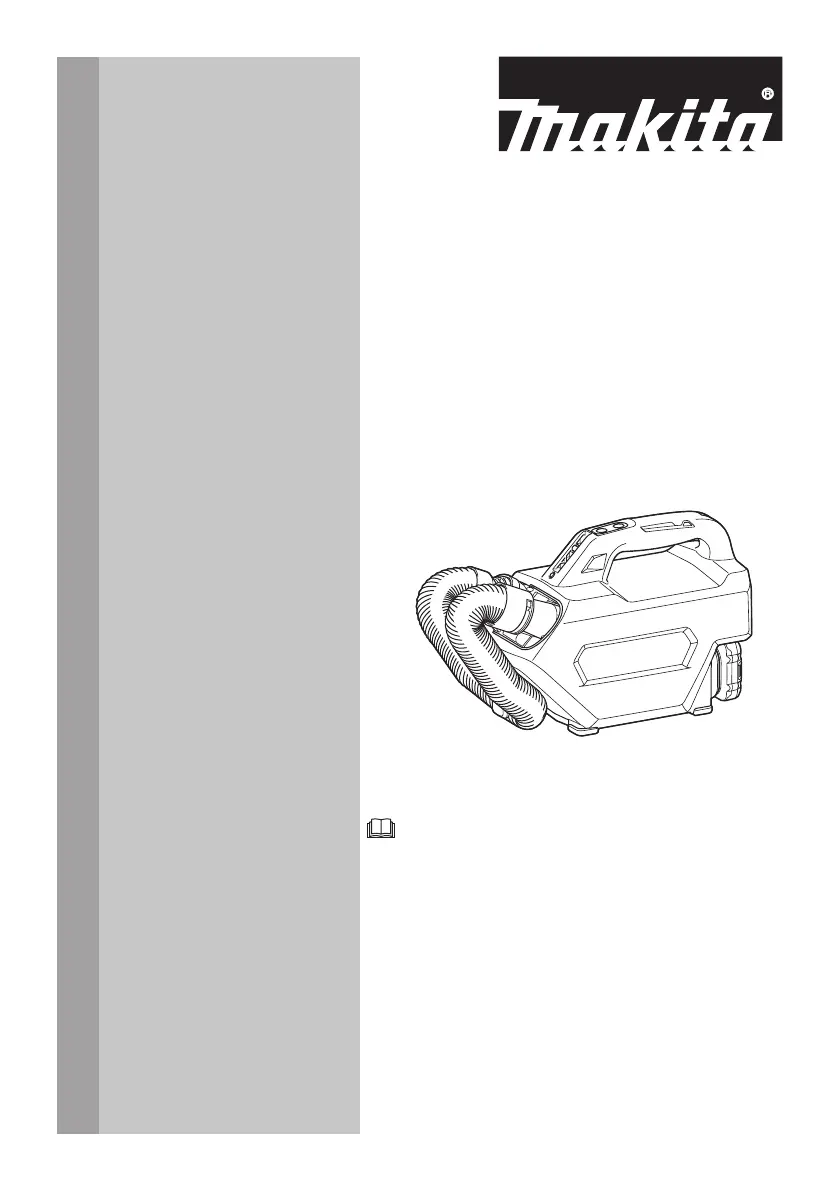
INSTRUCTION MANUAL
Cordless Cleaner
CL121D
ENGLISH: Original instructions
Read before use.

Questions and Answers

  • W
    wernerdanielJul 28, 2025
    Why does my Makita Vacuum Cleaner have weak suction power?
    • J
      Joseph McclainJul 28, 2025
      If your Makita Vacuum Cleaner has weak suction power, it might be due to a few reasons. First, check if the dust bag or paper filter is full and needs emptying. Also, the dust bag might be clogged, in which case you should dust it down or wash it. If the paper filter is clogged, replace it. Finally, ensure the battery cartridge isn't exhausted; if so, charge it.
  • E
    Ethan SantiagoAug 5, 2025
    Why does my Makita CL121D have weak suction?
    • S
      Savannah LaneAug 5, 2025
      If your Makita Ultrasonic Jewelry Cleaner has weak suction, several factors could be responsible. First, check if the dust bag or paper filter is full; if so, empty it. Second, the dust bag might be clogged; try dusting it down or washing it. Third, a clogged paper filter could be the culprit, in which case you should replace it. Finally, ensure the battery cartridge isn't exhausted by charging it.
  • B
    Brent LarsenAug 12, 2025
    Why does my Makita CL121D Ultrasonic Jewelry Cleaner have weak suction power?
    • M
      Mary WilliamsAug 12, 2025
      The weak suction power in your Makita Ultrasonic Jewelry Cleaner may be due to a few reasons: the dust bag or paper filter might be full or clogged, or the battery cartridge may be discharged. To resolve this, try emptying the dust bag or paper filter, dusting down or washing the dust bag, replacing the paper filter, or charging the battery cartridge.
  • E
    elizabethcarrAug 19, 2025
    What to do if my Makita CL121D is not working?
    • P
      Peter Marsh Jr.Aug 19, 2025
      If your Makita Ultrasonic Jewelry Cleaner isn't working, the most likely cause is an exhausted battery cartridge. Make sure to charge the battery cartridge.

Summary

Specifications

Model, Capacity, and Performance

Details the cordless cleaner's model, capacity, operational time, dimensions, voltage, and weight.

Applicable Battery Cartridge and Charger

Lists compatible battery cartridges and chargers for the cordless cleaner.

Symbols and Intended Use

Explains important symbols used on the equipment and its intended application.

Safety Warnings

Cordless Cleaner Safety

Crucial safety warnings and instructions for operating the cordless cleaner safely.

Additional Safety Rules and Battery Precautions

Further safety guidelines for using the appliance and handling battery cartridges.

Battery Life Maintenance

Functional Description

Installing or Removing Battery Cartridge

Step-by-step guide on how to safely install and remove the battery cartridge from the tool.

Tool and Battery Protection Systems

Protection System Overview

Explains the tool's protection system, including overload, overheat, and overdischarge functions.

Indicating Battery Capacity

Details how to check the remaining battery capacity using indicator lamps.

Switch Operation

Describes how to turn the cleaner on, off, and change speed settings.

Assembly

Installing Dust Bag

Step-by-step instructions for installing the dust bag, ensuring proper fit and closure.

Installing Paper Filter

Step-by-step instructions for installing the paper filter, including dust stopper and cover closure.

Operation

Vacuum Cleaning Attachments

Guide to using various nozzles like rubber, soft brush, seat, and mat for vacuum cleaning.

Cleaning Without Nozzle

Instructions for performing vacuum cleaning directly without attaching a nozzle.

Disposing of Dust

Procedures for safely emptying dust bags or replacing paper filters.

Using as a Blower

Blower Attachment Installation

Instructions on how to attach and detach the blower attachment to the cleaner.

Blowing Operation

Guidance on how to use the blower attachment for effective blowing tasks.

Maintenance

Cleaning the Cleaner

Instructions for cleaning the exterior and internal parts of the cleaner body.

Sponge Filter Maintenance

Steps for removing, cleaning, and reinstalling the sponge filter for optimal performance.

Storage

Troubleshooting

Optional Accessories

Makita CL121D Specifications

General IconGeneral
BrandMakita
ModelCL121D
CategoryUltrasonic Jewelry Cleaner
LanguageEnglish

Related product manuals