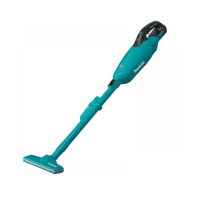
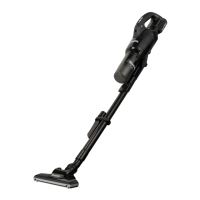
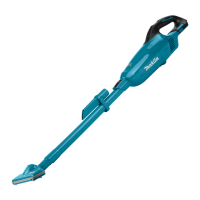
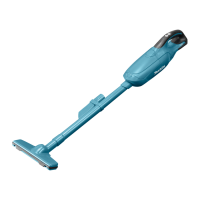
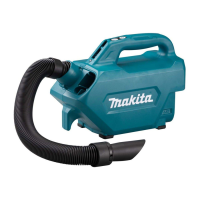
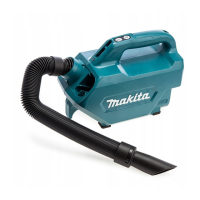
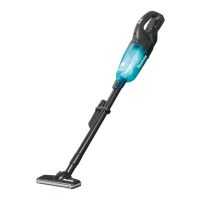
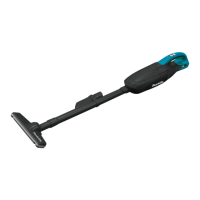
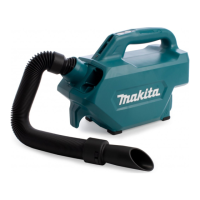
This document provides the instruction manual for the Makita Cordless Cleaner, model DCL280F. It covers safety warnings, specifications, assembly, operation, and maintenance.
Function Description
The Makita Cordless Cleaner DCL280F is a portable, battery-operated vacuum cleaner designed for collecting dry dust. It is intended for household use and can be operated by individuals aged 8 years and above with supervision, or by persons with reduced physical, sensory, or mental capabilities if properly instructed and supervised. The cleaner is designed to be used with specific Makita battery cartridges and chargers to ensure safe and efficient operation. Its cordless design offers flexibility and ease of use for various cleaning tasks, from floors to tight spaces and furniture. The cleaner features a protection system that automatically cuts off power to the motor to extend tool and battery life, preventing damage from overload or low battery voltage.
Important Technical Specifications
- Model: DCL280F
- Capacity: 750 mL
- Continuous use (with battery BL1830B): Approximately 20 minutes
- Overall length: 1,016 mm
- Rated voltage: D.C. 18 V
- Net weight: 1.2 - 1.6 kg (weight varies depending on battery cartridge(s) and accessories)
- Applicable Battery Cartridges: BL1815N, BL1820, BL1820B, BL1830, BL1830B, BL1840, BL1840B, BL1850, BL1850B, BL1860B.
- Applicable Chargers: DC18RC, DC18RD, DC18RE, DC18SD, DC18SE, DC18SF.
- Filters: Can use Prefilter, High Performance Filter, HEPA Filter, and Sponge Filter.
Usage Features
The DCL280F offers versatile cleaning options with various attachments and operational modes:
- Battery Installation and Removal: To install the battery cartridge, align the tongue on the battery cartridge with the groove in the housing and slide it into place until it locks with a click. A red indicator will be visible if not fully locked. To remove, slide the battery cartridge from the tool while pushing the button on the front of the cartridge.
- Switch Action: The cleaner features a slide switch with "O" (off) and "I" (on) positions. When set to "O", the tool starts by pulling the switch trigger and stops upon release. When set to "I", the switch trigger is pulled automatically, and the cleaner continues actuating until the slide switch is moved back to "O" and the trigger is released.
- Lamp: The cleaner is equipped with a lamp that turns on when the switch trigger is pulled. It blinks when the remaining battery capacity is low, indicating it's time to recharge.
- Dust Disposal: The cleaner should be emptied before it becomes too full to prevent suction weakening. To dispose of dust, twist the capsule in the direction of the arrow to disconnect it from the cleaner unit. Dust can be dislodged from the filter by tapping the capsule.
- Attachments:
- Extension Wand (Straight pipe): Can be attached to the suction inlet for cleaning floors in a standing position. It may come with a lock function, requiring alignment of a release button with a hook for secure attachment.
- Nozzle: Attaches to the suction inlet or the end of the extension wand for cleaning tables, desks, furniture, and other surfaces.
- Corner Nozzle: Designed for cleaning corners and crevices in cars or furniture.
- Cleaning without Nozzle: The cleaner can also be used without any nozzle for picking up powder and dust directly.
- Filter Options: The cleaner supports various filters including a prefilter, high performance filter, HEPA filter, and sponge filter. These filters can be used in different combinations depending on the cleaning needs. For example, the prefilter can be used over the HEPA filter.
- Battery Protection System: This system protects the tool and battery from damage due to overload or low battery voltage. If overloaded, the tool will stop; users should turn it off, resolve the overload cause, and restart. If the battery is overheated, it will stop, and users should allow it to cool before restarting. If battery voltage is low, the tool will not operate, requiring battery removal and recharge.
- Remaining Battery Capacity Indication: Battery cartridges with an indicator allow users to check the remaining capacity by pressing a check button. Indicator lamps light up for a few seconds, showing the charge level (75-100%, 50-75%, 25-50%, 0-25%, or indicating charging needed/malfunction).
Maintenance Features
Regular maintenance is crucial for the cleaner's safety, reliability, and optimal performance. Always ensure the tool is switched off and the battery cartridge is removed before any inspection or maintenance.
- Cleaner Body: Wipe the outside of the cleaner body with a cloth dampened in soapy water. Clean the suction opening and filter mounting area regularly.
- Filters:
- High Performance Filter: Wash in soapy water when clogged and suction power weakens. Dry thoroughly before use.
- HEPA Filter (Optional Accessory): Clean from time to time. Occasionally wash in water, rinse, and dry thoroughly in the shade. Do not rub or scratch with hard objects or wash in a washing machine.
- Sponge Filter: Clean when dirty by tapping or washing. If washed, dry thoroughly before use. To remove, pull it out from between the pillars. To install, insert it between the pillars, ensuring the bottom edge of each pillar holds down the sponge filter without gaps.
- Reinstallation of Filters: After cleaning filters and the sponge filter, always re-install them correctly before use. Incorrect installation can lead to dust entering the motor housing and causing malfunction or motor failure. Ensure the high performance filter's securing lip is firmly locked into the groove of the cleaner housing.
- Troubleshooting: The manual provides a troubleshooting guide for common issues like weak suction power or the cleaner not working. Solutions include emptying the capsule, cleaning/washing the filter, or charging the battery cartridge.
- Wall Mount (Optional Accessory): A wall mount is available for convenient storage. It should be securely attached to a hard wooden wall, beam, or column. Avoid hanging the cleaner violently or hanging other appliances on the mount.
- Authorized Service: For repairs, maintenance, or adjustments, it is recommended to use Makita Authorized or Factory Service Centers and genuine Makita replacement parts to maintain product safety and reliability.
- Storage: Store the cleaner indoors and avoid exposing it to rain. Do not store the tool and battery cartridge in locations where the temperature may reach or exceed 50 °C (122 °F).
- Battery Cartridge Care: Do not disassemble, short-circuit, or incinerate the battery cartridge. Avoid dropping or striking it. If electrolyte gets into eyes, rinse with water and seek medical attention. Recharge only with the specified charger.


 To Next Page
 General