10 ENGLISH
Adjusting no-load speed and
revolution angle etc.
1
2
►1. USB cable 2. USB port
After installing application soft in your computer, using
USB cable allows no-load speed and revolution angle
adjustment etc. of the tool.
NOTE: For application soft, please contact Makita
sales representative.
ASSEMBLY
CAUTION:
• Always be sure that the tool is switched off and
the battery cartridge is removed before carrying
out any work on the tool.
Selecting correct socket
There are different types of sockets for some models
depending on applications. Choose and install a correct
socket for your application.
Installing or removing socket
1
2
3
►1. Socket 2. Hole 3. Pin
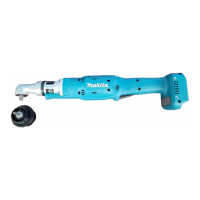
To install the socket, push it onto the square drive of the
tool with one hand by depressing a pin on the square
drive with another hand until it locks into place. To
remove the socket, simply pull it off depressing the pin
on the square drive.
Installing hook
Optional accessory
The hook is useful to hang the tool.
Install the hook to the holes on the tool body.
1
2
►1. Hook 2. Hole
OPERATION
Holdthetoolrmlyandplacethesocketoverthebolt
or nut. Then switch the tool on. When the clutch cuts
in, the motor will stop automatically. Then release the
switch trigger.
NOTE:
• Hold the tool with its square drive pointed
straight at the bolt or nut, or the bolt or nut will
be damaged.
Limits of fastening capacity
Use the tool within the limits of fastening capacity. If you
use the tool beyond the limits, the clutch does not work.
And the tool cannot deliver enough fastening torque.
25 65
360
300
240
180
120
60
30
Range of fastening capacity
Torque
Revolution angle( )
N m



 To Next Page
 Loading...