EasyManua.ls Logo

Makita SK106D - User Manual

Makita SK106D
24 pages
Print Icon
To Next Page IconTo Next Page
Loading...
Overview 2
Technical data 3
Instrument Set-up 5
Operations 8
How to use the adapters and wall mount 11
Message Codes 13
Accuracy Check 14
Care 18
Safety instructions 19
Optional accessories 24
Makita SK106D/SK106GD
1
Question and Answer IconNeed help?

Do you have a question about the Makita SK106D and is the answer not in the manual?

Summary

Overview

Technical Data

Instrument Set-up

Introduction to Instrument Setup

General introduction to the instrument setup process and safety precautions.

Levelling Lock Mechanism

Explanation of the levelling lock mechanism for transport or tilting operations.

Battery Management and Charging

Instructions for installing/removing battery and checking remaining capacity.

Operations

Powering On;Off and Brightness Control

Guide on turning the instrument on/off and adjusting laser brightness.

Laser Line Output Modes

Describes laser line outputs based on levelling lock status.

Adapters and Mounting

PRO L-Adapter Usage

Instructions for mounting the instrument using the PRO L-adapter.

Wall Mount and Fixing Applications

Details on using the wall mount and various fixing applications.

Message Codes

Accuracy Checks

Levelling and Line Accuracy Verification

Procedures to check instrument's levelling and horizontal/vertical line accuracy.

Plumb Point and Perpendicularity Accuracy

Methods to verify vertical plumb points and perpendicularity of laser lines.

Care Instructions

Safety Instructions

User Responsibility and Usage Guidelines

Defines responsibilities, permitted/prohibited use, and operational hazards.

Battery Safety and Transport

Guidelines for battery handling, life, disposal, and instrument transport safety.

Laser Safety and Regulatory Compliance

Information on laser classification, safety, and regulatory compliance.

Optional Accessories

Overview

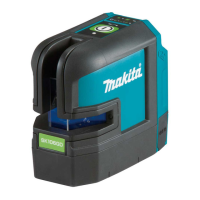
The Makita SK106D/SK106GD is a sophisticated, self-levelling multifunctional laser designed for precision tasks in various professional settings. This instrument ingeniously combines the functionalities of a cross-line laser and a point laser within a single, robust tool, making it an indispensable asset for levelling, plumbing, transferring, and setting out right angles. Its design supports job-site efficiency by projecting two crossing vertical and horizontal lines, along with five distinct points. These points include four peripheral points and one central intersection point, all meticulously arranged at precise 90° angles to each other, ensuring high accuracy for complex layouts.

The device is available in two distinct types: the SK106D, which emits a red laser, and the SK106GD, which utilizes a green laser. While both models offer identical functionalities, the choice between red and green laser might depend on user preference or specific environmental conditions where one color offers better visibility. For consistency in documentation, all illustrative images within the manual depict the SK106D model.

Key components of the laser include a window for the vertical line and plumb-up point, a separate window for the horizontal line and horizontal transfer points, and a dedicated window for plumbing. A Status LED provides visual feedback on the device's operational status. The ON/Set key serves as the primary control for powering the device and adjusting settings. A crucial feature is the Levelling lock, which also functions as a transportation lock, securing the internal pendulum mechanism during transit or when the instrument needs to be tilted beyond its self-levelling range. The device is powered by an optional battery, and it includes a 1/4" tripod thread for versatile mounting options, alongside a DC jack for external power or charging.

Usage Features:

The Makita SK106D/SK106GD offers intuitive operation with distinct modes for both locked and unlocked levelling.

Levelling Lock: This feature is essential for both transport and specific operational modes. When the levelling lock is engaged, the internal pendulum is fixed, and the self-levelling function is deactivated. This is particularly useful when transporting the instrument to prevent damage or when intentionally tilting the instrument beyond its self-levelling range for sloped applications. In this locked state, the laser blinks every 5 seconds as a visual indicator.

Levelling Unlocked: In the unlocked position, the instrument automatically levels itself within its specified inclination range, ensuring accurate projections for standard levelling and alignment tasks. This is the primary mode for most precision work.

Switching ON/Set Key:

  • Powering On: A single press of the ON/Set key activates the device.
  • Brightness Reduction: To reduce laser brightness, the ON/Set key can be pressed for 2 seconds. This is useful in varying lighting conditions to optimize visibility and conserve battery life.
  • Powering Off: If the instrument is in an unlocked state, pressing the ON/Set key four times will switch it off. If the instrument is locked, it requires three presses of the laser key to power down.

Functions with Unlocked Levelling:

  • Horizontal / Vertical Lines and Dots: A single press of the ON/Set key in unlocked mode activates both horizontal and vertical laser lines, along with the five laser dots, providing comprehensive alignment capabilities.
  • Horizontal Line and Dots: A second press of the ON/Set key will display only the horizontal laser line and the five dots, ideal for tasks requiring horizontal alignment.
  • Vertical Line and Dots: A third press of the ON/Set key will project only the vertical laser line and the five dots, suitable for plumbing and vertical alignment tasks.

Functions with Locked Levelling:

  • Horizontal Line and Dots: When the levelling lock is engaged, a single press of the ON/Set key will project the horizontal line and dots. This mode is used for manual slope applications where self-levelling is not desired.
  • Vertical Line and Dots: A second press will activate the vertical line and dots in the locked state, also for manual slope or specific alignment tasks.
  • Horizontal Line Tilted: This mode specifically demonstrates the application of the horizontal line when the instrument is tilted, useful for setting out slopes or angles.

Adapters and Wall Mount:

The Makita SK106D/SK106GD is designed for versatile mounting. The PRO L-adapter allows the instrument to be securely fixed by its thread. It's important to note that the PRO L-adapter cannot be used with BL1040B or BL1041B battery cartridges. For precise vertical line adjustments, the instrument can be rotated 360° on the PRO L-adapter.

An optional wall mount accessory further enhances the instrument's utility. This mount features an adjustment knob to loosen and fix a slide, enabling fine adjustment of the horizontal line to the desired reference level. The wall mount is a separate item and is not included with the PRO L-adapter. Various fixing applications are supported, including attachment to tripods (5/8" or 1/4" threads), and direct mounting to walls or studs using the wall mount.

Message Codes:

The device provides clear LED indicators for various operational statuses and potential issues:

  • ON (Lights green): Normal operation.
  • ON (Blinks green): Normal operation, but the laser is set at reduced brightness. Pressing the ON/Set key for 2 seconds will restore strong laser beam.
  • ON (Lights red): Instrument is at low power, requiring a change in power supply.
  • OFF (Lights red 5 seconds then OFF): Battery is empty, necessitating a power supply change.
  • OFF (Blinks red): Temperature alert (either too cool or too hot), requiring the instrument to cool down or heat up.
  • Blinks (Lights red): Instrument is out of self-levelling range and at low power. Position the instrument almost horizontally and change the power supply.
  • Blinks (Blinks red): Instrument is out of self-levelling range. Position the instrument almost horizontally.
  • Blinks every 5 seconds (Lights red): Levelling lock is activated, and the instrument is at low power. Change power supply.
  • Blinks every 5 seconds (Lights green): Normal operation with levelling lock activated.
  • Blinks every 5 seconds (Blinks green): Levelling lock is activated, and the laser is set at reduced brightness.

Maintenance Features:

Maintaining the Makita SK106D/SK106GD is crucial for ensuring its longevity and accuracy.

  • Cleaning: The instrument should never be immersed in water. Dirt should be wiped off with a damp, soft cloth. Aggressive cleaning agents or solvents must be avoided. The optics of the instrument should be cleaned regularly by blowing off dust and, if necessary, using a damp soft cloth with a small amount of pure alcohol. Adapters should also be cleaned regularly, especially the interface between the adapter and the instrument, to ensure easy rotation. The magnetic surface can be cleaned with compressed air or modelling clay.
  • Drying: If the equipment gets wet, it must be dried at a maximum of 70°C (158°F) before being repacked into its case.
  • Regular Checks: The instrument's levelling accuracy should be checked regularly, especially before important measuring tasks and after any abnormal use or impact.
  • Battery Care: Only genuine Makita batteries and chargers should be used. The battery cartridge should be charged before it is completely discharged and operation should stop when tool power decreases. Overcharging should be avoided as it shortens battery life. Charging should occur at room temperature (10°C - 40°C / 50°F - 104°F), and hot battery cartridges should be allowed to cool before charging. Battery cartridges should be stored away from other metal objects to prevent shorting, and should not be exposed to water, rain, fire, or excessive temperatures above 130°C (266°F). Damaged batteries should not be used.
  • Transport: When transporting the instrument, the lock switch should always be in the "Locked" position to protect the internal mechanism. The original case or equivalent protective packaging should be used for transport and shipping.

Makita SK106D Specifications

General IconGeneral
ModelSK106D
CategoryMeasuring Instruments
TypeCross Line Laser
Laser ClassClass 2
Laser Wavelength635 nm
Self-Levelling Range±4°
IP RatingIP54
Auto Power OffYes
Visibility Range25 m
Accuracy± 3 mm @ 10 m
Operating Temperature-10°C to 50°C
Measuring Range10m
MaterialPlastic

Related product manuals