Strona 23 z 27
In order to set the test mode, enter the settings and change the UEL to 1, then confirm by
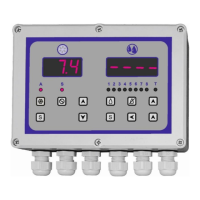
pressing the S button. The controller test operation mode is signaled by flashing LED diode
marked with the letter T. Exit from the settings by pressing the switch off button.
After activating the test mode, the transition to the next steps of the program is carried out by
pressing the ▲ button. You can also undo you to the previous steps by pressing the ▼ button.
In order to exit from the test mode: → enter the access code → select the UEL parameter →
change its value to 0 → confirm with the S button → exit the settings, by pressing the off button
(red).
ATTENTION
After completing the testing of the correctness of the washing system operation, it is essential
to remember to return to the normal mode. During normal operation, the diode marked with
the letter T must not light up.
4.3.5. Factory (default) programs for washing segment.
The controller contains 4 factory programs, which are shown in the following tables. The
remaining 4 programs are empty.


 To Next Page
 Loading...