Strona 26 z 27
4.4.1. Starting the controller operation.
The controller, after switching off the cooling section, remains in a state of readiness
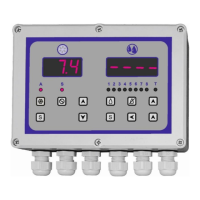
for operation. This is signaled by appearing - - - - symbol on the display.
The washing program is activated by pressing the start button and it is signaled by the symbol
From this moment, the pre-set washing program is carried out. During the program
execution, the display shows the time to complete the washing process. And glowing diodes
located below the display indicate currently active relays. If the diode no. 8 is on it indicates
waiting for a signal from the hydrostatic (if it has been programmed).
ATTENTION
The time indicated on the display does not take into account the time needed to pour water
in the hydrostatic cooperation mode.
4.4.2. Pausing the washing program.
During the washing program, you can pause it at any time. This is done by re-pressing the start
button. When the program is paused, all active relays are switched off.
The washing program is restarted by pressing the start button again. The program will be
continued from the place where it was paused.
4.4.3. Disabling the washing program.
In the event of such a necessity, the current washing program can be disabled at any time. This
is done by pressing the off button.


 To Next Page
 Loading...