7
(A)
(B)
(B)
(A)
(B)
(A)
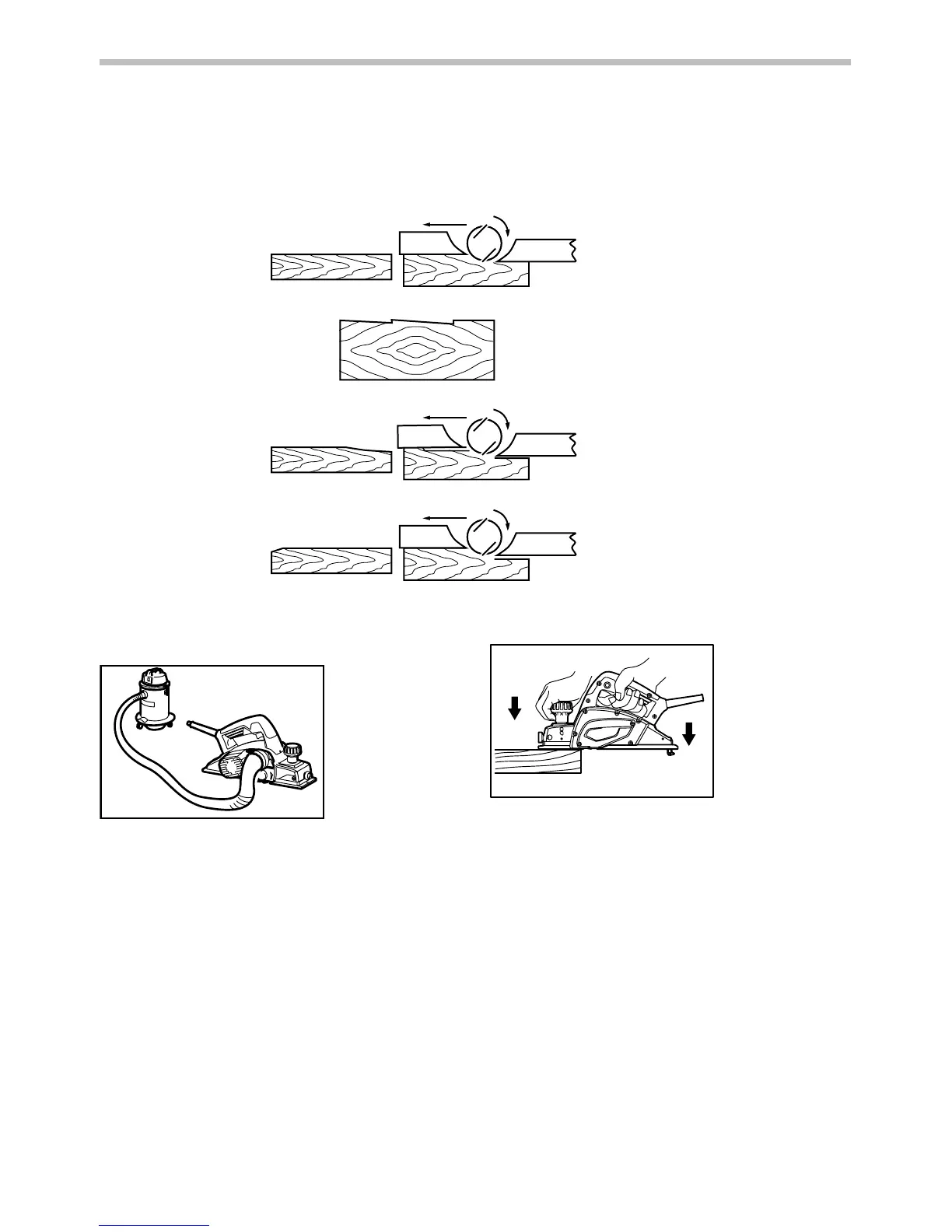
(A) Front base (Movable shoe)
(B) Rear base (Stationary shoe)
Correct setting
Nicks in surface
Gouging at start
Gouging at end
Although this side view cannot
show it, the edges of the blades
run perfectly parallel to the rear
base surface.
Cause: One or both blades fails to
have edge parallel to rear
base line.
Cause: One or both blade edges
fails to protrude enough in
relation to rear base line.
Cause: One or both blade edges
protrudes too far in relation
to rear base line.
EN0004-1
Connecting a vacuum cleaner (for European
countries only)
011868
When you wish to perform clean planing operation,
connect a Makita vacuum cleaner to your tool. Then
connect a hose of the vacuum cleaner to the nozzle as
shown in the figures.
OPERATION
Hold the tool firmly with one hand on the knob and the
other hand on the switch handle when performing the
tool.
Planing operation
1
2
011869
First, rest the tool front base flat upon the workpiece
surface without the blades making any contact. Switch on
and wait until the blades attain full speed. Then move the
tool gently forward. Apply pressure on the front of tool at
the start of planing, and at the back at the end of planing.
Planing will be easier if you incline the workpiece in
stationary fashion, so that you can plane somewhat
downhill.
The speed and depth of cut determine the kind of finish.
The power planer keeps cutting at a speed that will not
result in jamming by chips. For rough cutting, the depth of
cut can be increased, while for a good finish you should
reduce the depth of cut and advance the tool more slowly.
1. Start
2. End


 To Next Page