5
FUNCTIONAL DESCRIPTION
CAUTION:
• Always be sure that the tool is switched off and
unplugged before adjusting or checking function
on the tool.
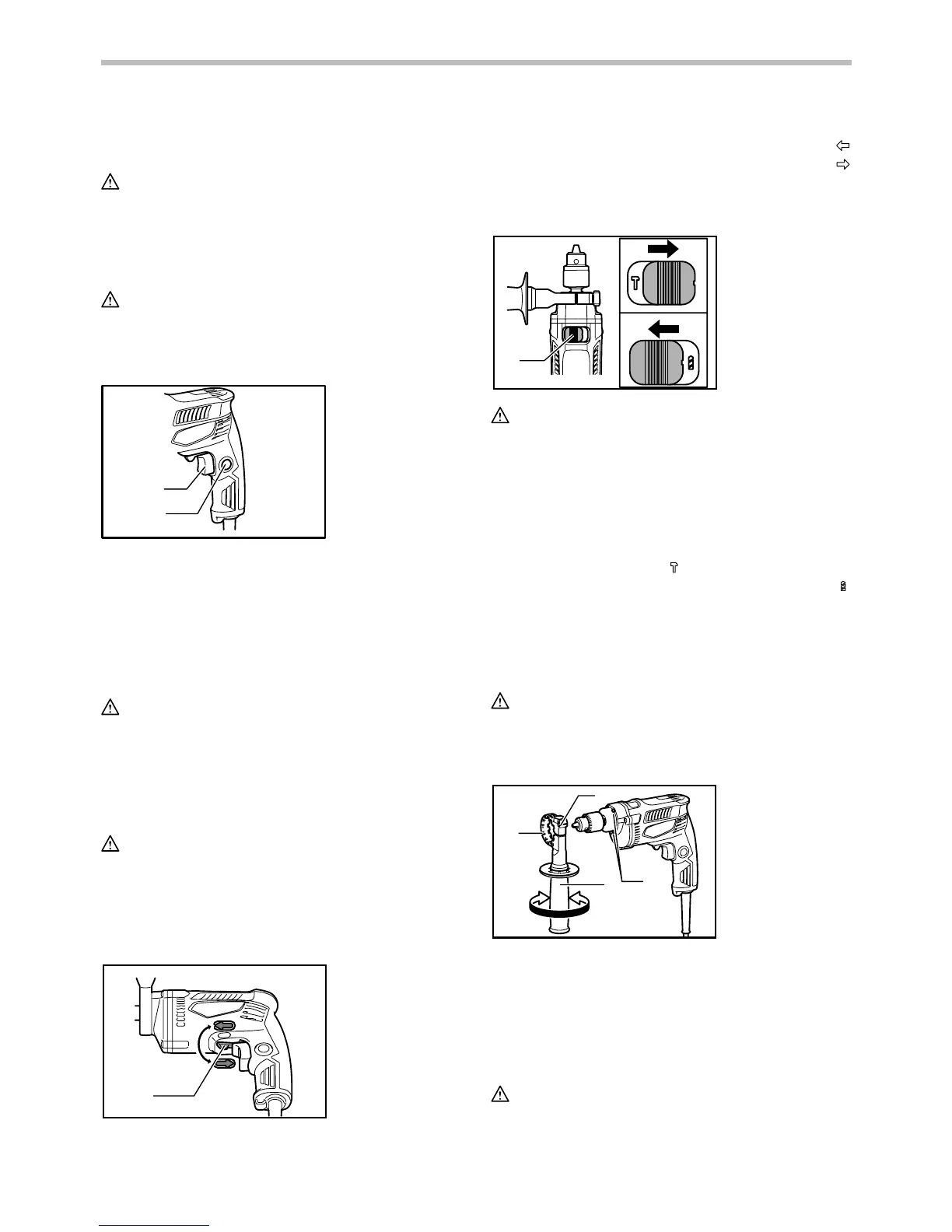
Switch action
CAUTION:
• Before plugging in the tool, always check to see
that the switch trigger actuates properly and
returns to the "OFF" position when released.
1
2
013417
To start the tool, simply pull the switch trigger. Tool
speed is increased by increasing pressure on the switch
trigger. Release the switch trigger to stop. For
continuous operation, pull the switch trigger, push in the
lock button and then release the switch trigger. To stop
the tool from the locked position, pull the switch trigger
fully, then release it.
CAUTION:
• Switch can be locked in "ON" position for ease of
operator comfort during extended use. Apply
caution when locking tool in "ON" position and
maintain firm grasp on tool.
Reversing switch action
CAUTION:
• Always check the direction of rotation before
operation.
• Use the reversing switch only after the tool comes
to a complete stop. Changing the direction of
rotation before the tool stops may damage the tool.
1
A
B
013418
This tool has a reversing switch to change the direction
of rotation. Move the reversing switch lever to the
position (A side) for clockwise rotation or to the
position (B side) for counterclockwise rotation.
Selecting the action mode
1
013419
CAUTION:
• Always slide the action mode changing lever all
the way to your desired mode position. If you
operate the tool with the lever positioned halfway
between the mode symbols, the tool may be
damaged.
This tool has an action mode changing lever. For
rotation with hammering, slide the action mode
changing lever to the right (
symbol). For rotation only,
slide the action mode changing lever to the left (
symbol).
ASSEMBLY
Installing side grip (auxiliary handle)
CAUTION:
• Always be sure that the tool is switched off and
unplugged before installing or removing the side
grip.
1
2
3
4
56
013414
Always use the side grip to ensure operating safety.
Install the side grip so that the teeth on the grip fit in
between the protrusions on the tool barrel. Then tighten
the grip by turning clockwise at the desired position. It
may be swung 360° so as to be secured at any position.
Installing or removing drill bit
CAUTION:
• Always be sure that the tool is switched off and
unplugged before installing or removing the bit.
1. Grip base
2. Teeth
3. Side grip
(auxiliary
handle)
4. Protrusion
5. Loosen
6. Tighten
1. Action mode
changing lever
1. Reversing
switch lever
1. Switch trigger
2. Lock button


 To Next Page