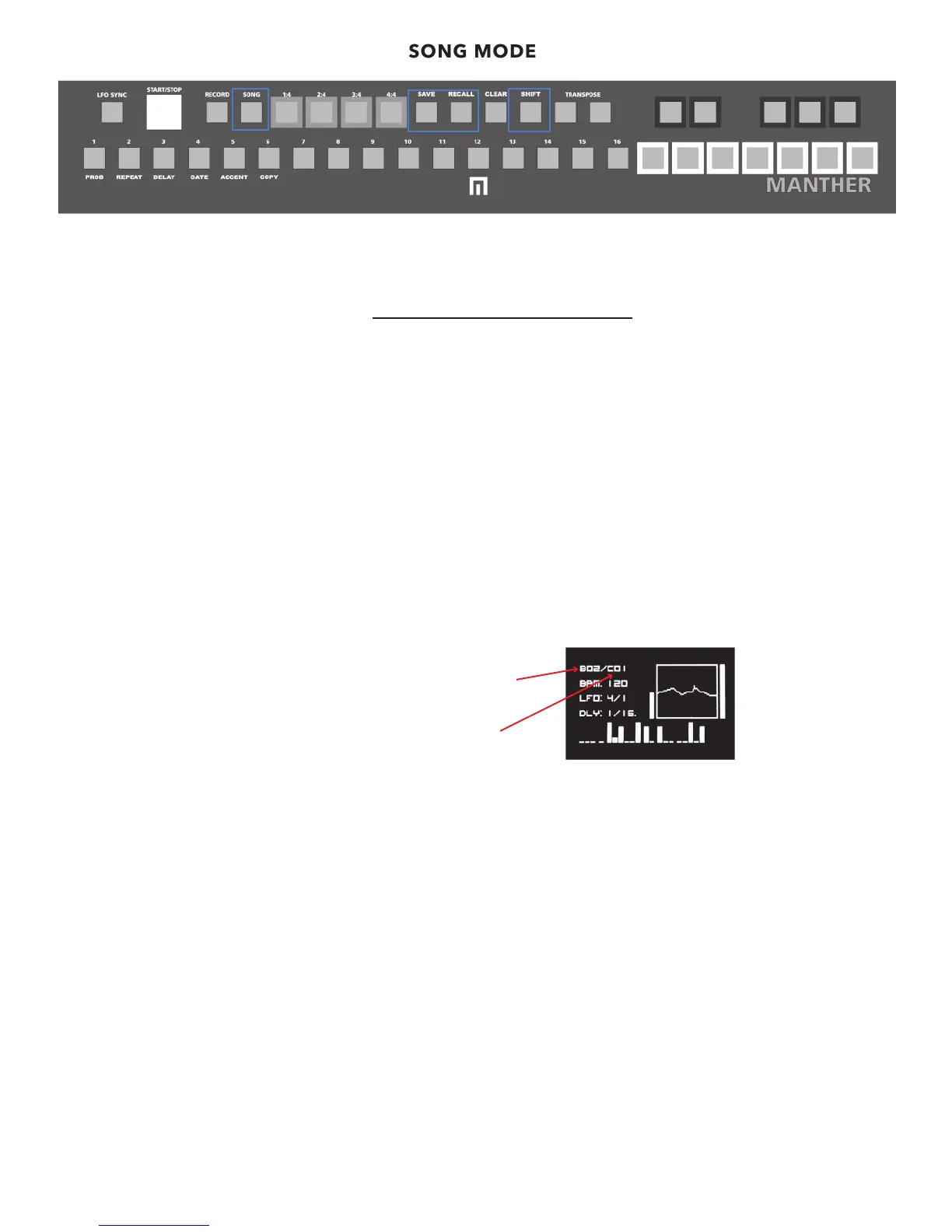
SONG MODE
To RECALL a song, HOLD RECALL + SONG to enter the SONG locations mode. Now you can scroll through various songs using the
MENU control. Press the MENU encoder to select the song you want to play. Press the song button so it’s lit. Now press play.
To CLEAR a song, HOLD CLEAR + SONG.
NOTE: Patterns that are set to RANDOM sequencing will never forward to the next programmed preset within a song. Because of
the random behavior, they have no pattern end.
RECALL SONG
01 MYSONG
02 MYSONG2
In song mode, this indicates the preset that is
playing.
This indicates the preset that will load next.
13


 To Next Page