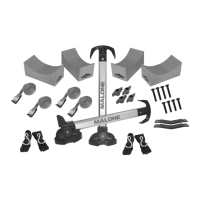
Installation & Loading Instructions - MPG115MD Stax Pro2
TM
R
4
5
. Loosen the tightening knob and place
the carrier into the fold-down position.
Insert a mounting bolt into the forward
side hex hole. See image 5.
. Install a black round tightening knob onto
the exposed end of the bolt. See image 4.
Step 2: Installing Carriers to the Cross Bars
. Insert a mounting bolt through one hole of
a Jawz mounting adapter and loosely apply
a t-knob. See image 6.
7
6
. Raise the carrier into the upright
position. Place the carrier onto the
front cross bar with the oval side of
the carrier facing the front of the
vehicle. Swing the Jawz under the
cross bar as shown. See image 7.
Raise the carrier into the upright
position. Place the carrier onto the
front cross bar so it folds towards the
rear of the vehicle. Swing the Jawz
under the cross bar as shown.
See image 7
4
5
6
7
Note: The base of the carrier has a rectangular “cutout” that
has been included for square cross bar t. This “cutout” does
not effect the t or function of the carriers when installed to
round or oval shaped cross bars.


 To Next Page
 Loading...