EasyManua.ls Logo

Mamiya ZE - Viewfinder Information Display; Viewfinder LED Exposure Indicators

Mamiya ZE
6 pages
Print Icon
To Next Page IconTo Next Page
To Previous Page IconTo Previous Page
Loading...
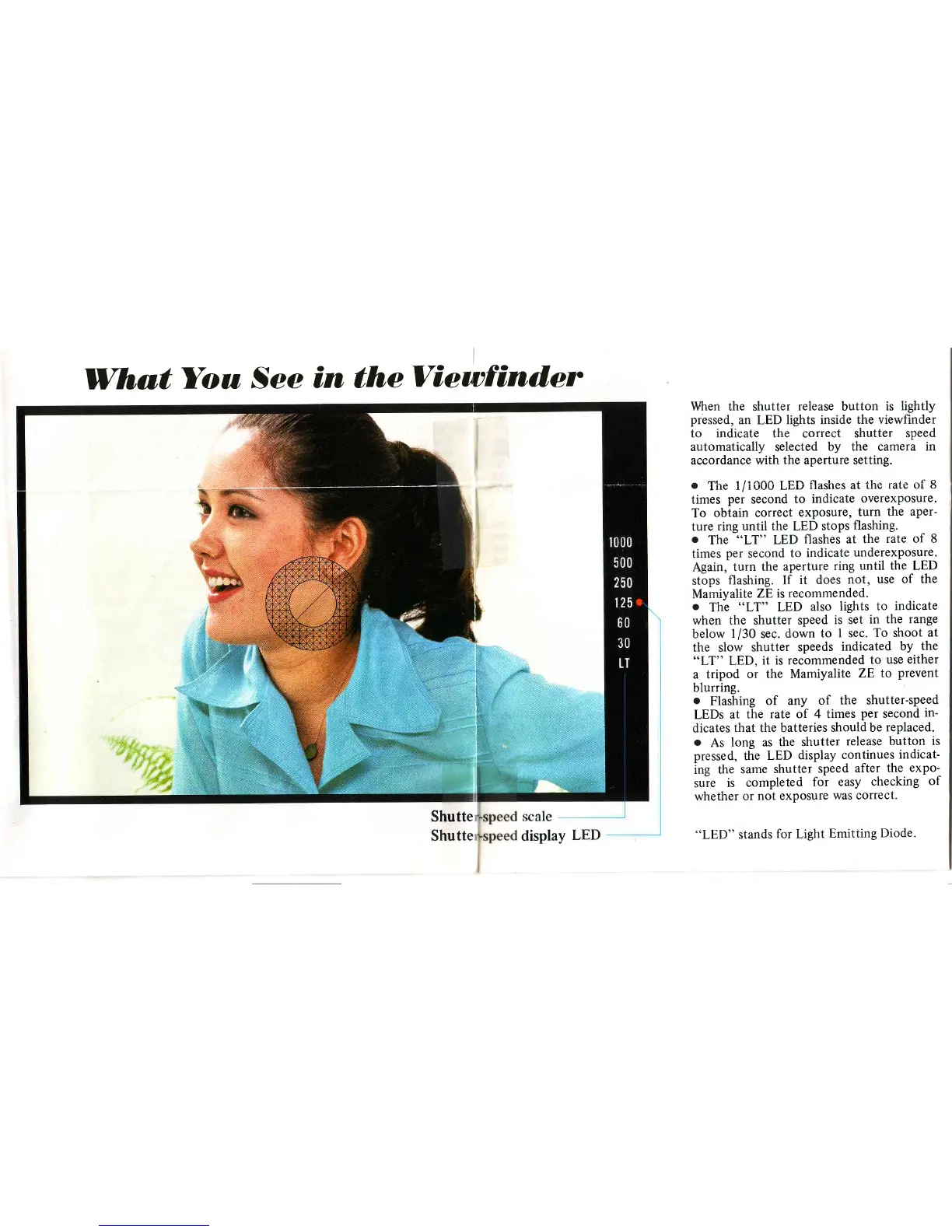
WhutYou
See
in theView:find,er
When the
shutter
release
button
is
lightly
pressed,
an LED
lights inside
the viewfinder
to
indicate the
correct
shutter speed
automatically selected
by the camera
in
accordance with
the aperture setting.
.
The
1/1000
LED
flashes
at ihe
rate
of 8
times
per
second
to
indicate
overexposure.
To
obtain correct
exposure,
turn
the aper-
ture
ring until the LED
stops
flashing.
.
The
"LT"
LED
flashes
at
the
rate
of 8
times
per
second
to
indicate
underexposure.
Again,
turn
the
aperture
ring until
the LED
stops
flashing.
If
it
does
not,
use of the
Mamiyalite
ZE
is recommended.
.
The
"LT"
LED
also
lights
to
indicate
when
the shutter
speed
is set
in the
range
below
1/30
sec.
down
to
I sec.
To shoot
at
the
slow
shutter
speeds
indicated
by
the
66LT"
LED,
it is
recommended
to use
either
a
tripod
or the Mamiyalite
ZE to
prevent
blurring.
.
Flashing
of any
of the
shutter-speed
LEDs
at
the
rate of 4 times
per
second
in-
dicates
that the batteries
should be
replaced.
.
As
long as
the shutter
release button
is
pressed, the
LED
display
continues
indicat-
ing
the
same
shutter
speed
after
the
expo-
suie
is
completed
for easy
checking
of
whether
or
not exposure
was correct.
"LED"
stands
for
Light
Emitting
Diode.
Shutte
Shutte
display

Related product manuals